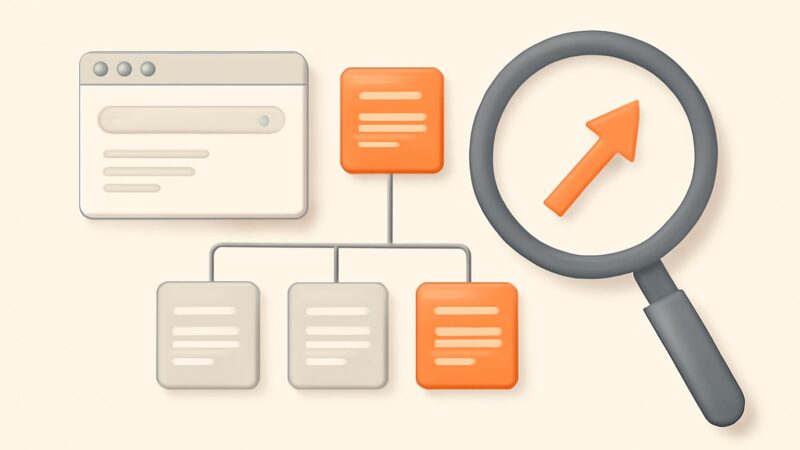
Most teams treat AI content tagging as a labeling chore — point a model at your posts, let it spray keywords into a taxonomy, and move on. That’s exactly how you end up with 500 near-empty archive pages competing with your own money content and quietly bleeding crawl budget. Tagging isn’t a metadata problem. It’s an information-architecture decision with direct index-side consequences, and the model is the least important part of getting it right. This guide gives you the framework: what a tag is actually for, the crawl math that decides whether a tag helps or hurts, and how to measure whether any of it moved rankings.
What a tag actually does (and the three jobs it has to earn)
A tag is not a keyword you sprinkle for relevance. Google stopped reading meta keywords in 2009. A modern tag has exactly three jobs, and a good AI content tagging system should be judged against all three:
- Retrieval — it groups related posts so a human (and increasingly an AI assistant summarizing your site) can navigate a topic.
- Entity signal — a consistent tag reinforces which real-world entities a page and a site cover. “React Server Components,” tagged the same way across 40 posts, tells crawlers you have genuine topical depth on that entity.
- Internal-link edges — every tag archive is a hub that distributes link equity and crawl paths between otherwise siblingless posts.
If a tag doesn’t earn at least two of those three jobs, it shouldn’t exist. This single rule kills more bad tags than any prompt engineering will, because it forces you to design the taxonomy before you automate it.
The crawl-budget math that decides everything
Here is the mechanism that most AI content tagging guides skip. Every tag you create spawns an archive URL — often several, once pagination kicks in. On a 600-post blog with an over-eager model assigning 15 tags per post, you can generate 1,200+ thin archive URLs overnight, each with a paragraph of boilerplate and a list of titles. Google now has to crawl, render, and evaluate those pages. Two things follow: crawl budget gets diverted from your actual articles, and your index fills with low-value duplicates that the helpful-content system reads as bloat.
The math is unforgiving. If 70% of your indexable URLs are thin tag archives, the average quality of your indexed footprint drops, and site-level quality signals are real. The fix isn’t fewer tags for humans — it’s controlling which tags become indexable. Design for navigation liberally; expose to Googlebot conservatively.
A worked micro-example: 200 posts, done two ways
Say you run a 200-post SaaS blog. Version A: you let a raw model tag freely. It produces 340 unique tags — “onboarding,” “user onboarding,” “customer onboarding,” and “onboarding flow” all appear as separate tags because the model matched surface strings, not concepts. Result: 340 archive pages, most holding one or two posts, all indexable. Six weeks later organic traffic is flat and Search Console shows 280 new “Crawled – currently not indexed” URLs.
Version B: you cap the vocabulary at 45 canonical tags, map synonyms to one entry (“onboarding” absorbs the other three), and set every archive to noindex, follow until it holds 8+ posts and a 150-word human intro. You end with 45 clean hubs, 11 of them promoted to indexable topic pages. Those 11 pages start ranking for head terms your individual posts couldn’t reach, because now there’s a genuine hub-and-spoke structure behind them. Same content, same model — completely different outcome, decided entirely by taxonomy design and indexation control.
Rule one: a closed vocabulary, always
The most damaging default in any AI content tagging pipeline is an open vocabulary — letting the model invent tags on the fly. Models are string-matchers; they will fracture one concept into five near-duplicates and never notice. Give the model a fixed list of 20–60 approved tags and instruct it to pick only from that list, or return “none.” This turns tagging from open-ended generation into constrained classification, which models do far more reliably.
Build that vocabulary from real search demand, not from a brainstorm. The tags worth having map to entities and topics people actually query. This is where keyword research feeds taxonomy directly: pulling the clusters your audience searches — with real volume and difficulty data — tells you which concepts deserve a hub. SEO Rocket’s keyword research runs on live Ahrefs data, so the tag list you seed the model with reflects demand you can verify, not guesses.
Confidence thresholds and disambiguation: the technical core
A production tagging pipeline needs more than “classify this post.” Two mechanisms separate a reliable system from a noisy one:
- Confidence gating. Have the model return a confidence per tag and only auto-apply above a threshold (start at ~0.8). Tags in the 0.5–0.8 band go to a human queue; below 0.5 are dropped. This alone cuts false positives dramatically.
- Entity disambiguation. “Apple” the company versus the fruit, “Python” the language versus the snake. Feed the model enough context (title plus first 500 words, not just the title) and, for ambiguous domains, a short gloss for each vocabulary term. Disambiguation errors are the ones that quietly poison a taxonomy.
Set an explicit cap — three to six tags per post. Uncapped models over-tag, and every extra tag is another thin archive candidate. Fewer, more accurate tags beat comprehensive noise every time.
Human review: sampled, not exhaustive
You do not need to check every tag on every post — that defeats the point of automation. You need a sampling protocol that catches systematic errors before they scale. Tag your first 50 posts, then manually review all 50. Calculate the error rate. Under 5% and you can run the backlog with spot checks on every tenth post. Between 5% and 15%, refine the prompt or the vocabulary and re-run the sample. Above 15%, your vocabulary itself is probably ambiguous — fix the list, not the model. The goal is a controlled error budget, not perfection.
Indexation control: the rules that keep tags from becoming bloat
This is the safety valve. Set these defaults before a single tag goes live, not after Search Console lights up:
- Tag archives default to
noindex, follow— crawlable for link flow, invisible to the index. - Promote an archive to indexable only when it clears a real threshold: 8–10+ posts and a genuine 150-word human-written intro that makes it a topic page, not a list.
- Paginated archives (page 2 and beyond) stay
noindexpermanently. - Exclude un-promoted archives from your XML sitemap so you don’t actively invite crawling of pages you don’t want ranked.
Follow this and tagging becomes purely upside: humans get navigation, promoted hubs earn rankings, and you never flood the index with empties.
How to wire tags into internal links
Tags are wasted if they only power a sidebar widget. The leverage is using the tag graph to drive contextual internal links between the posts that share a tag. When five articles carry the “content-gap-analysis” tag, they should link to each other in-body where relevant, with descriptive anchors — not just co-appear on an archive. That’s what turns a flat blog into a topic cluster Google can read as depth. A crawler-based site audit that surfaces orphaned posts and weak internal linking makes this concrete; SEO Rocket’s site audit flags exactly which tagged posts aren’t yet connected, so the tag taxonomy translates into real link equity instead of a decorative label.
Measuring whether tagging actually worked
Most teams never close this loop, which is why AI content tagging feels like faith. It shouldn’t. Track three things over 60–90 days:
- Promoted-hub rankings — do your indexable topic archives start ranking for the head term the cluster targets? That’s the clearest signal tagging created value.
- Internal-link-driven impressions — in Search Console, are the posts you cross-linked via tags gaining impressions on secondary queries?
- Index hygiene — is your “Crawled – currently not indexed” count stable or falling, not climbing? A rising count means tags are leaking into the index.
Attribution is fuzzy — tagging rarely moves rankings alone, and you should be honest about that. But a hub that ranks where its member posts couldn’t, plus flat index bloat, is about as clean a read as internal-architecture work ever gives you.
Where AI content tagging genuinely fails
Be clear-eyed about the limits. Tagging does not create topical authority — it exposes and organizes authority you already earned by publishing genuinely useful pages. Reorganizing 40 thin posts into tidy clusters produces 40 thin posts in tidy clusters. Multi-language sites add real difficulty: a single vocabulary rarely maps cleanly across languages, and you usually need a per-language tag list with a shared canonical entity behind it. And AI tagging cannot fix intent mismatches — if a post targets the wrong query, no tag rescues it. Tagging is a supporting layer. Worth doing well; not worth a quarter of your engineering time, and never a substitute for content strategy.
Frequently asked questions
Do content tags help SEO rankings directly?
Not directly. Tags don’t carry ranking weight the way body content and links do. They help indirectly by building topic-cluster structure, distributing internal links, and — when a tag archive is promoted into a real topic page — creating a hub that can rank for a head term individual posts can’t. Left as thin, indexable archives, tags hurt more than they help.
How many tags should each post have?
Three to six, drawn from a fixed vocabulary. Uncapped tagging spawns thin archives and dilutes the entity signal. Fewer, accurate, canonical tags outperform a long noisy list every time.
Should tag pages be indexed by Google?
Default them to noindex, follow. Only promote an archive to indexable once it holds roughly 8–10+ posts and carries a genuine human-written intro that makes it a useful topic page rather than a bare list of titles.
Can I trust an AI model to tag content unsupervised?
Only after it clears a sampled review under a 5% error rate, and only with confidence gating and a closed vocabulary in place. Run 50 posts, check them, measure the error rate, then automate the backlog with spot checks. Trust the pipeline, not the raw model.