Most people hunting for Yoast alternatives aren’t unhappy with the green light — they’re tired of everything around it. Yoast SEO is a solid, dependable WordPress plugin that has shipped titles, meta descriptions, and XML sitemaps for millions of sites. But the free version nags you toward the premium upgrade, the interface adds notifications you didn’t ask for, and it stops exactly where the modern job gets interesting: keyword research, content that actually ranks, and whether AI search ever mentions your brand.
This is not a padded list of twenty plugins stuffed with affiliate links. Below are the Yoast alternatives that genuinely hold up in daily use, what each one is best at, and — because it is the honest answer — when you should just keep Yoast installed.
Why people leave Yoast
A few reasons come up over and over. The first is upsell fatigue: the free plugin is capable, but you feel steered toward premium at every turn, and premium renews per site per year. The second is scope creep in the dashboard — cornerstone toggles, readability warnings, and prompts that clutter a screen where you just wanted to set a title tag. The third is the ceiling. Yoast optimizes the page in front of you; it does not tell you which page to write, what your competitors rank for, or where you stand in Google’s AI Overviews.
None of that makes Yoast bad. It makes it a page-level WordPress tool in a job that increasingly wants research, writing, and tracking in one place. That gap is exactly where the alternatives compete — some by doing on-page better and cheaper, one by rethinking the workflow entirely.
What to look for in a replacement
Judge every option on four things a working SEO actually cares about: whether the core on-page controls are complete and stay out of your way, honest total cost including per-site renewals, whether AI content and AI-search visibility are built in or bolted on with a second subscription, and who the tool is genuinely for. A plugin that nails schema markup but leaves you guessing at keywords has only solved a quarter of the problem.
Yoast alternatives at a glance
Start with the table, then read the notes on the two or three that fit your situation.
| Tool | Best for | AI-native? | Standout strength | Rough price band |
|---|---|---|---|---|
| SEO Rocket | Solos, consultants & agencies who want one AI-driven workflow | Yes — chat-first | Research + AI writing + AI-search visibility + audit in one place | Low $ / entry-friendly |
| Rank Math | WordPress users who want more control for free | Some AI add-ons | Deep feature set, generous free tier, clean setup wizard | Free / low $ |
| All in One SEO | Beginners wanting a guided, no-nonsense plugin | Light | Simple setup, solid schema and WooCommerce support | Low–mid $ |
| SEOPress | Privacy-minded site owners avoiding upsells | Light | Full features with no ads, flat per-year pricing | Low $ |
| The SEO Framework | Developers who want speed and zero clutter | No | Lightweight, ad-free, sensible automatic defaults | Free / low $ |
| Squirrly SEO | Non-experts who want step-by-step guidance | Yes — assistant | Live optimization coaching as you write | Low–mid $ |
SEO Rocket — the AI-native pick
SEO Rocket is the option built for how the job actually works now, and it is the one that steps outside the plugin box. Instead of optimizing a page after you have already written it, you ask in plain language for what you need — keyword research, competitor gaps, rank tracking, a full site audit — and it runs the lookup on real, Ahrefs-grade data underneath. Then the same tool drafts the article with Claude and shows you whether your brand is being cited in ChatGPT, Perplexity, and Google’s AI Overviews through its Brand Radar view.
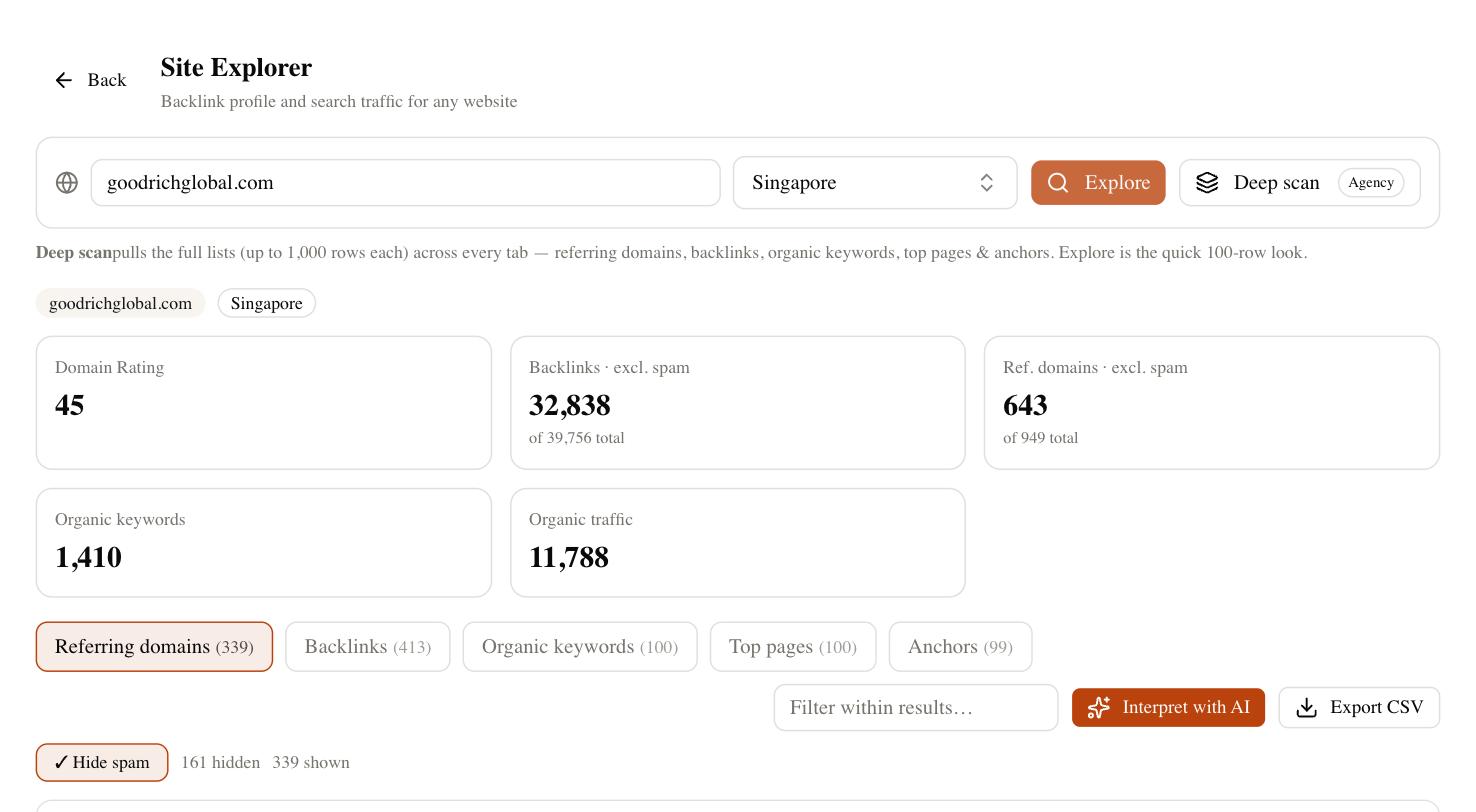
That consolidation is the real saving. A typical setup of Yoast Premium plus a separate keyword tool plus an AI writer plus an AI-visibility tracker collapses into one subscription, and the entry pricing stays friendly for a solo operator. If you run client work, the built-in dashboards mean you can hand a read-only report straight over without exporting a thing.
The honest caveat: SEO Rocket is not a WordPress plugin that writes your title tag inside the post editor. If your entire need is on-page controls baked into WordPress, a plugin still does that job more directly. Where SEO Rocket wins is the work Yoast never touched — deciding what to write, seeing what competitors rank for, and tracking AI-search visibility. For anyone whose bottleneck is doing more with fewer tools, which is most people reading this, that combination is the strongest fit on the list.
Rank Math — the feature-rich free option
Rank Math is the plugin most Yoast switchers land on, and for good reason. Its free tier ships features Yoast reserves for premium — multiple focus keywords, richer schema options, and a tidy setup wizard — so the value on day one is obvious. The interface packs a lot in, which some users love and others find busy, but the control is real.
The trade-off is that all that capability can invite tinkering, and the paid tiers exist for a reason once you want the advanced modules. Still, if you want a like-for-like WordPress replacement that does more without asking for money up front, Rank Math is the natural first stop.
AIOSEO, SEOPress, The SEO Framework and Squirrly
The rest of the field covers almost every temperament and budget.
- All in One SEO — the guided beginner’s plugin. Its setup wizard holds your hand, schema and WooCommerce support are solid, and it feels familiar to anyone coming from Yoast.
- SEOPress — the no-upsell pick. You get the full feature set with no ads and flat per-year pricing, which appeals to owners tired of being marketed to inside their own dashboard.
- The SEO Framework — the developer’s choice. It is lightweight, ad-free, and leans on sensible automatic defaults, so it stays out of the way on performance-sensitive builds.
- Squirrly SEO — the coaching tool. Its live assistant walks non-experts through optimizing each post as they write, which suits people who want to learn the ropes rather than just tick boxes.
Any of these will cover core on-page needs as well as Yoast, and several do it more cheaply. What none of them fully solve is folding keyword research, AI content, and AI-answer visibility into the same workflow — you will still run a second subscription for that.
When you should just keep Yoast
Honesty matters here. If your setup is simple, stable, and already configured — titles set, sitemap submitted, redirects handled — there is little reason to rip out a plugin that works. Yoast’s long track record means it stays compatible with WordPress core and page builders, its documentation is deep, and support is mature. If you manage one content site, rarely touch advanced settings, and the free version already does what you need, switching is churn for its own sake. The right question is not “is there something newer,” it is “does the newer option cover the parts of Yoast I actually rely on, plus something Yoast can’t.” For a set-and-forget blog, sometimes the answer is that Yoast is fine.
How to choose your Yoast alternative
Match the tool to your real constraint, not to a feature grid. If you want a cheaper, more capable WordPress plugin that behaves like Yoast, Rank Math or SEOPress will feel right at home. If you want the lightest possible footprint, The SEO Framework earns it. And if the plugin was only ever a symptom — because your real problem is not knowing what to write, who you are competing with, or whether AI search sees you — then a page-level plugin was never going to fix that, and an AI-native tool like SEO Rocket is the honest move.
A quick way to decide: write down the three SEO tasks you actually did last month. If they were all inside the WordPress editor — set a title, tweak a meta description, check a readability score — stay in the plugin world and pick the cheapest one that does it cleanly. But if your list was really “figure out what to publish,” “see what a rival ranks for,” and “produce the content,” you have outgrown the plugin question entirely, and the leaner path is one tool that does all three. Whatever you choose, give it a full ranking cycle before you judge it — positions jitter a few spots day to day, and no tool’s estimates are precise. Run your own site through it for a few weeks; the one that answers your real questions fastest is the right alternative for you.