SEO for YouTube is a different game from optimizing a website, and most guides get it wrong by pasting standard on-page advice onto a platform that doesn’t let you use it. You don’t control the URL, the page speed, the rendering, the structured data, or the redirects — YouTube owns all of that. What you do control is a short list of fields and a set of engagement signals, and knowing exactly where that list starts and stops is the whole job.
Good SEO for YouTube means winning two search engines at once: YouTube’s own search and suggestion system, and Google, which surfaces videos in the main results, the video pack, and “key moments” carousels. They reward overlapping but not identical things. This guide covers what each one actually looks at, what you can and can’t touch, and the mistakes that quietly cap a channel’s growth.
The two search engines you’re optimizing for
YouTube is the second-largest search engine, but most views on a healthy channel don’t come from search at all — they come from Suggested and Browse, where YouTube recommends your video next to or after something a viewer already watched. That changes the goal. On a website you optimize a page to rank for a query and stop. On YouTube you optimize a video to earn a click and then to hold attention, because retention is what feeds the recommendation engine that drives the bigger traffic source.
Google is the second surface. When someone searches a how-to or a product query, Google often pulls a YouTube video into the results, and it reads your title, description, and the transcript to decide relevance. Timestamps in your description can become clickable “key moments” in Google. So a single upload is competing in two systems with two different sets of rules, and you’re writing metadata for both.
What you actually control (and what you don’t)
This is the honest core of the topic. Classic technical SEO barely applies here, because YouTube abstracts almost all of it away. The table below is the real boundary of your influence.
| SEO lever | On your own site | On YouTube |
|---|---|---|
| URL / slug | Full control | None — fixed watch?v= ID |
| Title tag | Full control | Yes — up to 100 characters |
| Meta description | Full control | Yes — the video description, up to 5,000 characters |
| Page speed / Core Web Vitals | You optimize it | None — YouTube’s problem, not yours |
| JavaScript rendering | You manage it | None |
| Structured data | You add schema | None — YouTube emits VideoObject for you |
| Redirects / canonical | Full control | None |
| Thumbnail | Not applicable | Yes — custom, verified account |
| Captions / transcript | Not applicable | Yes — upload your own SRT |
| Tags | Not applicable | Yes, but low weight now |
Read that list twice. Every technical audit item you’d normally chase — crawl budget, render-blocking scripts, canonical tags, HTTPS, mobile layout — is off the table because it’s not yours to change. That’s freeing, not limiting. It means your leverage concentrates entirely in the fields you can edit and the watch behavior you can earn.
Titles and thumbnails: the click comes first
Nothing else matters if no one clicks. YouTube shows your video as an impression, and click-through rate against that impression is one of the earliest signals it reads. Your thumbnail and title are the only two things a viewer sees before deciding, so they carry more weight here than any meta field on a web page ever does.
Write the title for a human scanning a crowded screen, with the main search phrase near the front so both YouTube and Google can read it. Keep the visible part under roughly 60 characters — YouTube allows 100, but the end gets truncated on mobile and in suggestions. For thumbnails, verify your account so you can upload a custom image, use large readable text that doesn’t repeat the title, and keep faces or a single clear subject. Avoid clickbait you can’t pay off in the first fifteen seconds, because a click you don’t earn back in watch time hurts you more than a lower CTR would have.
Descriptions, chapters, and captions
The description is your one long text field, and only the first two or three lines show before the “Show more” fold, so front-load the phrase and the promise. Below the fold, write a real paragraph or two using the natural language people actually say — this text, plus the transcript, is what Google reads to rank you for related queries.
Chapters are underused. Add timestamps starting at 0:00 with at least three sections, and YouTube turns them into a chapter bar; Google can turn them into key-moment links in search. Captions are the other quiet win: YouTube auto-generates them, but the machine version is often wrong on names and jargon. Uploading your own SRT gives you clean, searchable text and better accessibility. Tags still exist, but they carry little weight now — spend two minutes on them and move on.
The mistakes that quietly cap a channel
The most common error is treating YouTube like a website and obsessing over tags and keyword density while ignoring retention. YouTube can see the exact second viewers leave, and a video that loses half its audience in the first thirty seconds will not be recommended no matter how perfect the metadata is.
Other frequent traps: reusing the same title and thumbnail style so nothing stands out; stuffing the description with repeated keywords, which does nothing and reads badly; ignoring the first 15 seconds, where most drop-off happens; and never adding end screens or cards, which is how you turn one view into a second view and lift session time. There’s also the impatience mistake — pulling a video after two days. YouTube tests videos slowly across audiences, and a slow starter can find its footing over weeks.
Where keyword research and AI visibility fit
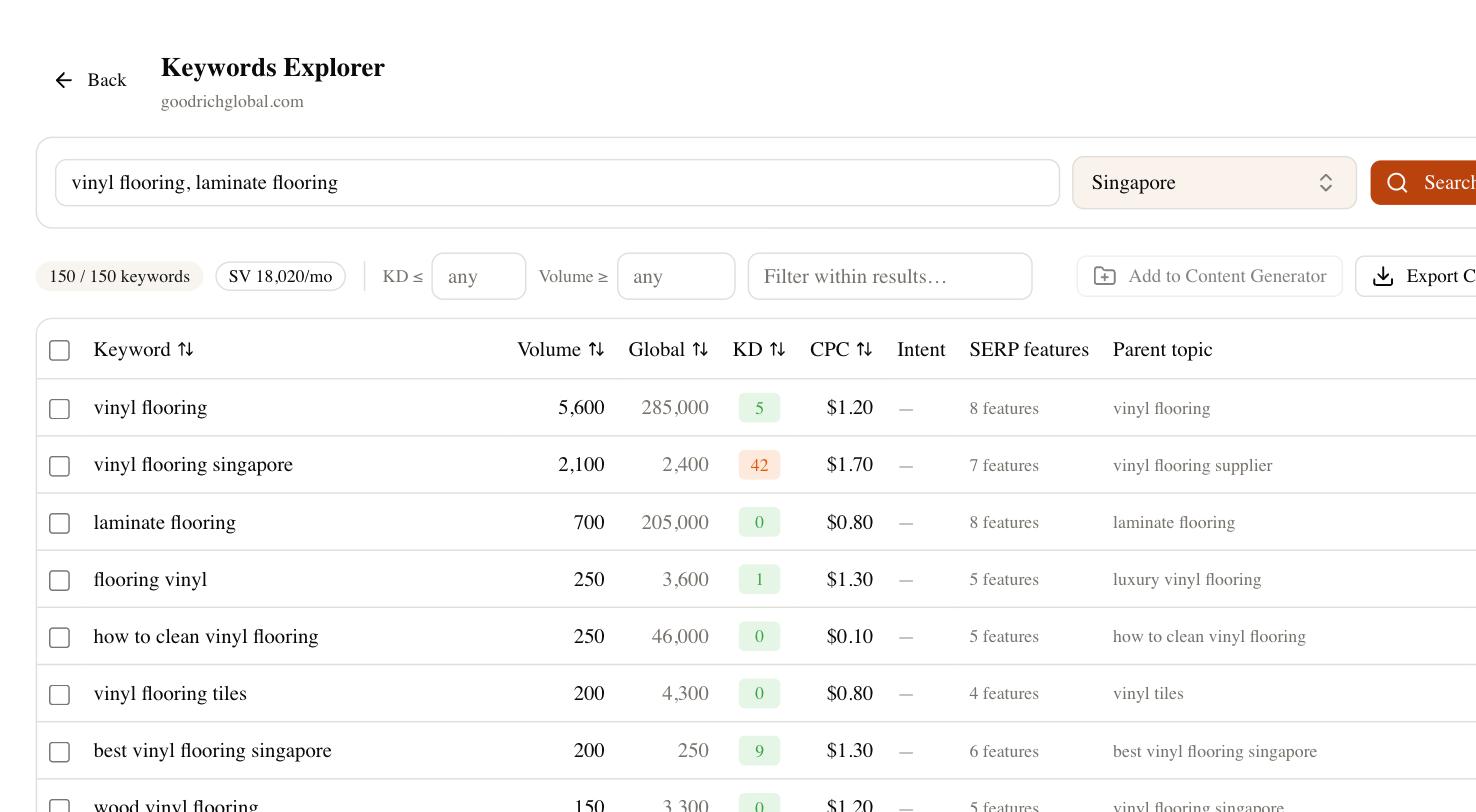
You still need to know what people search before you script anything, and that’s where a real keyword tool beats guessing from YouTube’s autocomplete. In SEO Rocket you can research a topic against Ahrefs-grade data — search volume, difficulty, and the questions around a phrase — then shape titles and descriptions around demand instead of hunches. The same research tells you which topics have a video pack in Google, which is where a YouTube upload can outrank written pages.
Two other pieces matter now. Competitor gap analysis shows the topics rivals cover that you don’t, so you can prioritize videos with proven demand. And Brand Radar tracks whether AI answer engines mention your brand — because when someone asks ChatGPT or Google’s AI Overviews for a recommendation, YouTube content is increasingly part of what gets cited. Optimizing only for the classic search box misses the surface a growing share of buyers now use.
A simple checklist before you publish
Run every upload through the same short list, and you’ll cover the levers that actually exist on this platform. Search phrase near the front of the title; visible portion under about 60 characters; custom thumbnail with readable text and one clear subject; first two description lines front-loaded with the promise; a full description paragraph in natural language; chapters starting at 0:00; your own caption file uploaded; end screen and at least one card added.
That’s the whole surface area. Effective SEO for YouTube isn’t a technical audit — it’s a clicky title, a thumbnail that earns the click, a description written for two search engines, and a first minute strong enough that the recommendation system wants to show your next video too. Get those right, give each upload a few weeks, and let the data tell you which format to make more of.