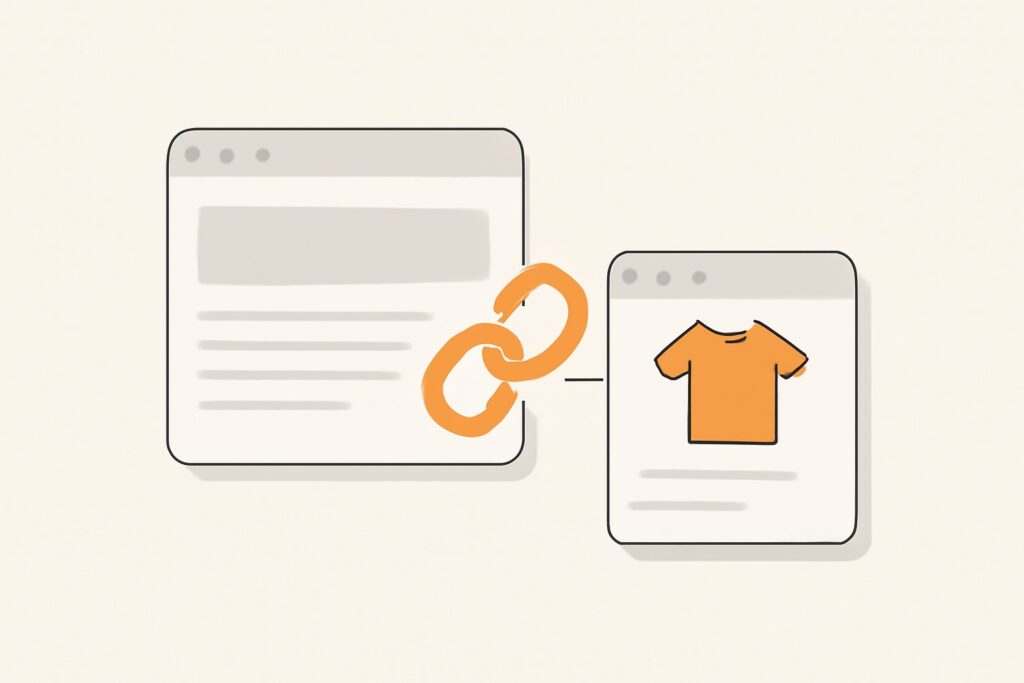
Most stores treat blog to product linking as an afterthought — publish a helpful guide, drop a “shop now” button at the bottom, call it done. Then they wonder why a post pulling 4,000 monthly visitors sells almost nothing and does nothing for the rankings of the products it mentions. The problem isn’t the traffic. It’s that the blog and the catalog are running as two disconnected sites that happen to share a domain. Content-to-commerce linking is the plumbing that connects them, and done deliberately it does two jobs at once: it routes buyers to the right page, and it channels the link equity your articles earn into the money pages that need it.
Why Blog Traffic Rarely Sells on Its Own
Informational content and commercial pages serve different intents, and that gap is exactly why blog traffic stalls. Someone reading “how to choose a standing desk” is researching, not buying — yet — and if the article dead-ends without an obvious, relevant next step, they leave to compare elsewhere. Meanwhile your product and category pages, the ones that actually convert, sit starved of the internal authority they need to rank. Guides are what earn editorial backlinks (nobody links to a product page, but people cite a good buying guide), so the SEO value piles up on the wrong side of the store.
Blog to product linking closes both leaks at once. It gives the researcher a path to the exact product that solves their problem, and it passes the authority your content has accumulated down to the transactional pages Google is otherwise reluctant to rank. Skip it and you’re paying to attract an audience you then let walk out the door.
What Blog to Product Linking Actually Does
Strip away the jargon and content to commerce linking performs two mechanically distinct functions. The first is navigational: it hands a reader their next click at the moment their intent shifts from “learning” to “choosing.” The second is architectural: every internal link is a vote of relevance and a conduit for PageRank, so a link from a well-linked article tells Google the destination product page matters and deserves crawl attention and ranking consideration.
Those two functions have different design rules, which is where most stores go wrong. A link placed to convert (a prominent product card mid-article) and a link placed to pass equity (a contextual in-body anchor) aren’t always the same link. The strongest editorial commerce links do both, but you have to design for it rather than hope a footer button covers everything.
Link to Categories First, Products Second
Here’s the decision most guides skip: which page should the link point to? The reflex is to link the specific product you’re recommending. Often the smarter target is the category or collection page. Category pages target broader head terms, they almost never go out of stock, and they don’t get discontinued — so the link stays live and the equity keeps flowing for years. A link to a single SKU can 404 the moment that product is retired, quietly turning your best-earning article into a source of broken links.
The working rule: link the category page for durability and broad relevance, then link two or three specific products inline where you’re genuinely recommending them. That way a reader who wants the shortcut clicks a product, and a reader who wants to browse the full range clicks the category — and if any one product disappears, the article’s backbone (the category link) survives untouched.
Placement Beats Volume: Contextual vs Boilerplate
Ten links in a sidebar template are worth less than one link in the body of the text, and it’s worth understanding why. Google recognizes boilerplate — the same block of links repeated across every page — and discounts it heavily, because a link that appears on 900 posts identically carries little editorial signal. A contextual link, embedded in a sentence where the surrounding words describe what you’re linking to, is the opposite: it’s a deliberate editorial choice, and both crawlers and readers treat it as one.
So resist the urge to bolt a generic “Browse our shop” strip onto every article. Instead, work blog product links into the passage where they’re relevant — link “insulated water bottles” the first time the phrase appears in a hydration guide, not in a footer nobody reads. Contextual placement converts better too, because the link arrives exactly when the reader is thinking about that thing.
Anchor Text That Matches Commercial Intent
Internal anchor text is one of the few ranking levers you fully control, and this is where content to commerce linking should use it precisely. For a link into a category page, use the descriptive commercial term you want that page to rank for — “merino wool base layers,” not “click here” or “this collection.” That anchor reinforces to Google what the destination is about, and because it’s an internal link on your own site, you have far more latitude than you would with external anchors.
Two caveats keep it safe and effective. First, vary the anchors naturally across your posts rather than hammering the identical exact-match phrase from every article — even internal over-optimization reads as manipulative at scale. Second, match the anchor to the destination’s intent: send “how to choose” research links to a buying-guide or category page, and reserve model-name or SKU anchors for the specific product page a ready buyer wants.
The Hub-and-Spoke Model for Content to Commerce
The cleanest structure for content to commerce linking is a hub and spoke. The hub is a comprehensive buying guide or pillar article targeting the research-intent head term (“best trail running shoes for beginners”). The spokes are the category page and the individual product pages it recommends. The hub earns the external links and ranks for the informational query; it then passes that authority down the spokes to the commercial pages, which rank for the narrower buying terms.
This mirrors how commercial intent actually splits across a catalog: buying guides capture research intent, category pages own the broad commercial head terms, and product pages target specific long-tail queries and model numbers. These editorial commerce links are the connective tissue that lets the guide feed the pages beneath it. Mapping which guides should feed which categories is a content-gap exercise — finding the research queries your rivals rank for that you don’t, then building hubs that funnel to your matching commercial pages. SEO Rocket’s competitor gap analysis surfaces exactly those unclaimed hub topics against real Ahrefs data, so you build guides that have somewhere profitable to point.
A Worked Example: A Trail-Running Store
Picture a store selling trail-running gear. It publishes “How to Choose Trail Running Shoes,” a genuinely thorough guide that earns links from a couple of running forums and a gear roundup. On its own that guide converts poorly. With deliberate blog to product linking, it works differently.
- Early in the body, the phrase “trail running shoes” links to the category page — the durable, always-in-stock target that ranks for the head term.
- In the “our picks” section, three specific models link to their product pages with model-name anchors, catching buyers who’ve already decided.
- A related “trail running socks” mention links to that adjacent category, capturing cross-sell intent.
Now the guide’s earned authority flows to the category page (helping it rank for the commercial term), ready buyers reach products in one click, and the article stops being a traffic cul-de-sac. Note there are no fabricated numbers here — the point is the wiring, not an invented conversion lift.
Don’t Let Editorial Commerce Links Rot
Ecommerce catalogs are living things: products sell out, get discontinued, and get re-slugged constantly. That’s the silent killer of editorial commerce links. A guide that linked to twelve products two years ago might now point at four dead URLs, bleeding equity into 404s and sending readers to error pages. The category-first rule mitigates this, but you still need a maintenance loop.
Audit your internal links on a schedule and repair the rot. When a product retires, redirect its URL to the closest live product or its parent category so the link keeps passing value instead of breaking. This is precisely the ecommerce failure mode a real-crawler audit is built to catch — SEO Rocket’s site audit crawls the catalog the way Googlebot does, flagging broken internal links, redirect chains, and orphaned pages so your blog product links don’t quietly decay into dead ends.
Make It Two-Way: Product Pages Linking Back to Guides
Content to commerce linking is usually described as one-directional, but the return link is underused and powerful. A product page that links back to the relevant buying guide gives on-the-fence shoppers the reassurance they need to convert, and it strengthens the guide’s rankings by feeding it internal links from high-value commercial pages. It also builds a tight topical cluster that signals subject authority to Google across the whole theme.
Keep the reverse links restrained — a single “Not sure which model? Read our buying guide” link on the product page does the job without cluttering the path to purchase. The goal is a loop: guides send researchers to products, products send hesitant buyers to guides, and Google reads the whole cluster as an authoritative treatment of the topic.
Measuring Whether Blog Product Links Actually Convert
Blog to product linking is only worth maintaining if you can see it working, and the metric to watch is assisted conversions, not last-click. A researcher who reads your guide, clicks through to a product, then returns a week later to buy will show up as a direct or branded-search conversion — the blog’s contribution is invisible unless you look at assisted paths in GA4. Judge your content-to-commerce linking on how often blog sessions touch a conversion journey, not on same-session purchases alone.
Pair that with rank tracking on the commercial pages your guides feed: if a category page climbs after you wire a strong hub article into it, the internal-equity flow is doing its job. Tracking those category and product terms over time — rather than spot-checking — is exactly what rank monitoring is for, and it’s how you learn which guides deserve more spokes and which are dead weight.
Frequently Asked Questions
How many product links should a blog post have?
There’s no fixed number — relevance decides it. A buying guide might naturally carry one category link plus three to five product links; a general awareness article might have just one. The rule is that every link should be contextually earned by the surrounding text. Stuffing a dozen product links into a post that doesn’t call for them dilutes the equity each one passes and reads as spammy to both users and Google.
Should blog to product links be nofollow?
No. These are internal links on your own site, and you want them to pass equity and be crawled, so they should be standard follow links. Nofollow is for links you don’t want to vouch for — typically external, paid, or user-generated ones. Nofollowing your own blog product links would defeat the entire purpose of channeling authority to your commercial pages.
Is it better to link to a product page or a category page?
Lead with the category page and supplement with specific products. Category pages are durable (they don’t go out of stock or get discontinued), they target broader commercial terms, and the link stays live for years. Then link individual products inline where you’re actively recommending them, so ready buyers get the shortcut while the category link carries the long-term equity.
Can blog content really help product pages rank?
Yes, and it’s one of the most reliable internal levers in ecommerce SEO. Guides earn the external backlinks that product pages can’t; contextual links then pass that authority down to the commercial pages, while telling Google those pages are relevant and worth crawling. The effect is a compounding one — the more your content cluster interlinks around a theme, the stronger every page in it ranks.