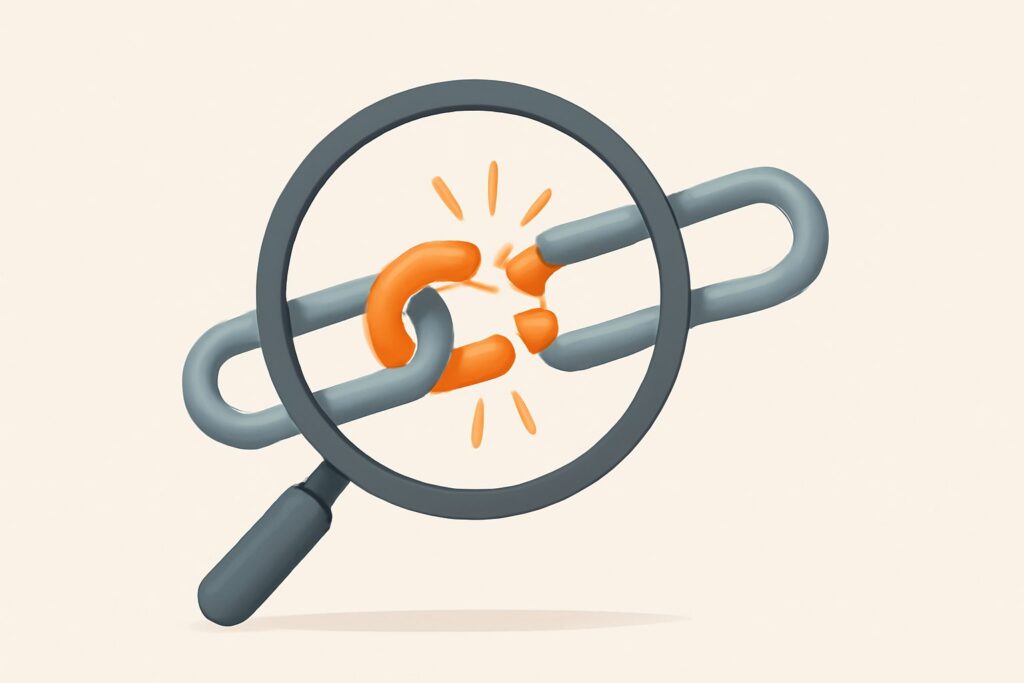
Most people who set out to find broken backlinks treat it as a housekeeping chore — run a checker, look at a list of 404s, feel vaguely productive, close the tab. That’s how you miss the actual point. A broken backlink isn’t a tidiness problem; it’s link equity you already earned that is currently pouring onto the floor. Someone linked to you, that link still exists in their content, and it now points at a page that returns nothing. The vote was cast and the ballot is being thrown away. The job isn’t to catalog them — it’s to recover the ranking signal they were built to pass.
Why backlinks break in the first place
Links don’t rot on their own. They break because something on one end of the connection changed and nobody reconciled the two ends. The usual culprits: a site migration or CMS switch that rewrote every URL, a content prune that deleted “underperforming” posts, a category or slug restructure, a product that got discontinued, or a trailing-slash and HTTPS change that never got a matching redirect. On the referring side, the linking site might have moved the page your link lived on, so even a live link now sits on a URL that itself 404s.
The damaging part is that equity does not degrade gracefully. A link to a live page passes signal; a link to a 404 passes nothing. There’s no partial credit, no “it still counts a little.” From Google’s side the destination simply doesn’t exist, so the anchor text, the topical relevance, the authority of the referring domain — all of it evaporates the moment that URL stops resolving. On a mature site, a single restructure can silently orphan dozens of hard-won links overnight.
The two jobs hiding inside “find broken backlinks”
Here’s the framework that keeps this from turning into busywork. When people search for how to find broken backlinks, they’re actually describing two different jobs that share a tool but need opposite workflows:
- Reclamation — broken links pointing at your own site. You already own both the equity and the fix. No outreach required, no permission needed. This is the fastest, highest-yield SEO work most sites are sitting on and ignoring.
- Broken link building — broken links pointing at someone else’s dead pages, which you can attempt to redirect toward your equivalent content. This is real link acquisition: slower, dependent on outreach, and dependent on you actually having a worthy replacement.
Do reclamation first, always. It’s your money already in the couch cushions. Broken link building is a genuine tactic, but it’s a link-earning campaign wearing an audit’s clothing — treat it as such and don’t let it distract you from the reclamation wins sitting one export away.
How to find broken backlinks pointing at your own site
The reclamation workflow is mechanical and repeatable:
- Export your full backlink profile from a backlink index — every referring page and the exact target URL it points to on your domain.
- Deduplicate by target URL. Fifty referring domains might all point at the same dead page. You’re fixing pages, not links, so collapse the list down to unique targets.
- Status-check every target URL and flag anything returning 404, 410, or a redirect chain that dead-ends.
- Rank the broken targets by how many referring domains they lost. A dead page with 30 links is a five-minute fix worth more than thirty scattered singles.
- Map each dead URL to its closest live equivalent and implement a 301 redirect to that specific page — never a lazy blanket redirect to the homepage.
Tools matter here because doing this by hand across a real backlink profile takes a day you don’t have. SEO Rocket runs the export, dedup, and status check against real industry-grade backlink data in one pass, then sorts broken targets by lost referring domains so the highest-equity fixes surface first — you’re not scrolling a 4,000-row spreadsheet looking for the ones that matter.
Reading the status codes: 404, 410, soft 404, and redirect chains
Not every “broken” link is broken the same way, and the fix depends on the failure mode. This is the mechanism most guides skip.
- 404 (Not Found) and 410 (Gone) — the page is dead. Both drop the equity. A 301 to a relevant live page recovers it.
- Soft 404 — the sneaky one. The server returns a 200 OK status, but the page shows an empty template, a “no results” message, or a bounced-to-homepage view. A checker that only reads status codes marks this “healthy” while Google treats it as a dead end. You have to eyeball the actual content of borderline pages.
- Redirect chain — the link points to a URL that 301s to another that 301s to a third. Each hop bleeds a little signal and slows crawling. Collapse chains to a single hop straight to the final destination.
- Redirect to an irrelevant page — a link about “kitchen knives” 301’d to your homepage passes far less than one 301’d to your knives category. Relevance is part of the equity, not just resolution.
The takeaway: “returns 200” is not the same as “working,” and “redirects” is not the same as “fixed.” Verify the destination is live and topically close before you call a link reclaimed.
A worked example: recovering a page that lost 12 links
Say you migrated a blog and /guide/on-page-seo/ became /blog/on-page-seo-guide/ without a redirect. You find broken backlinks in your export and spot the old URL returning a 404 with twelve referring domains still pointing at it — three of them niche-relevant sites with solid authority. Left alone, all twelve votes count for zero.
The fix takes ten minutes: implement a single 301 from the old slug to the new one. That one redirect reconnects all twelve links at once, because they share a target. Within a few weeks, as Google recrawls the referring pages and follows the redirect, the new URL starts inheriting the anchor text and authority the old one had earned. No outreach, no new content, no budget — you simply stopped throwing away equity you already had. Multiply that by every orphaned URL a migration created and you understand why reclamation beats chasing brand-new links for pure ROI.
Prioritize by link equity, not link count
A raw count of broken links is a vanity metric. Two dead pages with “15 links” each are not equal if one lost fifteen scraper directories and the other lost fifteen editorial links from relevant, authoritative publishers. Prioritize by the quality and relevance of the referring domains, not the tally. A rough order of attack:
- Dead pages with the most unique, relevant, authoritative referring domains — fix first.
- Dead pages with a few high-authority links — still worth a 301 even if the count is low.
- Dead pages whose only backlinks are low-authority, spammy, or off-topic — low priority, and occasionally not worth redirecting at all if the links were junk you’d never want anyway.
This is where a good tool earns its keep: sorting broken targets by referring-domain quality turns a flat list into a prioritized queue, so your first hour of work captures 80% of the recoverable equity.
Finding broken links on competitor sites
The second job flips the telescope. Instead of finding dead links pointing at you, you find broken backlinks pointing at competitors’ dead pages — resources they deleted, guides they let expire, tools they discontinued — that still have people linking to them. Each of those broken links is a live editorial endorsement pointing at nothing, and the person who linked has a small, self-interested reason to fix it.
The method: run a competitor’s backlink profile, find their dead pages that still attract multiple inbound links, and check whether you have — or could quickly build — a genuinely better replacement for that resource. SEO Rocket’s competitor gap analysis surfaces exactly this: the pages a rival lost that are still bleeding links, cross-referenced against topics you already cover, so you’re chasing links you can realistically win rather than links you have no business asking for.
The outreach that actually earns the link
Broken link building lives or dies on the pitch, and the honest version works far better than the templated one. The mechanics: reach out to the site still linking to the dead resource, note that their link now points to a 404 (a real favor to them), and mention you have a current, relevant replacement they might use instead. That’s it. No flattery, no fake relationship-building.
The catch nobody advertises: your replacement has to genuinely deserve the link. If the dead page was a detailed statistics roundup and your “equivalent” is a thin 600-word post, the pitch fails on inspection. This is why the reclamation job and the content job are joined at the hip — you can only convert a competitor’s broken link if you actually have the better resource. Expect low single-digit conversion even on a good campaign; the value is in volume and relevance, not in any single email landing.
What to expect after you fix them
Reclamation via 301 is one of the more reliable moves in SEO, but it’s not instant and it’s not magic. Honest expectations:
- Timeline: recovery isn’t same-day. Google has to recrawl the referring pages and process the redirect. Movement typically shows over a few weeks, sometimes a couple of months for links on rarely-crawled pages.
- Not full value: a 301 passes the large majority of equity, but a redirected link tends to count marginally less than a direct one to a live page. It’s recovery, not multiplication.
- Relevance ceiling: redirecting a dead page to a loosely related one recovers less than redirecting to a true equivalent. If no good match exists, sometimes the honest answer is to recreate the resource at the old URL rather than force a weak redirect.
- Don’t disavow reflexively: broken links are not toxic links. A dead link pointing at you is lost equity to reclaim, not spam to disavow. Disavowing is a separate, rare, use-with-caution action — don’t conflate the two.
Make this a recurring check, not a one-off
Backlinks keep breaking because the web keeps changing — every migration you run, every post you prune, every URL a linking site restructures creates new decay. A backlink profile audited once and never revisited quietly re-accumulates dead links. Treat finding broken backlinks as a standing quarterly check, tightened to monthly around any migration or major content change. SEO Rocket’s site audit and backlink monitoring re-run the status checks on a schedule, so newly orphaned URLs surface while the fix is still a quick 301 rather than a forensic dig six months later. Reclamation compounds precisely because you keep the leak sealed, not because you plug it once.
Frequently asked questions
What’s the fastest way to find broken backlinks for free?
Google Search Console shows a limited slice of your inbound links, and you can cross-check target URLs against its Coverage report for 404s. It’s incomplete — GSC undersamples links — but it’s a genuine free starting point. A dedicated backlink index gives you the full profile and status checks in one pass, which matters once your link count outgrows a manual spreadsheet.
Should I redirect broken backlinks to my homepage?
No. A blanket 301 to the homepage is the classic mistake. Google recognizes irrelevant redirects and passes far less equity through them — sometimes treating a homepage redirect from a deep content URL as a soft 404. Always map each dead page to its closest live topical equivalent. If none exists, consider recreating the resource rather than defaulting to the homepage.
Do broken backlinks actually hurt my rankings?
Not as a penalty — a broken link pointing at you doesn’t harm your site. The cost is opportunity cost: you’re not receiving the ranking signal you earned. It’s the difference between losing money and never collecting money owed to you. Either way you’re poorer than you should be, which is exactly why reclamation is worth doing.
How often do backlinks break?
Constantly, but unevenly. A stable site might lose a trickle each quarter; a site mid-migration can orphan dozens in a single deploy. The rate spikes around structural changes, which is why a recurring check tied to your own release cadence beats an annual one-off audit.