Most advice on free SEO keyword search is really a soft pitch for a paid tool: three free lookups, a locked difficulty score, and a “sign up to see more” wall. That framing is backwards. The single most valuable keyword dataset on the internet is already free, tied to your exact domain, and no vendor sells anything more accurate. The real skill in free keyword research isn’t finding a tool that fakes paid data — it’s knowing which free signals are ground truth, which are directional guesses, and where the free ceiling genuinely sits so you don’t waste six months pretending you’re doing research when you’re just guessing.
Why “Free” Isn’t the Handicap You Think
Paid tools sell one thing: estimated search volume and estimated difficulty at scale, across keywords you don’t yet rank for. That’s genuinely useful — but it’s a model, not a measurement. Ahrefs, Semrush, and Moz all reverse-engineer volume from clickstream samples and query the search index; their numbers disagree with each other by 30–50% on the same keyword all the time. For a new or small site, you don’t need a thousand estimated keywords. You need ten real ones you can actually rank for this quarter, and free sources answer that question better than most people running a $100/month subscription bother to check.
The One Free Source That Beats Every Paid Tool
Google Search Console is not a “free alternative.” It is the primary source, and everything else is a substitute for it. Once your site has any impressions at all, the Performance report shows the exact queries Google already associates with your pages — real impressions, real average position, real click-through rate. No estimation layer. When paid tools say a keyword gets “1,300 searches,” GSC tells you your page surfaced for it 412 times last month at position 14. That is the difference between a weather forecast and a thermometer.
The highest-leverage move in any free SEO keyword search is to filter GSC for queries where you rank positions 8–20 with meaningful impressions. Those are keywords Google already thinks you’re relevant for — you’re one better section, one internal link, or one refreshed intro away from page one. Chasing brand-new keywords is speculative. Nudging a position-12 query to position 6 is the closest thing to a sure bet SEO offers, and it costs nothing but attention.
Free Discovery: Mining Demand You Don’t Rank For Yet
GSC only shows queries you already appear for. To find genuinely new topics without paying, you chain free sources that expose the shape of demand:
- Google Autocomplete — type your seed term plus each letter a–z; the suggestions are ranked by real query frequency, so they map actual demand, not a vendor’s model.
- People Also Ask — the expanding question boxes reveal the sub-questions Google considers part of the topic. Each one is a heading, an FAQ entry, or a whole article.
- “Related searches” at the foot of the SERP — the semantic neighbourhood Google draws around your query, useful for clustering.
- Google Keyword Planner — free with any Ads account; volume comes in wide buckets (100–1K, 1K–10K), but the relative ordering and the keyword ideas list are legitimately useful.
- Reddit, niche forums, and YouTube search — the raw language of your audience before it gets sanitised into marketing phrasing. This is where you find the long-tail intent no keyword tool has clean data on.
None of these give you a number to sort by. That’s the trade-off free research makes, and the next section is how you compensate for it.
A Three-Lever Framework for Free Keyword Research
Without a difficulty score, you need a decision rule of your own. Judge every candidate keyword on three levers, in order:
- Intent match — can a page you’re realistically willing to build fully satisfy this query? A “best CRM for startups” query wants a comparison table and hands-on opinions; if you can’t produce that, volume is irrelevant.
- SERP beatability — read the actual page-one results (covered next). If the weakest is thin, outdated, or off-intent, the keyword is winnable regardless of what any tool claims.
- Business proximity — how close is the searcher to needing what you offer? A lower-volume keyword one click from a purchase beats a high-volume term that never converts.
Rank candidates on those three and you’re doing something most paid-tool users never do: prioritising by winnability and value instead of sorting a spreadsheet by a volume column and starting at the top.
Judging Competition Without a Difficulty Score
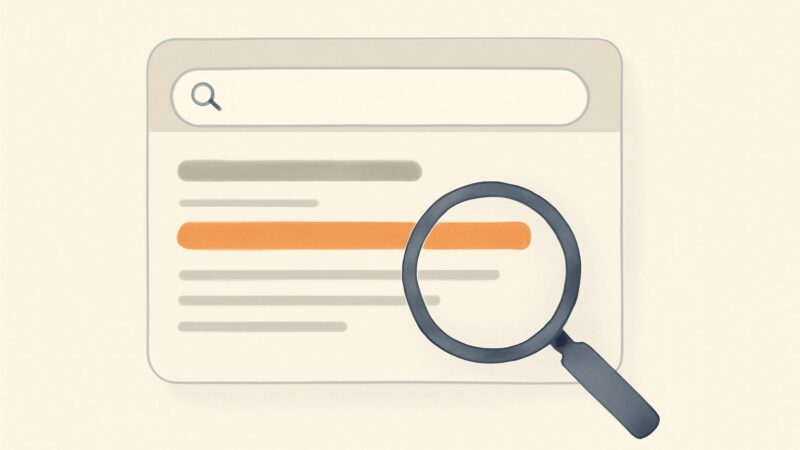
Difficulty scores are a convenience, not a truth. They’re mostly a function of the referring domains pointing at page one — which tells you nothing about whether those pages actually answer the query well. You can read competition directly, for free, in about ninety seconds per keyword. Open the SERP and look at the results in positions 7–10, not position 1. That tenth-ranked page is your real bar, because beating the market leader is a fantasy for a young site but beating the weakest page-one result is routine.
Ask three questions of that weakest competitor: Does it actually answer the specific query, or is it a generic page that merely mentions the phrase? When was it last updated? And is it a forum thread, a thin listicle, or a stub — signals that Google is showing weak results because nothing strong exists yet? If two of the ten page-one results are Reddit threads or 400-word pages, the keyword is soft, and no difficulty score would tell you that as reliably as your own eyes.
A Worked Micro-Example: From Seed to Publishable Target
Say you run a small accounting-software review site. Seed term: “invoicing software.” Autocomplete surfaces “invoicing software for freelancers,” “…for small business,” “…free,” and “…for contractors.” People Also Ask shows “Is invoicing software worth it?” and “What’s the difference between invoicing and accounting software?” You now have a cluster, not a keyword.
Check the SERP for “invoicing software for freelancers.” Suppose positions 1–4 are big vendors and G2, but positions 7–10 include a 2022-dated blog post and a thin affiliate roundup with no screenshots. That’s your opening. Intent is clearly commercial-investigation — the searcher wants a curated shortlist with real opinions. Business proximity is high; these people are close to choosing a tool. Verdict: winnable, valuable, worth building. You just made a confident go/no-go decision on a free SEO keyword search with zero paid data — and you did it faster than logging into a dashboard would have taken.
Free Research for Seasonal and Local Intent
Two intents that free tools handle better than people expect. For seasonal demand, Google Trends is free and shows the actual timing curve — when “tax software” demand ramps, when “gift ideas” spikes — which a flat monthly volume number completely hides. Publishing eight weeks before a seasonal peak is a real, free edge. For local and international intent, set your GSC and Search location, and use Autocomplete from the target region (or an incognito window with the right locale). A term with modest global volume can be wide open in one country and saturated in another. This is precisely where relying on a single global volume figure quietly misleads you.
Where Free Keyword Research Actually Runs Out
Being honest about the ceiling is what separates a useful guide from a lock-in funnel. Free SEO keyword search hits real limits once you’re past the first thirty or forty articles:
- Scale. Manually reading SERPs for 500 keywords is not research, it’s data entry. The method that works for ten keywords collapses at scale.
- Competitor visibility. No free tool shows you the full list of keywords a rival ranks for, or the gap between their coverage and yours. That’s the fastest way to find proven topics, and it’s fundamentally a paid dataset.
- Backlink data. Understanding why page-one results outrank you often comes down to links you simply can’t see for free.
- Prioritisation at volume. When you have 2,000 candidates, you need volume and difficulty estimates to sort — eyeballing every SERP is impossible.
If you’re a solo creator publishing weekly, you may never hit these walls. If you’re building a content operation, you’ll hit all four within a couple of months.
What Paid Data Buys You — and When It Pays for Itself
Paid research earns its cost the moment your bottleneck shifts from “what should I write?” to “which of these fifty proven topics first?” That’s when competitor gap analysis and industry-grade volume data stop being luxuries. This is the workflow SEO Rocket is built around: AI keyword research runs on real Ahrefs index data (not scraped estimates), pulls 100–150 keyword ideas per seed with volume, difficulty, and CPC segmented by country, and surfaces the content gaps across your actual page-one rivals — the topics they rank for that you don’t. It compresses the exact manual method above into minutes, at roughly $50/month with a free tier, which is the point at which “my time” becomes the expensive input rather than the subscription.
The tell that you’ve outgrown free tools is simple: you’re spending more time gathering data than acting on it. Until then, GSC plus a browser is a complete free stack. SEO Rocket’s free tier lets you run that first pass — keyword ideas and a real-crawler site audit — before you decide the paid data is worth it, which is the honest way to buy a tool: prove the need first.
A Repeatable Free-to-Paid Workflow
Put it together as a loop you run every content cycle. Start in GSC and harvest position 8–20 queries — refresh those pages first, because they’re the cheapest wins on the board. Expand into new territory with Autocomplete, People Also Ask, and forum language, clustered into topics. Score each candidate on intent match, SERP beatability, and business proximity. Read the weakest page-one competitor before committing. Publish, then close the loop back in GSC to see what new queries you started surfacing for. This is the same discipline behind a playbook proven across 1,000,000+ ranking pages — the tooling gets faster as you scale, but the underlying logic never changes.
Frequently Asked Questions
Is free SEO keyword search good enough to rank a new site?
Yes, for the first year of a small site. Google Search Console plus manual SERP reading answers the two questions that matter most — what you already rank for and what you can realistically beat — more accurately than paid estimates. Free research runs out on scale and competitor visibility, not on quality of decision-making.
What is the best free keyword research tool?
Google Search Console, without close competition, because it reports real query data for your own domain instead of estimating it. For discovering new topics, Google Autocomplete, People Also Ask, and the free Keyword Planner cover most needs. Trends handles seasonality.
How do I check keyword difficulty for free?
Read the SERP directly. Look at the results in positions 7–10 rather than position 1, and judge whether the weakest is thin, outdated, or off-intent. Two forum threads or stub pages on page one signal a soft, winnable keyword more reliably than any single difficulty score.
When should I finally pay for a keyword tool?
When you’re spending more time gathering data than publishing, when you need the full keyword list of a competitor, or when you’re prioritising hundreds of candidates at once. That’s when volume and gap data — the core of tools like SEO Rocket — start saving more time than they cost.