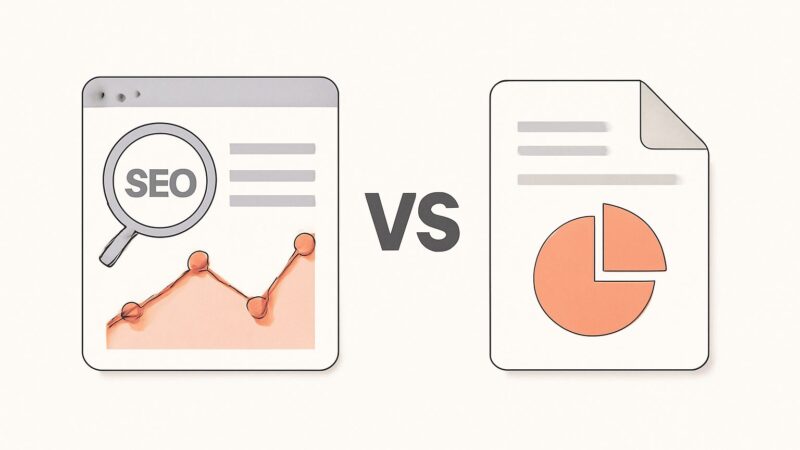
Almost every GA4 vs GSC comparison treats the two as competitors — as if you’re meant to pick one and get on with your life. That framing is wrong, and it quietly costs people traffic. Google Search Console and Google Analytics 4 measure two different points on the same journey: GSC watches what happens in the search results, before anyone reaches your site; GA4 watches what happens on your site, after they arrive. They aren’t rivals. They’re the two halves of a funnel, and the interesting question is never “which one” — it’s “which one answers the question I’m actually asking right now.”
The Real Difference: Where the Measurement Happens
The single fact that resolves most of the confusion in the analytics vs search console debate is the measurement point. GSC’s data comes from Google’s own index and serving infrastructure — it knows every time your page appeared in a result, every click on it, and roughly where it ranked, because Google is the one drawing the results page. GA4’s data comes from a tag firing in the visitor’s browser after the page loads. One instruments the search engine; the other instruments your website. Everything else about the GA4 vs GSC relationship follows from that split.
So the honest one-line answer to “ga4 or gsc” is: GSC tells you how you’re getting found, GA4 tells you what happens once you’re found. If your question is about queries, impressions, rankings, or click-through rate, it lives in GSC. If it’s about behavior, conversions, revenue, or which channel drove a signup, it lives in GA4.
What Search Console Actually Measures
GSC’s Performance report is the closest thing you have to Google’s own scorecard for your site. It reports four core metrics tied to search: impressions (times a page appeared in results), clicks (times someone clicked through), CTR (clicks divided by impressions), and average position. Crucially, it breaks all of this down by the actual query people typed — which GA4 cannot show you, because the search happened before GA4’s tag ever loaded.
That query data is the reason GSC is irreplaceable for SEO. Go to Performance → Queries and you see the exact language your audience uses, which pages rank for it, and where you’re stranded on page two with impressions but almost no clicks. Beyond Performance, GSC also owns indexing (Pages report), Core Web Vitals, mobile usability, and manual-action notices — the technical health signals that decide whether you get to compete at all.
What GA4 Actually Measures
GA4 is the current Google Analytics; Universal Analytics stopped processing new data in mid-2023, so if you’re still mentally modeling “sessions and bounce rate” the old way, that model is retired. GA4 is event-based: every pageview, scroll, click, and conversion is an event, and you compose reports from those events rather than from a fixed session template. This is more flexible and less intuitive, which is why so many people find it harder than Universal Analytics was.
What GA4 does that GSC never can: attribute behavior to a source. It tells you that organic search sent 4,000 users, that they viewed 2.3 pages each, generated 180 “key events” (GA4’s term for conversions), and produced a given amount of revenue. It connects the visit to the outcome. For any question about what a visitor did — engaged, converted, bought, churned through a funnel — GA4 is the tool, and GSC has nothing to say.
Why Your GA4 and GSC Numbers Never Match
This is the part that sends people into support forums convinced something is broken. GSC says 5,000 clicks; GA4 says 4,100 organic sessions for the same period. Nothing is broken. The mismatch is structural, and expecting the two to agree is the actual mistake.
- Different measurement points. A GSC “click” is logged the instant someone clicks in the results. A GA4 “session” only exists if the page loads and the tag fires. Slow loads, immediate back-clicks, ad blockers, and disabled JavaScript all create clicks that never become sessions.
- Different denominators. GSC counts clicks; GA4 counts sessions and users. One click can spawn a multi-page session; one user can return three times. You’re comparing units that were never the same unit.
- Attribution and dedup. GA4 may bucket a visit under “direct” or “referral” that GSC counts as organic, depending on referrer data and consent settings.
- Sampling and thresholds. Both tools apply their own sampling and privacy thresholds at scale, nudging the totals apart.
The right mental model: treat the two numbers as two instruments reading the same river from different banks. Watch each one’s trend, don’t force the absolute values to reconcile. If GSC clicks and GA4 organic sessions both climb month over month, you’re winning — the exact gap between them is noise.
The Metric-by-Metric Map
Here’s the practical translation table for the gsc vs ga4 seo question — which tool owns which metric:
- Queries / search terms → GSC only.
- Impressions, average position, search CTR → GSC only.
- Indexing status, crawl errors, Core Web Vitals → GSC only.
- Sessions, users, engaged sessions → GA4.
- Engagement rate, average engagement time → GA4.
- Conversions / key events, revenue → GA4.
- Channel and source/medium attribution → GA4.
- Landing-page performance → both, but they mean different things: GSC’s landing page is where the search result pointed; GA4’s is the first page of an on-site session.
Engagement Rate Replaced Bounce Rate — Read It Right
One GA4 change trips up everyone migrating from Universal Analytics. The headline behavior metric is now engagement rate, not bounce rate. An “engaged session” in GA4 is one that lasts longer than 10 seconds, fires a conversion, or has at least two pageviews. Engagement rate is the share of sessions that clear that bar; bounce rate is now simply its inverse (the share that don’t). So a page can look like it has a “high bounce” that is actually fine — a visitor who read your answer for 40 seconds and left satisfied counts as engaged, not bounced. Interpreting GA4 with a Universal Analytics reflex is how people misread perfectly healthy pages as failures.
GSC’s Two Gotchas: The Lag and the Hidden Queries
Two GSC quirks matter enough that ignoring them leads to wrong decisions. First, data lags roughly two days — today’s clicks won’t fully appear until the day after tomorrow, so never judge “yesterday” in GSC. Second, GSC anonymizes rare queries: to protect user privacy, searches made by very few people are omitted from the Queries report entirely. That’s why the sum of your per-query clicks is always lower than your total clicks — the difference is anonymized long-tail traffic, not a bug. And remember that “average position” is an average across every impression in the range, not a live rank; a “position 8.4” is a blend, not where you sit right now.
The Data-Trust Hierarchy Most Reports Ignore
Here’s the practitioner insight that reframes the whole GA4 vs GSC question. Not all SEO data carries the same weight, and pretending it does produces confidently wrong reports. GSC and GA4 are ground truth for your own site — they come from Google’s index and your own tag, measuring your real performance. Third-party tools like Ahrefs report estimates: modeled search volume, a modeled keyword-difficulty score, and rank positions sampled on their own crawl schedule, which lags reality. Both are useful, but for different jobs.
The rule we build into SEO Rocket is exactly this hierarchy: trust Google (GSC/GA4) for how your own pages are performing, and trust third-party estimates for competitive direction — what rivals rank for, where the gaps are, where demand is heading. When SEO Rocket surfaces rankings, it presents them as trends, not spot readings, because a two-or-three-position daily wobble is normal jitter, not a win or a loss. Reading a single day’s rank as signal is one of the most common self-inflicted reporting errors, and it’s why “we dropped from 4 to 6 overnight, panic” emails are almost always noise.
When to Reach for GSC
Open Search Console when the decision is about getting found. You’re hunting page-two keywords with high impressions and low CTR (a title/meta rewrite opportunity). You’re checking whether a new page got indexed. You’re diagnosing a traffic drop and need to see whether impressions fell (a ranking or demand problem) or CTR fell (a SERP-feature or title problem). You’re finding queries you rank for by accident and could deliberately target. Every one of those is a search-side question, so every one lives in GSC.
When to Reach for GA4
Open GA4 when the decision is about what happens after the click. Which landing pages convert and which leak visitors. Whether organic traffic actually produces revenue or just sessions. How engaged organic visitors are versus paid or referral. Which content earns long engagement time and which gets abandoned. Use GA4 Explorations (the free-form report builder) to segment organic-only traffic and follow it through to key events — that path-to-conversion view is GA4’s real superpower and the thing GSC structurally cannot give you.
A Weekly Workflow That Uses Both
The two tools compound when you run them in sequence, not isolation. A workable rhythm: start in GSC — pull Performance → Queries, sort by impressions, and flag any page ranking 5–15 with a weak CTR. Those are your near-wins. Then jump to GA4 and check what those same landing pages do with the traffic they already get: high engagement and conversions means the page is worth pushing up; a page that ranks but converts nothing may need a different angle before you invest in ranking it higher. GSC finds the opportunity; GA4 tells you whether it’s worth taking.
For teams reporting to clients, the last-mile problem is that both dashboards live behind Google logins and neither tells the SEO story on its own. This is where SEO Rocket’s client dashboard fits — a single live view that blends rank trends, GSC-style search performance, and AI-visibility tracking (whether AI answer engines cite you), so a client logs in and sees direction at a glance instead of waiting for an emailed PDF built by hand every month. The measurement discipline is the same one this whole comparison argues for: outcome trends over vanity spot-readings.
Frequently Asked Questions
Do I need both GA4 and GSC, or can I pick one?
You need both, and they’re free. GSC is the only place you see actual search queries, impressions, rankings, and indexing health; GA4 is the only place you see on-site behavior, conversions, and revenue by channel. Picking one blinds you to half the funnel. Connect them, too — linking GSC to GA4 surfaces some query data inside GA4 reports.
Why is GSC showing more clicks than GA4 shows sessions?
Because a GSC click is logged at the search result, while a GA4 session requires the page to load and the tag to fire. Slow loads, back-button bounces, ad blockers, disabled JavaScript, and consent settings all create clicks that never become sessions. The gap is normal — watch each trend, don’t force them to match.
Which tool has more accurate ranking data?
GSC, without contest, for your own pages — its “average position” comes straight from Google’s serving data. Third-party rank trackers (Ahrefs, and the trackers built into SEO Rocket) are estimates sampled on a crawl schedule, better suited to watching competitors and long-term trends than judging your own exact rank on a given day.
Is bounce rate gone in GA4?
Not gone, just demoted. GA4 leads with engagement rate — the share of sessions lasting over 10 seconds, converting, or viewing 2+ pages — and bounce rate is simply its inverse. Read engagement rate as the primary signal; a visitor who got their answer and left still counts as engaged, not bounced.