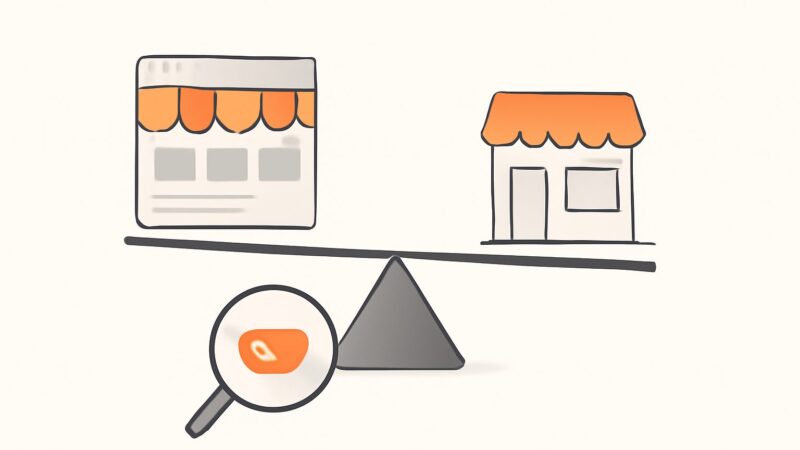
Most advice on google shopping seo treats it like regular SEO with a product image bolted on — write good titles, add keywords, build some links, wait. That framing quietly conflates two completely separate ranking systems, and it’s why so many stores optimize hard and still show up nowhere. The Shopping tab doesn’t rank your web pages at all. It ranks a data feed you submit to Google Merchant Center, using signals that have almost nothing to do with backlinks or blog content. Your product and category pages, meanwhile, rank in the normal blue-link results under classic web SEO rules. They are two jobs. The stores that win at Google Shopping do both deliberately and connect them — everyone else does one, badly, and calls it the other.
Google Shopping SEO Is Two Ranking Surfaces, Not One
Here is the mental model that fixes almost everything. When someone searches for a product, Google can show your store in two structurally different places. The first is the Shopping experience — the dedicated Shopping tab, the product grids that appear inside regular Search, and the free product listings across Images and other surfaces. Everything there is fed by structured product data from Merchant Center. The second is the organic web result: your actual product page or category page appearing as a standard link because it earned that position the way any page does.
These surfaces have different inputs. The Shopping surface reads a feed and cares about attribute completeness, price, availability, and image compliance. The organic surface reads your website and cares about content, internal linking, and authority. Confusing them is the root error in most google shopping seo work: people write blog posts hoping to climb the Shopping tab (it won’t move) or obsess over feed titles hoping to rank a category page (it won’t help). Separate the two, optimize each on its own terms, then wire them together with consistent structured data so one product appears in both.
The Shopping Tab Ranks a Feed, Not a Website
The Shopping tab behaves much more like a marketplace ranking system — closer to how Amazon’s search works than to Google’s web index. Google isn’t crawling your site to build those results (though it can supplement); it’s matching a query against the product feed you submit through Merchant Center. That feed is a structured file — one row per product, with dozens of defined attributes — and the quality of those attributes is the raw material the algorithm ranks on.
This is the single most important reframe for google merchant seo: the “page” you’re optimizing for the Shopping tab isn’t a page. It’s a feed row. A product with a rich, accurate, fully-populated feed entry can out-rank a competitor with a better website but a lazy feed, because the Shopping algorithm never sees the website advantage. Feed quality, price competitiveness, and availability do the work that content and links do on the web side.
Google Merchant SEO Starts With Feed Attributes
A well-built feed treats every attribute as a ranking and matching signal, not paperwork. The ones that move visibility most:
- Title — the highest-leverage field. Google matches queries heavily against it and truncates the visible portion, so the front matters most.
- GTIN, MPN, and brand — the identifiers Google uses to match your product to the same product sold elsewhere, cluster offers, and pull in catalog data. Missing GTINs suppress visibility on branded goods.
- google_product_category and product_type — the taxonomy that tells Google what shelf your item belongs on. The first is Google’s fixed taxonomy; the second is your own, and both help disambiguation.
- Product-specific attributes — color, size, material, age group, gender, pattern. These power the filters shoppers use to narrow results, and incomplete ones drop you out of filtered views entirely.
- Availability and price — must match your landing page in real time, or Google flags the item and can disapprove it.
The discipline here is coverage. A feed where most items are missing GTINs, size, or a real product_type leaves the bulk of its Shopping visibility on the table before a single query is matched.
Writing Product Titles the Shopping Algorithm Rewards
Feed titles are not your creative on-site product names, and treating them as the same thing costs rankings. The Shopping algorithm reads the title as a keyword field and shows only the leading characters, so structure it front-to-back by importance. A durable formula for most categories: Brand + Product Type + Key Attributes (color, size, material) + Model.
A worked example. Say you sell engineered oak flooring. A weak feed title reads “Premium Quality Flooring — Best Price.” It has no brand, no material, no size, and burns the visible space on fluff Google ignores. A strong one reads “OakCraft Engineered Oak Flooring, Natural Matt, 190mm, 14mm Click-Lock.” Every token there is a real query fragment a buyer types — species, finish, plank width, thickness, fitting system. The second title matches dozens of long-tail Shopping searches the first can’t touch, and it does it without keyword-stuffing, because each word is a genuine product spec. That’s the whole craft of title optimization: dense, accurate, buyer-language specifics loaded toward the front.
Free Product Listings: The Unpaid Channel Most Stores Skip
Since Google opened the Shopping tab to unpaid results, free product listings let your products appear in the Shopping experience without running ads — you only need a claimed website and a compliant feed in Merchant Center. This is the closest thing to organic SEO inside the Shopping surface, and it’s badly underused because most merchants assume Shopping means paid.
Eligibility runs on the same feed hygiene as ads: accurate data, matching prices and stock, policy-compliant images, and a verified store. The ranking signals for free listings lean on relevance and data quality rather than bid — which is exactly why shopping tab seo is a real, winnable discipline. You can’t buy your way to the top of free listings; you earn placement with a cleaner, more complete, more competitively-priced feed than the store next to you. For lower-margin catalogs where paid Shopping barely breaks even, free listings are often the highest-ROI channel available.
Where Structured Data Connects the Feed and the Site
The bridge between your two ranking surfaces is Product structured data. When you mark up your product pages with schema.org Product plus Offer — price, currency, availability, and identifiers — Google can read those pages directly, cross-check them against your feed, and surface products in the “popular products” and product-grid modules that now appear inside ordinary Search results. Consistent structured data also keeps your landing pages and feed in agreement, which prevents the price and availability mismatches that trigger disapprovals.
Practically: the feed governs the Shopping tab; structured data lets the same products break into the organic Search surface as rich results. Aligning them is where feed optimization and web SEO stop being separate chores and start reinforcing each other. One accurate product record — a feed row plus on-page markup — can appear in Shopping, the Search product grid, and as a rich blue-link result: three placements from one source of truth.
Price, Availability, and Images Are Ranking Signals
On the web side, price isn’t a ranking factor. In Shopping, it is. Google shows price-competitiveness context and factors it into what surfaces, so an identical product priced 20% above the cluster average will quietly lose impressions even with a perfect feed. Availability behaves the same way — out-of-stock items get suppressed, and a feed that lags real inventory gets disapproved.
Images carry hard policy rules that double as ranking hygiene. Google wants a clear product image, and it prohibits promotional overlays, watermarks, and added text on the main image. Violate that and the listing can be disapproved outright. Supply a clean primary image on a plain background plus additional angles, and you clear the policy bar while giving shoppers detail that lifts click-through.
Product Ratings and Reviews — What’s Actually Eligible
Star ratings lift click-through in both surfaces, but the rules are specific and worth getting right rather than overpromising. For the Shopping experience, product ratings come through Google’s Product Ratings program in Merchant Center, aggregating reviews from your store and approved third-party review partners. For organic rich results, review snippets on your own product pages remain eligible when the reviews are genuinely your own first-party content marked up with valid structured data.
The caveat that trips people up: Google restricted self-serve review markup for certain third-party widget scenarios, so bolting a generic review plugin onto a page doesn’t guarantee stars in Search. Be accurate about this — collect real first-party reviews, mark them up correctly, and don’t assume every widget yields a star snippet.
The Organic Half: Ranking Product and Category Pages
The web-SEO side of google shopping seo follows normal rules, with an ecommerce twist in intent mapping. Category pages target broader head terms (“engineered oak flooring”) and deserve real intro copy, sensible faceted navigation, and internal links. Product pages target specific long-tail and model-number queries and need unique descriptions — not the manufacturer’s boilerplate every competitor also pasted in. Buying guides capture research-stage searches and funnel readers down to the category and product pages that convert.
This is where the classic ecommerce failure modes live: near-duplicate variant pages splitting authority, thin descriptions repeated across hundreds of SKUs, faceted-navigation URLs exploding crawl budget, and out-of-stock pages left to rot. None of these hurt your feed, but they cap how well your store ranks in the organic results that sit right beside the Shopping grid. A store that wins Shopping but loses the blue links is still leaving half the query real estate to rivals.
A Workflow That Covers Both Surfaces
Run Google Shopping SEO as one loop across the two surfaces rather than two disconnected projects:
- Research buyer-language terms — the exact color, size, material, and model phrasings that belong in feed titles and product copy, pulled from real search data rather than guessed.
- Find the gaps — the product and category terms competitors rank for that you don’t, so you know which SKUs and collections to build out.
- Audit the catalog with a real crawler — surface duplicate variants, thin descriptions, broken links, and redirect chains, the exact defects that drag ecommerce sites down organically.
- Write unique descriptions at scale — replace boilerplate with genuinely differentiated copy, gated so nothing thin ships.
- Track product and category rankings as trends, and watch whether your products get cited in AI answers, the emerging surface beyond the ten blue links.
SEO Rocket runs this as a single workflow — AI keyword research on real Ahrefs data, competitor and content-gap analysis, a real-crawler site audit that catches the duplicate-variant and thin-page problems specifically, rank and AI-visibility tracking, and a validation-gated AI writer for unique product descriptions at scale — for roughly $50/month with a free tier. It’s an SEO layer, not a Merchant Center replacement: it sharpens the web-SEO half and the buyer-language research that feeds your titles, while your feed lives in Merchant Center. The playbook here isn’t theoretical — it’s proven across 1,000,000+ ranking pages, including a flooring ecommerce catalog running on exactly these mechanics.
Frequently Asked Questions
Is Google Shopping SEO free?
Partly. Free product listings let your products appear in the Shopping tab and product grids with no ad spend — you only need a claimed website and a compliant Merchant Center feed. Paid Shopping ads sit on top of that for premium placement. The optimization work — feed quality, titles, images, structured data — is the same for both, so doing it well improves your free listings even if you never buy an ad.
Does regular website SEO help my Shopping tab rankings?
Not directly. The Shopping tab ranks your Merchant Center feed, not your web pages, so backlinks and blog content don’t move it. What links the two is Product structured data: marking up your pages accurately keeps your feed and site in agreement and lets the same products surface in Search’s product grids. Strong web SEO still matters — it wins the organic blue-link results beside the Shopping grid.
Why aren’t my products showing in Google Shopping?
Usually a feed problem, not an SEO one. The common causes are missing GTINs or required attributes, prices or availability that don’t match your landing page, policy-violating images with text or overlays, or an unverified store. Check Merchant Center for disapprovals first — a disapproved item has zero visibility regardless of how good your product or site is.