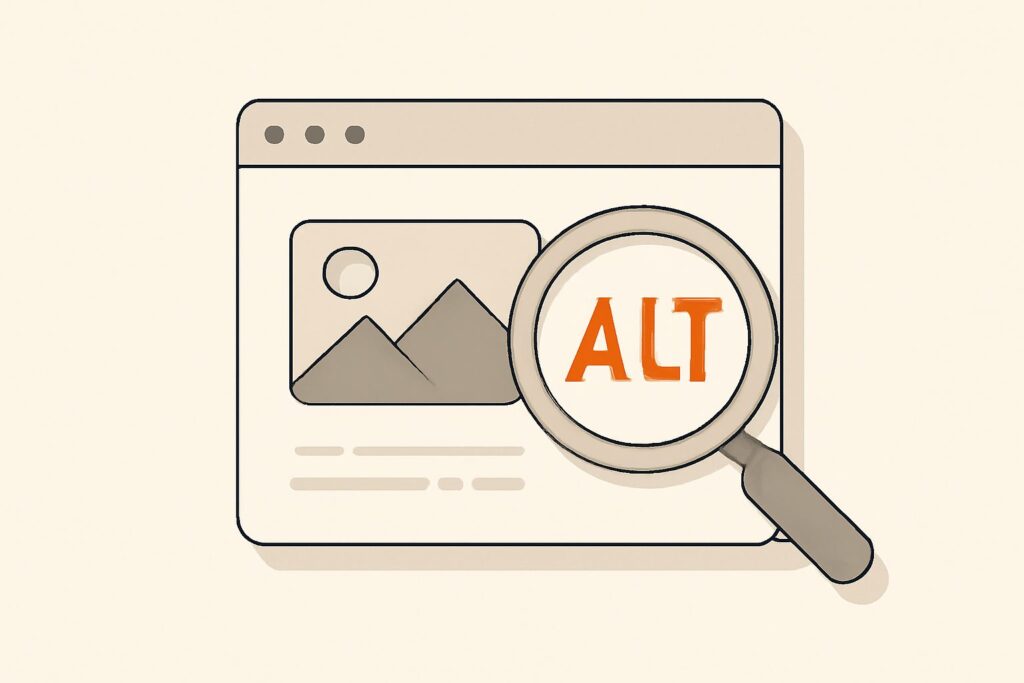
Most advice on image alt text treats it as a keyword slot — a place to jam your target phrase and hope Google rewards you. That framing is backwards, and it produces alt text that helps neither the users who need it nor the rankings you want. Alt text is, first and foremost, an accessibility feature: the sentence a screen reader speaks aloud when a blind user reaches your image. It became an SEO signal only because Google reads that same sentence to understand what the picture shows. Get the accessibility job right and the SEO benefit falls out for free. Chase the SEO benefit directly and you usually break both.
What Image Alt Text Actually Does
The alt attribute serves four concrete jobs, and every rule for writing it traces back to one of them. First, screen readers announce it, so a non-sighted user gets the same information a sighted user gets from the image. Second, when an image fails to load — a broken link, a slow connection, a blocked host — the browser displays the alt text in its place, so the page still makes sense. Third, search engines use it as their primary textual description of an image they can only partly “see,” which is what makes an image eligible to rank in Google Images. Fourth, it gives the surrounding content extra semantic context that helps a crawler understand the page as a whole.
Notice that three of those four jobs are about a human or a machine understanding what the image contains. That is why the single best test for any piece of alt text is simple: if you couldn’t see this image, would this sentence tell you what you’re missing? Write to pass that test and you are simultaneously writing what Google wants.
Accessibility First, SEO Second — Why the Order Matters
The order isn’t a moral preference; it’s a practical one. Alt text written for a screen-reader user is accurate, specific, and concise, because anything else wastes the listener’s time. Alt text written for a search engine tends to be stuffed, repetitive, and vague — and Google’s systems have been discounting keyword-stuffed alt attributes for years. So the SEO-first approach doesn’t just fail accessibility; it fails at SEO too, because it produces exactly the pattern spam filters are tuned to ignore.
There’s also a legal dimension. In many jurisdictions, missing or useless alt text is an accessibility-compliance gap that can expose a business to complaints under standards like WCAG. Writing good alt text is one of the rare SEO tasks where doing the right thing for users, the right thing for the law, and the right thing for rankings are the same action.
The alt Attribute vs Alt Text vs the Title Attribute
These terms get tangled, so let’s separate them. The alt attribute is the HTML — alt="..." inside an <img> tag. “Alt text” is the human-readable content you put inside it. They’re the same thing described from two angles: the attribute is the container, the text is what goes in it.
The title attribute is a different beast entirely. It produces the little tooltip on hover, it’s not reliably announced by screen readers, and it carries no meaningful SEO weight. Do not treat title as a second alt text. If an image needs a description, it goes in alt. Leave title off most images unless you have a specific reason for a hover tooltip.
The Decision Tree: Informative, Decorative, and Functional Images
Not every image should have descriptive alt text. This is the nuance most guides skip, and getting it wrong actively harms accessibility. Sort every image into one of three buckets:
- Informative images convey content — a product photo, a chart, a diagram, a screenshot. These need alt text that describes the information the image carries. This is where writing alt text well pays off.
- Decorative images add visual polish but no information — a background texture, a divider, a purely aesthetic stock photo behind a heading. These should have an empty alt attribute (
alt=""), which tells screen readers to skip them. Describing decoration is noise, not help. - Functional images do something — an image used as a link or a button, like a magnifying-glass search icon. Here the alt text describes the action or destination (“Search”), not the picture (“magnifying glass”).
The mistake that hurts real users is deleting the alt attribute entirely on decorative images. An absent attribute makes some screen readers fall back to reading the file name aloud — “IMG_4821 dot jpg” — which is worse than silence. Empty is intentional; missing is a bug.
How to Write Alt Text That Works
For informative images, a handful of rules cover almost every case:
- Be specific, not generic. “Golden retriever puppy chewing a blue rope toy” beats “dog.” Specificity is what makes alt text useful and what makes it rank.
- Keep it concise. Aim for roughly one sentence — many screen readers and best-practice guides suggest keeping it under about 125 characters so the description isn’t cut off or exhausting to hear.
- Don’t start with “image of” or “picture of.” The screen reader already announces it as an image; those words are redundant.
- Describe the relevant detail for this context. The same photo on a dog-food page and a leash-review page may warrant different alt text, because a different detail matters.
- Put text in charts and infographics into the alt or nearby copy. A crawler and a screen reader can’t read text baked into an image.
A Worked Example: One Image, Three Contexts
Take a single photograph: a barista pouring steamed milk into a latte, forming a rosetta pattern. Watch how the right alt text changes with the page around it.
- On a “how to make latte art” tutorial: “Barista pouring steamed milk to form a rosetta pattern in a white cup.” The technique is the point.
- On a coffee-shop’s about page: “Barista at Elm Street Coffee preparing a latte.” The brand and setting matter more than the pour.
- As a decorative header behind a headline:
alt="". The image sets a mood; it carries no information the reader needs.
Same file, three correct answers. That’s the whole discipline: alt text describes the image in the service of the page, not in a vacuum. A blanket rule like “always include your keyword” can’t produce any of these; judgment can.
Where Keywords Fit — and Where They Become Spam
Here’s the honest version of the SEO angle. If your target keyword genuinely describes the image, include it, because an accurate description naturally contains relevant terms. On a page targeting “ergonomic office chair,” a product photo’s alt text of “Grey ergonomic office chair with lumbar support and adjustable armrests” is both a great description and keyword-relevant. That’s the win-win.
It tips into spam the moment the keyword stops describing the picture. Repeating “office chair office chair best office chair” across every image’s alt, or forcing your phrase onto a decorative divider, is keyword stuffing — a pattern Google’s systems discount and that can drag on quality perception across the page. The rule of thumb: write the true description first, and only keep the keyword if it survived because it was accurate.
Alt Text’s Real Role in Image SEO
Alt text is important for image SEO, but it is one signal among several, and overstating it is a common error. Google ranks images in Google Images and image packs using the alt attribute plus the surrounding page text, the file name, the image’s context on the page, page quality, structured data, and the image file itself (Google’s own vision models increasingly “see” content directly). Alt text is the part you most directly control, which is why it gets attention — but a perfect alt attribute on a thin, irrelevant page won’t carry the image far.
Treat alt text as one line in a broader image-SEO checklist: a descriptive file name, a compressed and appropriately sized file, a relevant caption where it helps, an image sitemap for large libraries, and genuinely relevant page content. Do all of them and images become a real traffic channel; do only alt text and you’ve optimized one input out of many.
Common Mistakes That Quietly Hurt You
A few recurring errors show up in nearly every audit:
- Empty alt on informative images — screen-reader users lose real content, and Google loses your best description.
- Alt text on every decorative image — turns navigation into a chore of announced clutter.
- Duplicating the caption verbatim in alt — a screen reader then hears the same sentence twice.
- File names like “screenshot-2026-07-19.png” — a wasted signal; “blue-widget-dashboard.png” is free context.
- Auto-generated alt from a CMS — many platforms default alt to the file name or leave it blank at upload; those defaults need review.
Auditing Image Alt Text at Scale
On a small site you can eyeball every image. On a few hundred pages you need a crawler that reports which images are missing alt attributes, which have empty ones, and which look stuffed. This is exactly the kind of on-page issue SEO Rocket’s real-crawler site audit surfaces — it fetches your pages the way a search engine does and flags missing and problematic alt attributes alongside other technical gaps, so you’re fixing a prioritized list instead of hunting manually.
From there, the keyword judgment matters. SEO Rocket’s keyword research runs on real Ahrefs data — with search volume and difficulty shown as the third-party estimates they are, not ground truth — so when you’re deciding which descriptive terms genuinely belong on an image-heavy page, you’re working from actual demand rather than guesses. That combination, honest data plus a crawler that catches the on-page misses, is how the playbook proven across 1,000,000+ ranking pages handles images: describe them truthfully, name and compress the files, and let accuracy do the SEO work.
Frequently Asked Questions
Does every image need alt text?
Every <img> needs an alt attribute, but not every image needs a description. Informative images get descriptive alt text; decorative images get an empty attribute (alt="") so screen readers skip them. The one thing to avoid is omitting the attribute entirely, which can cause some screen readers to read the file name aloud.
How long should alt text be?
Roughly one clear sentence. A common guideline is to stay under about 125 characters, because some screen readers cut the description off around there and because a tight, specific sentence is more useful than a rambling one. If an image genuinely needs a longer explanation, put that in the page copy or a caption, not in the alt attribute.
Do alt text keywords actually improve rankings?
Accurate alt text helps images rank in Google Images and adds page context, and relevant keywords appear naturally when the description is truthful. But stuffing keywords into alt attributes doesn’t help and can hurt — Google discounts the pattern. Write the honest description first; keep the keyword only if it was accurate to begin with.