The lazy version of the web accessibility SEO pitch is that Google rewards accessible sites, so making your pages accessible will lift your rankings. That’s not quite true, and repeating it gets people building the wrong things. Google has no “accessibility score” that feeds the ranking system. What’s actually true is more useful and more specific: a search crawler and a screen reader are both non-visual machines trying to make sense of a page they cannot see, and a large slice of the work you do for one is the exact same work you’d do for the other. The overlap is real, it’s mechanical, and it’s worth understanding precisely — including the parts where accessibility and SEO have nothing to do with each other.
The Real Mechanism: Two Blind Readers of the Same Page
Start with the mental model that makes the whole relationship click. A sighted user parses a page visually — they see that big bold text is a heading, that a blue underlined phrase is a link, that a photo shows a red bicycle. Googlebot and a screen reader get none of that visual context for free. They read the underlying HTML and reconstruct meaning from the markup and text you provide. When you give a heading real semantic weight, a link real anchor text, an image a real description, you are feeding the same signal to both consumers at once. This is why web accessibility SEO overlaps at all: the machines have the same disability, so the accommodations converge.
The corollary matters just as much. Anything a screen reader can’t interpret — an unlabeled icon button, an image carousel built entirely in JavaScript with no text fallback, a “click here” link — is usually opaque to a crawler too. The accessibility failure and the SEO failure are frequently the same defect wearing two names.
Semantic HTML Is the Shared Foundation
Before alt text or headings, the base layer is using HTML elements for what they mean rather than styling generic <div>s to look like them. A <button> is a button to both the accessibility tree and the crawler; a <div onclick> styled like a button is neither. A <nav>, <main>, <article>, and <footer> give assistive technology navigable landmarks and give search engines structural cues about what’s primary content versus boilerplate. Native form controls with associated <label> elements are operable by keyboard and readable by both machines. Semantic HTML is the cheapest, highest-leverage thing on this list because it fixes accessibility and machine-readability in the same stroke, with no extra markup to maintain.
Alt Text: Where the Two Disciplines Literally Share a Field
Image alt attributes are the clearest overlap because the same attribute serves both jobs. A screen reader announces the alt text to a user who can’t see the image. Google Images uses it (alongside filename and surrounding context) to understand what the picture depicts and whether to surface it in image search. Write alt="red road bike leaning against a brick wall" and you’ve described the image for a blind user and given Google a real subject at the same time.
The failure modes overlap too. Empty alt on a meaningful image fails both. Keyword-stuffed alt like alt="bike bicycle cycle buy bike cheap bike" is hostile to a screen-reader user and reads as spam to Google. The correct rule is identical for both audiences: describe the image accurately and concisely, and use empty alt="" for purely decorative images so a screen reader skips them and a crawler doesn’t weigh them.
Heading Structure Serves Navigation and Crawling at Once
Screen-reader users navigate long pages by jumping heading to heading — it’s one of the most-used shortcuts in assistive technology. That only works if your headings are a logical outline: one <h1> describing the page, <h2>s for major sections, <h3>s nested beneath them, no levels skipped for visual effect. Search engines read the same outline to understand topic hierarchy and to pull section-level answers for featured snippets and AI overviews. A page where “headings” are just big bold text — visually styled but not marked up as <h2> — breaks the screen-reader shortcut and hands the crawler no structure. Fix it once, both improve.
Descriptive Link Text Beats “Click Here” for Everyone
A screen-reader user can pull up a list of every link on a page out of context. A page full of “click here,” “read more,” and “learn more” produces a useless list of identical labels. Search engines treat anchor text as a relevance signal for the destination page, so “click here” wastes that signal entirely. Descriptive anchor text — “read our guide to Core Web Vitals” — tells a blind user where the link goes and tells Google what the target page is about. Same edit, two wins. Note that internal anchor text is fully in your control, which makes it one of the easiest overlapping fixes to standardize across a site.
Video and Audio: Transcripts and Captions Are Content Google Can Read
Media is where the overlap pays off most and gets skipped most. A video with no captions is inaccessible to deaf and hard-of-hearing users and is a black box to a crawler, which can’t watch it. Add captions and a full transcript and you’ve made the content usable for people who can’t hear it — and you’ve published a wall of relevant, crawlable text that Google can actually index and rank. The same holds for podcasts and audio: the transcript is simultaneously an accessibility accommodation and a page’s entire indexable substance. If you invest in one media accessibility feature, make it the transcript.
Core Web Vitals: The User-Experience Overlap
Performance and interaction quality sit at the edge of both disciplines. Google’s Core Web Vitals — Largest Contentful Paint (good ≤2.5s), Cumulative Layout Shift (good ≤0.1), and Interaction to Next Paint (good ≤200ms, which replaced First Input Delay as a Core Web Vital in March 2024) — are a lightweight ranking factor and are measured on real Chrome users via the CrUX dataset. They’re not accessibility metrics, but they correlate with accessible experience: a page that shifts under a user’s finger (bad CLS) is disorienting for everyone and genuinely disabling for someone with a motor or cognitive impairment; slow interaction response (bad INP) hurts users relying on assistive tech most. Improving these helps ranking marginally and helps real usability more.
Where Web Accessibility and SEO Genuinely Diverge
Here’s the honesty most “accessibility is great for SEO” posts skip: large parts of accessibility do nothing for rankings, and treating them as an SEO tactic will mislead you. Color contrast ratios, visible keyboard focus indicators, ARIA roles and states, skip-navigation links, prefers-reduced-motion support, accessible error messaging, and touch-target sizing are all essential accessibility work — and Google’s ranking systems largely don’t read or reward them. ARIA in particular is a common confusion: aria-label exists for the accessibility tree, and while it can help a screen reader name an unlabeled control, it is not an SEO mechanism and shouldn’t be used as a place to stuff keywords.
The divergence runs the other way too. Some things that help SEO — verbose keyword-laden alt text, hidden text crammed for crawlers — actively harm accessibility. So the accurate framing isn’t “accessibility equals SEO.” It’s that the two share a substantial overlapping core (semantic structure, text alternatives, clear labeling) while each has its own territory. Do accessibility because it’s the right thing and, in many jurisdictions, a legal requirement — and bank the SEO overlap as a genuine bonus, not the justification.
Auditing Both at Once Instead of in Separate Silos
The practical problem is that accessibility and SEO usually live in different tools and different teams, so the overlapping issues get found twice or not at all. A missing alt attribute, a broken heading order, a page returning the wrong status code, thin or empty content behind a JavaScript render — these show up on both an accessibility audit and a technical SEO crawl. SEO Rocket’s real-crawler site audit surfaces the SEO-side of that overlap continuously: missing or duplicate image handling, broken heading and link structure, status-code problems, thin pages, and Core Web Vitals flags, each with the fix explained — so the structural issues that also happen to be accessibility failures don’t sit undiscovered for months. It won’t replace a dedicated WCAG audit for contrast, focus order, or ARIA correctness — that deeper conformance work still needs specialist tooling and manual testing — but it catches the shared, machine-readable defects on every crawl instead of once a quarter.
Pair that with SEO Rocket’s AI keyword research on real Ahrefs data and its validation-gated article writer, and the content you publish is structured for both readers from the first draft — proper headings, descriptive links, real body text rather than image-only pages. It’s the same playbook proven across 1,000,000+ ranking pages, applied so the accessibility overlap comes for free rather than as a retrofit.
A Sane Priority Order
The most efficient way to approach web accessibility SEO is by combined payoff. If you’re deciding where to spend limited effort, rank the overlapping work this way. Semantic HTML and heading structure first — they’re foundational for both and cheap. Then descriptive alt text and link text, the highest signal-per-edit fixes. Then transcripts and captions on any media, which convert otherwise-invisible content into indexable, accessible text. After that, Core Web Vitals for the shared UX and marginal ranking lift. Only then move to the accessibility-only work — contrast, focus, ARIA — which you should absolutely do, but for the right reason: it’s for your users, not for Google.
Frequently Asked Questions
Does web accessibility directly improve SEO rankings?
Not directly — Google has no accessibility ranking factor. What helps rankings is the overlapping subset: semantic HTML, descriptive alt and link text, logical headings, and media transcripts, all of which a crawler reads. The rest of accessibility (contrast, focus, ARIA) is essential for users but ranking-neutral.
Is alt text an accessibility feature or an SEO feature?
Both, using the same attribute. Screen readers announce it to users who can’t see the image; Google uses it to understand and rank images. Write it as an accurate, concise description — that satisfies both. Never keyword-stuff it, which fails both audiences at once.
Do ARIA labels help SEO?
No. ARIA attributes like aria-label feed the accessibility tree for assistive technology; they’re not a ranking signal and shouldn’t be used to inject keywords. If a control needs a machine-readable name for SEO, use real visible text or proper semantic HTML, not ARIA.
Will an accessibility overlay fix my SEO too?
No. Third-party accessibility overlays don’t reliably fix accessibility and do nothing for SEO — they can’t rewrite your underlying HTML structure, which is what both crawlers and screen readers actually read. The durable fix is correct semantic markup in the source, not a JavaScript patch layered on top.
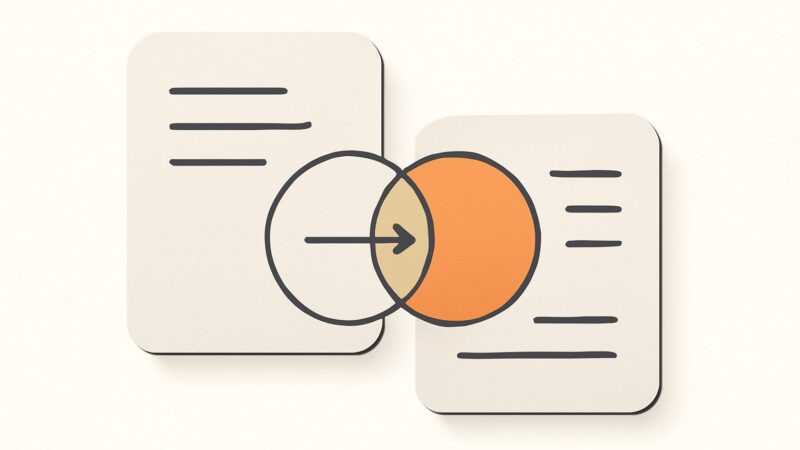
Treat web accessibility SEO as a Venn diagram, not an equation. The overlap in the middle — semantic structure, text alternatives, clear labeling — is large, real, and worth building deliberately because it pays twice. The edges belong to each discipline alone. Build the shared core well and you serve every reader of your page, human and machine, without having to choose.