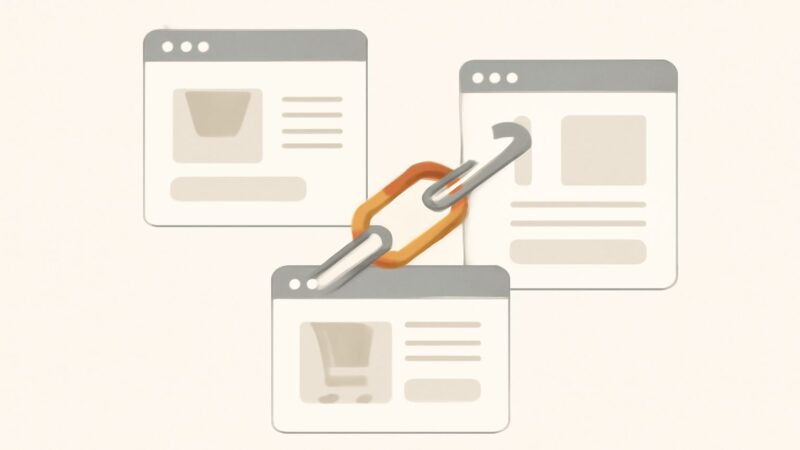
Most advice about ecommerce url structure stops at “make URLs short and keyword-rich,” which is true, trivial, and useless for a store with 8,000 SKUs, colour variants, and a faceted filter that can spin up half a million crawlable combinations by lunchtime. The real problem on an ecommerce site is never the pretty product URL a designer picked. It’s the machine-generated ones — the parameter strings, the filter permutations, the session tokens, the sort orders — that quietly multiply until Google is spending its crawl budget on ?color=blue&sort=price_asc&page=3 instead of the pages that make you money. Get the architecture right once and it compounds; get it wrong and you’re fighting index bloat for the life of the catalogue.
Why URL Structure Is a Bigger Deal on Ecommerce Than Anywhere Else
A blog has a few hundred URLs, all hand-created. An ecommerce site has a URL layer that generates itself. Every filter, every sort option, every variant, every pagination step is a potential new address, and the platform will happily emit all of them unless you tell it not to. That’s the structural difference that makes ecommerce url structure a genuine engineering problem rather than a naming preference. The URLs a human sees are the tip; the crawlable iceberg underneath is where rankings are won or lost, because crawl budget spent on junk is crawl budget not spent discovering your new products or re-crawling your updated category pages.
The Baseline Rules for Clean, Human-Readable URLs
Before the hard problems, get the fundamentals right, because they’re cheap and permanent:
- Lowercase, hyphen-separated, no underscores.
/mens-running-shoes, never/Mens_Running_Shoes. Servers can treat cases as different URLs, which splits signals. - Real words, no IDs where avoidable.
/hydro-flask-32oz-wide-mouthbeats/product?id=99213. A readable slug is a ranking asset and a click-through asset in the SERP. - Short and shallow. Depth in the folder path doesn’t inherently hurt rankings, but long, deeply nested paths get truncated in results and are harder to link to.
- Stable. The URL is a promise. Once a product page earns links and rankings, changing its address without a redirect throws that equity away.
- No stop words or keyword stuffing. Drop “the,” “and,” “for”; don’t repeat the category name three times.
These are table stakes. They won’t rank a page on their own, but violating them creates friction on every page you own.
Category URL Structure: Where the Head Terms Live
Your category url structure is the part that targets the broad, high-volume commercial terms — “running shoes,” “office chairs,” “leather sofas.” These pages carry the most search demand and usually the most internal link equity, so their URLs should be clean, logical, and readable as a hierarchy: /footwear/running-shoes. A shallow, descriptive path tells both users and crawlers where they are and reinforces the topical relationship between parent and child categories. Keep the taxonomy honest — one product should have one true home category — and let the breadcrumb mirror the URL path so the two signals agree.
Resist the urge to bury categories five levels deep to look “organised.” Every level of nesting is a level further from the homepage’s authority. Two to three segments is plenty for most catalogues.
Product URL SEO: To Nest Under Category or Not?
This is the single most-argued question in product url seo, and the honest answer is that flat wins for maintainability. The temptation is to nest products under their category — /footwear/running-shoes/nike-pegasus-41 — because it looks tidy. The trap is that products often belong to several categories, and a nested path forces you to pick one canonical parent or generate duplicate URLs for the same product across categories. The moment you re-shelve a product or retire a category, every nested URL breaks and needs a redirect.
The more durable pattern is a flat product path: /products/nike-pegasus-41 or simply /nike-pegasus-41. The product lives at one address regardless of how many categories link to it. You lose a little keyword real estate in the path, but you gain a URL that never needs to move when your merchandising changes — and merchandising always changes. If you do nest, commit to a single canonical category per product and enforce it, so the same item never resolves at two addresses.
Product Variants: The Duplicate-Content Landmine
Colour, size, and material variants are where ecommerce urls quietly turn into a near-duplicate content problem. If every variant gets its own indexable URL — /tshirt-blue, /tshirt-red, /tshirt-green — you’ve created a cluster of pages with 95% identical copy competing against each other. Google has to pick one, and it may not pick the one you’d want. The decision rule: index a variant only when people actually search for it as a distinct product. Nobody searches “blue variant of SKU 4471,” but plenty of people search “black leather Chelsea boots.”
Where variants aren’t distinct search targets, keep them on one URL and switch the display client-side, or use a canonical tag pointing every variant back to the master product page. Where a variant genuinely is its own demand pocket — a specific model number, a colourway with real search volume — give it a distinct, indexable page with its own unique description. The line is drawn by search demand, not by how your database happens to store the SKU.
Faceted Navigation: The URL Explosion That Eats Crawl Budget
Faceted filters are the number-one ecommerce url structure failure mode at scale. A category with six filters — size, colour, brand, price, rating, material — can generate tens of thousands of unique URL combinations, most of them thin, near-duplicate, or empty. Left unmanaged, Google crawls this maze instead of your real pages, and index bloat dilutes the authority of the clean category page you actually want ranking.
The management toolkit, in rough order of preference:
- Decide which facets deserve to rank. Some filtered views are genuine landing pages — “waterproof hiking boots” has real demand. Give those a clean, static, indexable URL and unique content.
- Block the rest from crawling. Use
robots.txtto disallow the parameter patterns that generate infinite combinations (sort orders, price sliders, session IDs). This is the blunt, effective lever for the truly worthless permutations. - Canonicalise filtered views back to the base category when they’re too thin to stand alone but you can’t fully block them.
- Keep filter parameters consistent and ordered. If
?color=red&size=10and?size=10&color=redboth resolve, you’ve doubled the duplication for no reason. Enforce a single parameter order.
There’s no single switch here — it’s a policy applied per facet, and it’s exactly the kind of sprawl a real-crawler audit surfaces. SEO Rocket’s site audit crawls the store the way Googlebot does and flags the duplicate parameter URLs, thin filtered pages, and redirect chains that hand-checking a 10,000-URL catalogue will always miss.
Pagination and “View All”: Handling Long Category Lists
Big categories paginate, and pagination URLs (?page=2, ?page=3) are legitimate, crawlable pages — Google needs them to discover deeper products. Don’t noindex them reflexively and don’t canonicalise page 2 back to page 1; that can hide products from discovery. Instead, let paginated URLs be crawlable and self-canonical, keep a consistent URL pattern, and make sure every product is reachable within a few clicks. If you offer a “view all” page and it loads reasonably, it can serve as a strong single-URL alternative, but only if performance holds.
Discontinued and Out-of-Stock Products: The Redirect Decision
Products die. How you handle their URLs decides whether you keep the accumulated equity or leak it. The decision tree that actually works:
- Temporarily out of stock, coming back? Keep the page live (HTTP 200), show stock status, and offer alternatives. Don’t delete a URL that will return.
- Permanently discontinued, direct replacement exists? 301-redirect the old URL to the replacement or the closest equivalent product. You inherit the old page’s links and rankings.
- Discontinued, no replacement, but the category is relevant? 301 to the parent category so the visitor lands somewhere useful and the equity flows up.
- Genuinely gone, no relevant destination? Return a 410 (Gone) so Google drops it cleanly, rather than letting soft-404s accumulate.
The mistake is doing nothing — leaving dead URLs that 404 in bulk, or worse, redirecting every dead product to the homepage, which Google treats as a soft 404 and ignores. Match each redirect to a genuinely equivalent destination.
Canonicals, Trailing Slashes, and the Consistency Rules
Ecommerce urls fragment in small, boring ways that add up: http vs https, www vs non-www, trailing slash vs none, uppercase vs lowercase, tracking parameters appended by ad campaigns. Each variation is a separate URL to a crawler unless you consolidate it. Pick one canonical form for each axis, enforce it with 301 redirects at the server level, and set a self-referencing canonical tag on every product and category page. Consistency here is unglamorous and directly protects the ranking signals you’ve earned.
Migrating URL Structure Without Torching Your Rankings
Sooner or later a replatform or redesign tempts you to overhaul the whole ecommerce url structure. The rule is simple and violated constantly: never change URLs without a complete, one-to-one 301 redirect map from every old address to its exact new equivalent. Blanket-redirecting a whole old category to a single new page is how sites lose 40–70% of organic traffic overnight. Crawl the full old URL set first, map each to its destination, keep the internal links pointing at the new URLs directly (not through the redirect), and update the sitemap. Then watch rank tracking for the terms that matter — SEO Rocket’s rank tracking on your product and category keywords tells you within days whether the migration held or slipped, which is the difference between catching a redirect gap in week one and discovering it in a quarterly report.
Frequently Asked Questions
Should product URLs include the category?
Usually no. Nesting products under a category path (/category/product) creates duplicate or broken URLs whenever a product belongs to multiple categories or gets re-shelved. A flat product path (/products/name) stays stable through merchandising changes. If you do nest, enforce a single canonical category per product.
How do I stop faceted navigation from creating thousands of URLs?
Decide which filtered views have real search demand and make those clean, indexable landing pages with unique content. Block the rest — sort orders, price sliders, session parameters — from crawling via robots.txt, and canonicalise thin filtered views back to the base category. Keep parameter order consistent so the same filter set never produces two URLs.
What should I do with the URL of a discontinued product?
If it has a direct replacement, 301-redirect to it. If not but the category is relevant, redirect to the parent category. If it’s temporarily out of stock, keep the page live. If it’s truly gone with no equivalent, return a 410 so Google drops it cleanly instead of leaving a soft 404.
Do URLs still need keywords, or does Google ignore them?
Keywords in the URL are a minor ranking factor but a real usability and click-through one — a readable, descriptive slug helps users and shows intent in the SERP. Include the natural product or category term once; don’t stuff or repeat it. The bigger wins in ecommerce url structure are architectural: crawl control, canonicalisation, and redirect discipline.
The Playbook: Architecture First, Content Second
Clean product slugs matter, but they’re the easy 10%. The 90% that decides whether a large store ranks is the invisible layer — how many crawlable URLs the platform emits, which filtered views you let Google index, how variants collapse to canonicals, and how dead products redirect. Fix the architecture once and every product you add inherits a healthy structure. That systems-first approach is the same one behind SEO Rocket, a playbook proven across 1,000,000+ ranking pages: it’s an SEO layer, not a store platform, but it finds the duplicate variants, the parameter sprawl, and the redirect chains that quietly cap an ecommerce site’s ceiling — the failure modes that a tidy homepage URL will never reveal.