Almost every panic about duplicate content starts from a false premise: that Google hands out a “duplicate content penalty” the moment two pages share text. It doesn’t, and it hasn’t for years. Google has stated plainly that there is no such penalty for ordinary duplication. So if you’ve been told your rankings tanked because a product description appears on two URLs, you’ve been sold a myth. The real problem is quieter and, in a large site, far more expensive: it wastes crawl budget, splits ranking signals across competing URLs, and lets Google pick the wrong version to show. Understanding that distinction is the difference between chasing a phantom penalty and fixing the mechanics that actually cost you traffic.
The Myth: There Is No Duplicate Content Penalty
A penalty is a specific thing — a manual action from a human reviewer, or an algorithmic demotion aimed at manipulation. Ordinary duplication triggers neither. When Google finds the same text on multiple URLs, it doesn’t punish you; it deduplicates. It groups the near-identical URLs into a cluster, picks one as canonical, and shows that one in search. The others aren’t penalized — they’re just filtered out of the results for that query. No demotion, no site-wide hit, no message in Search Console.
The only time duplication crosses into penalty territory is when it’s deliberate manipulation: scraped content republished at scale, doorway pages spun into near-duplicate keyword variants, or thin content mass-produced to farm long-tail volume. That’s a scaled-content-abuse problem, not a duplicate-URL problem, and it’s judged on intent. For the honest site owner with a printer-friendly page and a canonical URL pointing the same direction, there is nothing to fear from a penalty — and a real problem to fix from everything else.
What Counts as a Duplicate Page
Duplicate content is any block of substantive text served at more than one URL, either within your own site or across domains. It comes in two flavors. Exact duplicates are byte-for-byte identical pages — the classic example is the same page reachable at http:// and https://, or with and without www. Near-duplicates share most of their body while differing in trivial ways: a location swapped in a template, a color variant, a sort order, a session ID appended to the URL.
Boilerplate — shared headers, footers, sidebars, and legal text — is not what Google means here. Search engines are good at isolating the main content from the template, so a common footer across 900 pages doesn’t create a duplication problem. The issue is when the main content of the page is substantially the same as another URL’s main content, and both are crawlable and indexable.
How Google Handles Duplicates: Clustering and Canonicalization
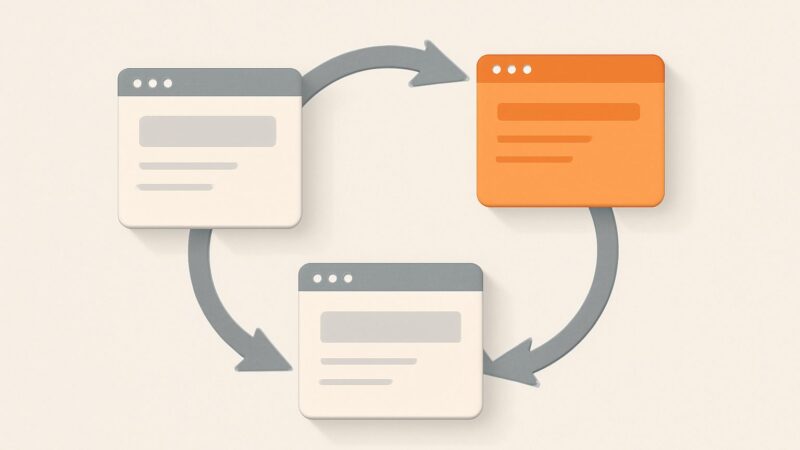
When Google crawls a set of near-identical URLs, it clusters them and elects a single canonical — the version it will index and rank. It weighs several signals to make that choice: your declared rel=canonical tag, internal linking patterns, the URL in your sitemap, HTTPS over HTTP, redirects, and which version accumulates the most links. Crucially, your canonical tag is a hint, not a command. If your internal links, sitemap, and canonical tag disagree, Google resolves the conflict itself — and it may pick a URL you didn’t intend.
Once a canonical is chosen, Google consolidates ranking signals — links, relevance signals, engagement — onto that one URL. This is the good news buried in the mechanism: canonicalization is Google trying to help you by merging the equity of scattered duplicate pages into one rankable page. The failure mode is when your signals are so contradictory that Google can’t tell which URL you want, and it consolidates onto the wrong one.
The Real Risks of Content Duplication
If there’s no penalty, why care? Because content duplication imposes four concrete costs, each of which shows up as lost traffic on a site of any size:
- Wasted crawl budget. Every duplicate URL Googlebot fetches is a URL it doesn’t spend on your genuinely new or updated pages. On a large ecommerce or listings site, faceted navigation can generate millions of near-duplicate URLs and starve your important pages of crawl attention.
- Split signals. When ten sites link to one version of a page and five link to a duplicate, that authority is divided across two URLs instead of concentrated on one — unless canonicalization stitches it back together, which it can’t always do reliably across domains.
- The wrong URL ranks. Google might index the parameter-laden, ugly version instead of your clean canonical, so users land on a URL you’d rather they didn’t.
- Keyword cannibalization. Two near-duplicate pages targeting the same query compete against each other, and Google flips between them, suppressing both instead of ranking one strongly.
Where Duplicate Pages Come From
Most duplication is generated by the CMS or server, not by writers copying text. The usual suspects:
- URL variations: HTTP vs HTTPS, www vs non-www, trailing slash vs none, uppercase vs lowercase paths — each serves the same page at a different address.
- Tracking and session parameters:
?utm_source=,?sessionid=, and sort/filter parameters produce infinite variants of the same content. - Faceted navigation: filter combinations on ecommerce category pages multiply into vast numbers of thin, overlapping duplicate pages.
- Printer-friendly and AMP versions, mobile subdomains, and staging environments accidentally left indexable.
- Syndicated and boilerplate product feeds: the same manufacturer description reused across hundreds of retailer sites.
The pattern is that duplication is a technical artifact. Fixing it is a technical exercise, not an editorial one — you rarely need to rewrite anything, you need to point every duplicate at one authoritative URL.
Canonical Tags: The Primary Fix
The rel=canonical link element is the main tool for consolidating duplicate pages you want to keep accessible. It goes in the <head> of the duplicate (and, as a self-reference, on the canonical itself):
<link rel="canonical" href="https://example.com/blue-widget" />
This tells Google, “index and rank this other URL instead of the one you’re on.” Use it when both URLs must stay reachable for users — a product available under two category paths, a printer-friendly page, a syndicated article. Two rules matter. First, every canonical should be a self-referencing absolute URL on your primary pages, so there’s no ambiguity. Second, your other signals must agree: internal links, sitemap entries, and redirects should all point at the same canonical, or Google may override your tag. A canonical that conflicts with your own internal linking is the single most common reason the tag “doesn’t work.”
301 Redirects vs Canonicals vs noindex
Three tools solve three different problems, and mixing them up is where sites go wrong:
- 301 redirect — use when the duplicate should not exist as a separate page at all. Consolidating HTTP to HTTPS, www to non-www, or an old URL to a new one calls for a permanent redirect at the server level. It passes signals and removes the duplicate entirely. Example nginx rule:
return 301 https://example.com$request_uri; - rel=canonical — use when both URLs must remain live and accessible, but only one should rank. It consolidates signals without removing the page.
- noindex — use when a duplicate page must stay accessible to users but should never appear in search and doesn’t need to pass signals — an internal search-results page, a thin filter page. A
<meta name="robots" content="noindex">tag keeps it out of the index entirely.
The decision rule: kill it with a 301, keep-but-consolidate with a canonical, keep-but-hide with noindex. Reaching for a canonical when you meant a redirect leaves crawlable clutter; reaching for noindex when you meant canonical throws away link equity.
The noindex-and-disallow Trap
Here is the mistake that quietly ruins duplicate-content cleanups: blocking a URL in robots.txt and adding a noindex tag to the same URL. These do fundamentally different things and they cancel each other out. Disallow in robots.txt prevents Google from crawling the URL. noindex is a signal Google can only read by crawling the URL. If you disallow a page, Googlebot never fetches it, never sees the noindex, and the URL can still appear in results as a bare link with no snippet.
So if your goal is to keep a duplicate out of the index, use noindex and leave the URL crawlable — do not disallow it. Reserve robots.txt Disallow for controlling crawl budget on URLs you don’t care about indexing at all, such as infinite faceted-navigation parameters. Never use both on the same URL expecting them to reinforce each other; they undermine each other instead. And note that rel=next/prev, which Google once suggested for paginated series, has been deprecated for years — Google now treats paginated pages as ordinary URLs, so don’t rely on it to manage pagination duplication.
Syndication, Scraping, and Cross-Domain Duplicates
Cross-domain duplication is trickier because you don’t control the other site. If you syndicate your articles to a partner, ask them to add a cross-domain rel=canonical pointing back to your original, or at least a clear link to the source. Without it, the higher-authority domain often outranks you for your own content. Scrapers who steal your content wholesale are a different matter — Google is generally good at identifying the original source through crawl timestamps and authority signals, so scraped copies rarely outrank you, and there’s no penalty risk to you from someone else copying your work. Publishing first and getting your original indexed quickly is the best defense.
Finding Duplicate Content at Scale
The hard part isn’t fixing duplication — it’s finding every instance across a site of thousands of URLs, including the parameter variants and canonical mismatches you’d never spot by hand. Traditional advice is to run a desktop crawler manually every so often. SEO Rocket’s real-crawler site audit does this continuously instead: it crawls your site, flags duplicate and near-duplicate pages, catches canonical tags that conflict with internal linking, surfaces the HTTP/HTTPS and www inconsistencies that quietly split your signals, and explains the fix for each — all without a desktop tool or a manual re-run. For the deepest enterprise log-file analysis, a dedicated crawler still earns its place; SEO Rocket is the no-setup, always-on layer that catches these issues as they appear rather than the quarter after they’ve cost you rankings.
Pairing that audit with rank tracking closes the loop: if two near-duplicate pages are cannibalizing a keyword, you’ll see both flickering in and out of the results and know to consolidate them. This kind of continuous checking is exactly the discipline behind a playbook proven across 1,000,000+ ranking pages — not clever tricks, but doing the unglamorous technical hygiene consistently, which is what actually separates sites that hold their rankings from sites that leak traffic to their own duplicate URLs.
Frequently Asked Questions
Does duplicate content hurt SEO?
Not through a penalty — Google has confirmed there’s no such penalty for ordinary duplication. It hurts indirectly: wasted crawl budget, ranking signals split across competing URLs, the wrong version ranking, and near-duplicate pages cannibalizing each other. Those are real traffic costs, but they’re mechanical problems you fix with canonicals and redirects, not a punishment to appeal.
How much content duplication is acceptable?
There’s no percentage threshold to obsess over. Shared boilerplate, quoted passages, and standard product-spec tables are fine — Google separates template from main content. The line that matters is whether the substantive main content of a page substantially duplicates another indexable URL. If it does, consolidate them; if it’s just a common footer or a short shared snippet, ignore it.
Should I use canonical or 301 redirect for duplicate pages?
Use a 301 redirect when the duplicate URL shouldn’t exist as its own page — HTTP-to-HTTPS, old-to-new URLs, www consolidation. Use rel=canonical when both URLs need to stay live for users but only one should rank. The redirect removes the duplicate; the canonical keeps it accessible while consolidating signals onto your preferred version.
Can the same content on my domain and a syndication partner hurt me?
It can cost you the ranking if the partner’s domain is stronger and there’s no canonical pointing back to your original. Ask syndication partners to add a cross-domain rel=canonical to your source URL, or at minimum a link to it, and publish your version first so it gets indexed as the original.