Most guides describe how Googlebot works as a single act — “Google crawls your site.” That framing hides the three separate stages where things actually go wrong. Crawling, rendering, and indexing are distinct pipelines with their own queues, their own failure modes, and their own resource limits. A page can be crawled but never rendered, rendered but never indexed, or indexed with content Googlebot never saw because a script failed silently. Understanding how Googlebot works means understanding where a URL sits in that pipeline at any given moment — and that is the difference between guessing at a ranking problem and diagnosing it.
Crawling, Rendering, and Indexing Are Three Different Things
Conflating these three stages is the single most common technical-SEO mistake. Crawling is Googlebot fetching a URL — an HTTP request that returns raw HTML, a status code, and headers. Rendering is a separate step where Google’s Web Rendering Service loads that HTML in a headless browser, executes JavaScript, and produces the DOM a user would actually see. Indexing is the final decision to store the processed page in Google’s index so it can be returned in results.
These stages are decoupled by design. Crawling happens on Googlebot’s schedule; rendering happens later, when resources free up; indexing happens after rendering, and only if the page clears quality and duplication checks. When someone says “my page is crawled but not indexed” in Search Console, they are describing a page that cleared stage one but stalled at stage three — a completely different problem from a page Googlebot never fetched at all.
How Googlebot Discovers URLs in the First Place
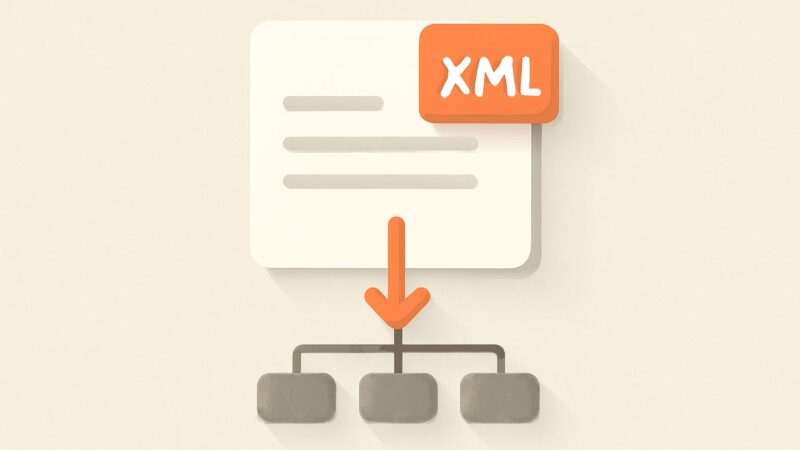
Googlebot cannot crawl what it cannot find. Discovery happens through three main channels: links it follows from pages it has already crawled, XML sitemaps you submit, and URLs it has seen before and revisits. Internal links are the dominant path — Googlebot walks your link graph outward from the pages it knows, which is exactly why orphan pages (URLs with no internal links pointing to them) struggle to get discovered no matter how good the content is.
A sitemap is a hint, not a command. Submitting a URL in your XML sitemap tells Google the page exists and when it changed, but it does not guarantee a crawl, let alone indexing. The strongest discovery signal remains a clear internal link structure: pages reachable in a few clicks from the homepage, linked with descriptive anchor text, on a site whose architecture a bot can traverse without hitting dead ends or infinite loops.
The Crawl: What Googlebot Requests and How Often
When Googlebot crawls, it issues ordinary HTTP requests, but it does so under a budget. Crawl budget is shaped by two forces Google describes openly: your crawl capacity limit (how many simultaneous connections your server tolerates before responses slow or error — Googlebot backs off when it detects strain) and crawl demand (how much Google wants to crawl you, driven by your site’s popularity, freshness, and how stale its stored copy has become).
For most sites under a few thousand URLs, crawl budget is a non-issue — Google will crawl everything it cares about. It becomes real on large sites: e-commerce catalogs, sites with faceted navigation generating millions of filter URLs, or sites serving slow 5xx responses that make Googlebot throttle down. On those sites, budget wasted on junk URLs (parameter permutations, session IDs, endless calendars) is budget not spent on the pages that earn revenue.
How Status Codes Steer Googlebot
Every crawl returns a status code, and Googlebot treats each one as an instruction. Getting these right is non-negotiable:
- 200 OK — the page exists; Google will consider it for rendering and indexing.
- 301 (permanent) / 302 (temporary) — a redirect; Google follows it and, for a 301, eventually consolidates signals onto the target. Use 301 for moves you mean to keep.
- 304 Not Modified — nothing changed since the last crawl; Googlebot saves bandwidth and moves on.
- 404 (not found) / 410 (gone) — the page is dead; 410 signals intent more strongly and can be dropped from the index slightly faster.
- 429 / 5xx — rate-limiting or server errors; Googlebot interprets these as “you are struggling” and reduces its crawl rate, which can stall indexing across the whole site.
Serving 5xx errors under crawl load is one of the most damaging things a site can do, because it teaches Googlebot to crawl you less — and a page that isn’t recrawled can’t be updated in the index.
The Two-Wave Render: Why JavaScript Waits in a Queue
Here is the part of how Googlebot works that trips up modern JavaScript sites. Google indexes in what its own engineers have described as two waves. In the first wave, Googlebot fetches the raw HTML and indexes whatever content is present in that initial response. If your critical content is server-rendered or in static HTML, it’s captured immediately.
But if content is injected by client-side JavaScript, it isn’t there in the raw HTML. That page goes into the render queue, where Google’s Web Rendering Service — running an evergreen, up-to-date version of Chromium — executes the JavaScript, builds the final DOM, and only then extracts the content for indexing. This second wave can follow the first by anything from minutes to days depending on resources and priority. During that gap, Google may index a shell of your page with none of its JS-injected content, or your internal links (if they only exist after JS runs) may go undiscovered.
The practical rule: never assume Googlebot behaves like a fast, patient human browser. It renders, but rendering is deferred, resource-limited, and it will not click, scroll, or wait indefinitely for lazy content. Server-side rendering or hydration that ships real HTML in the first response removes the render queue from your critical path entirely.
From Rendered HTML to the Index
Once a page is rendered, Google extracts its content, links, and signals, then decides whether to index it. This is not automatic. Google checks for canonicalization (is this the canonical version, or a duplicate of another URL?), for quality (is there enough unique value to justify indexing?), and for explicit directives (a noindex tag removes the page from contention entirely). The “Crawled — currently not indexed” and “Discovered — currently not indexed” states in the Search Console Page Indexing report describe pages that reached this stage and were passed over, usually for perceived thinness, duplication, or low demand.
robots.txt vs noindex — The Distinction That Costs People Rankings
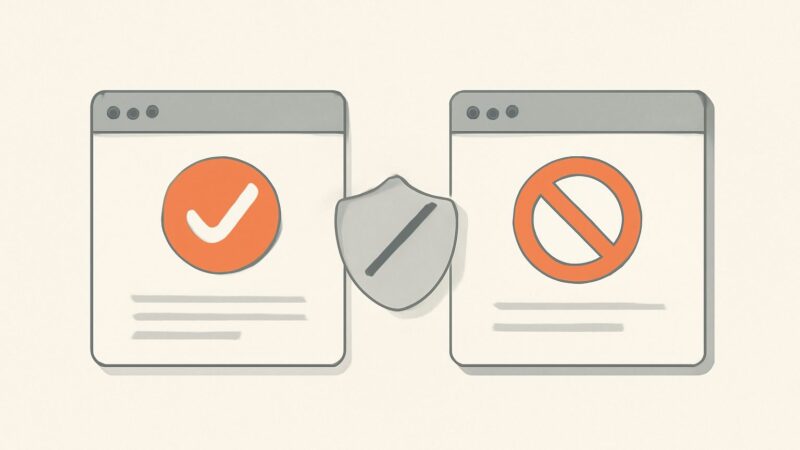
These two controls feel similar and do opposite things. A Disallow rule in robots.txt stops Googlebot from crawling a URL. A noindex directive (a meta robots tag or an X-Robots-Tag HTTP header) stops Google from indexing a URL. The trap is that they interact badly: if you disallow a URL in robots.txt, Googlebot can’t crawl it — which means it never sees the noindex tag on the page. The URL can still get indexed (usually URL-only, with no snippet) because Google saw it linked elsewhere but was forbidden from fetching it to learn it should be excluded.
A minimal, correct robots.txt looks like this:
User-agent: *
Disallow: /cart/
Disallow: /search?
Sitemap: https://example.com/sitemap.xml
The rule of thumb: to keep a page out of the index, let Google crawl it and serve a noindex. Use robots.txt to save crawl budget on sections you never want fetched — not as an indexing control, because it isn’t one.
Mobile-First: Googlebot Smartphone Is the One That Matters
Google has moved to mobile-first indexing, which means the crawler doing the work that counts is Googlebot Smartphone — it fetches and renders the mobile version of your pages, and that mobile rendering is what Google indexes and ranks. If your mobile page hides content, strips structured data, or serves a stripped-down experience that desktop users don’t get, Google indexes the reduced version. Parity between what mobile and desktop users (and therefore Googlebot) see is now a baseline requirement, not an optimization.
How to See What Googlebot Actually Does on Your Site
You don’t have to guess how Googlebot works on your specific site — you can observe it. Two sources give you ground truth. Server log files record every real Googlebot request: which URLs it fetches, how often, in what order, and what status codes it received. Logs are the only place you see actual crawl behavior rather than an estimate — they reveal budget wasted on parameter URLs, sections that never get crawled, and 5xx spikes that throttle you. Google Search Console complements this with the Crawl Stats report, the URL Inspection tool (which shows the rendered HTML and any resources Google couldn’t load), and the Page Indexing report that explains why URLs are or aren’t indexed.
Verify that a crawler claiming to be Googlebot really is one — spammers spoof the user agent. Google publishes its crawler IP ranges, and a reverse DNS lookup on the requesting IP should resolve to a googlebot.com or google.com host and forward-confirm back to the same IP.
Making Your Site Easy for Googlebot to Crawl
Everything above reduces to a short list: serve fast, stable responses (no 5xx under load); expose critical content in the initial HTML rather than behind client-side JavaScript; keep a clean internal link graph with no orphan pages or spider traps; use robots.txt and noindex for their correct, separate jobs; and watch your logs and Search Console for how the crawler behaves in practice.
Doing that consistently across a growing site is where continuous auditing earns its keep. SEO Rocket runs a real-crawler site audit that walks your site the way Googlebot does — surfacing broken links, redirect chains, orphan pages, thin and duplicate content, missing structured data, and status-code problems automatically, with each issue explained and prioritized. Instead of running a desktop crawler by hand every quarter, you get the crawl-health picture on a client dashboard that updates as the site changes. For the deepest enterprise log-file forensics a dedicated crawler still has its place; the point of an always-on audit is that the everyday crawlability regressions — the ones that quietly cost indexing — get caught the week they appear, not the quarter you finally re-run the tool.
That continuous layer sits alongside the rest of the workflow — AI keyword research on real Ahrefs data, competitor gap analysis, a validation-gated AI writer, and rank plus AI-visibility tracking — for roughly $50/month with a free tier. The playbook behind it has been proven across 1,000,000+ ranking pages, and the technical foundation of every one of them was the same: make it trivially easy for Googlebot to crawl, render, and index the pages that matter.
Frequently Asked Questions
How long does it take Googlebot to index a new page?
It varies from hours to weeks. Discovery, crawling, rendering, and indexing are separate stages, and JavaScript-dependent pages can wait longer in the render queue. Strong internal links, a submitted sitemap, and server-rendered content all shorten the path. There is no guaranteed timeline — Google decides based on your site’s crawl demand and the page’s perceived value.
Does Googlebot execute JavaScript?
Yes. Google’s Web Rendering Service runs an evergreen version of Chromium and executes JavaScript to build the final DOM. But rendering is deferred to a queue and resource-limited, so content that depends entirely on client-side JS may be indexed later than static HTML — or missed if a script fails. Server-side rendering removes that risk.
Will blocking a page in robots.txt remove it from Google?
No — that is the classic mistake. A robots.txt Disallow stops crawling, not indexing. Because Googlebot can no longer fetch the page, it never sees a noindex tag, and the URL can still appear in results (typically without a snippet). To remove a page, allow the crawl and serve a noindex directive instead.