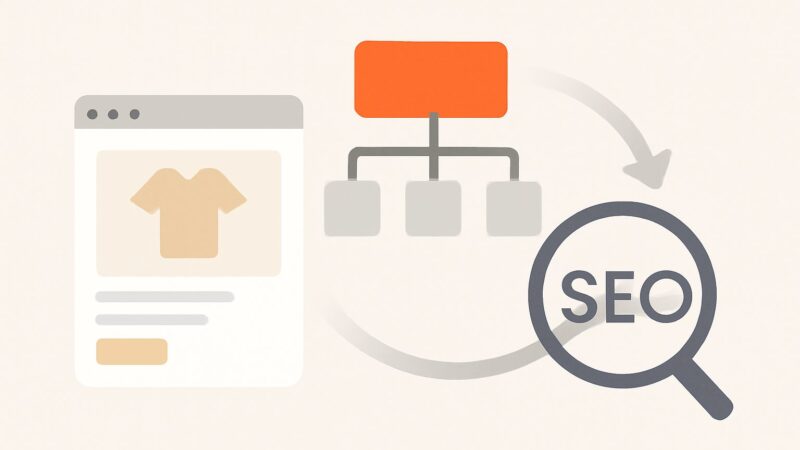
Most guides sell organization schema markup as a rich-snippet lever — paste this JSON-LD, get a shinier search result. That’s the wrong mental model, and it’s why so many sites ship a perfect block and see nothing change. Organization markup isn’t a display feature you switch on. It’s one input into how Google resolves your brand into an entity — a stable node in its Knowledge Graph with a persistent identifier. Get that framing right and the markup does real work. Get it wrong and you’ve validated a snippet that Google reads, believes, and then does nothing visible with, because the rest of the corroboration Google needs isn’t there.
What Google Is Actually Doing With Your Markup
When Google crawls your homepage, it isn’t just filing your Organization block as metadata. It’s trying to answer one question: “Is this a known entity, and is this page the authoritative source for it?” Entity resolution is the process of collapsing every mention of your brand — across your site, third-party profiles, news, and citations — into a single node with a machine identifier (an MID, the internal ID behind a Knowledge Graph entry). Your markup is a first-party assertion feeding that process. It says, in a format Google doesn’t have to guess at, “here is my canonical name, my logo, and the other places I exist.”
The key word is assertion, not fact. Google treats your markup as a claim it will corroborate against the open web before it trusts it. That’s the mechanism almost every tutorial skips, and it explains why identical markup produces a knowledge panel for one brand and silence for another.
The Three-Legged Stool: Identity, Corroboration, Consistency
A durable entity in Google’s graph rests on three legs, and organization schema markup only builds one of them:
- Identity (the markup): your first-party declaration — name,
legalName,url,logo,sameAs. This is the leg you control completely. - Corroboration (the
sameAsloop): the profiles you point to must point back, and independent sources must describe the same entity the same way. One assertion is a claim; three matching assertions from sources Google trusts is evidence. - Consistency (name, logo, and NAP everywhere): if your markup says “Acme Labs Pte Ltd” but your LinkedIn says “Acme” and a directory says “Acme Laboratories,” you’ve handed Google a disambiguation problem instead of an answer.
Ship only the markup and you’ve built a one-legged stool. It won’t fall over — the code is valid — but it won’t hold the weight of a knowledge panel either. Most “my schema doesn’t do anything” complaints are missing legs two and three.
Where It Belongs and a Working Example
Place a single Organization block on your homepage, the page Google is most likely to treat as your entity’s home. Put it in a JSON-LD <script> tag — Google’s preferred format, and the only one that keeps structured data decoupled from your visible HTML so it can’t drift when you redesign.
The properties that carry weight: name (your common name, the one people actually use), legalName if it differs, url (your canonical homepage), logo (an absolute URL to a crawlable image — this is what can surface next to your result), sameAs (the corroboration array), and optionally contactPoint, foundingDate, and description. Don’t stuff every property schema.org offers. A tight, true block beats a padded one; extra fields you can’t verify add risk, not authority.
Here’s a clean block with the fields that matter and nothing that doesn’t:
"@context": "https://schema.org"and"@type": "Organization""name": "Acme Labs","legalName": "Acme Labs Pte Ltd""url": "https://acmelabs.com""logo": "https://acmelabs.com/logo.png"(absolute URL, indexable, ideally square and at least 112×112px)"foundingDate": "2019","description": "...""sameAs": ["https://www.linkedin.com/company/acmelabs", "https://en.wikipedia.org/wiki/Acme_Labs", "https://www.crunchbase.com/organization/acme-labs"]"contactPoint": { "@type": "ContactPoint", "contactType": "customer support", "email": "[email protected]" }
That’s the whole job at the code level. Notice there’s no invented rating, no keyword-stuffed description, no directory-padded sameAs. Every line is a verifiable claim.
Getting sameAs Right — the Corroboration Loop
The sameAs array is the single most misunderstood part of organization schema markup. It is not a backlink field and it passes no ranking equity. Its job is corroboration: you’re telling Google “the entity on these profiles is me.” The mechanism only works when the relationship is bidirectional — your homepage links to your LinkedIn, and your LinkedIn links back to your homepage. That two-way handshake is what turns a claim into evidence.
Prioritise sources Google already trusts as entity authorities: LinkedIn, Wikipedia, Wikidata, Crunchbase, and your major official social profiles. Wikidata is the sleeper here — it’s the structured backbone Google leans on for entity data, and a clean Wikidata item with a matching official-website statement is often the difference between a fuzzy entity and a confident one. Skip the padding: fifteen thin directory listings dilute the signal and read as manufactured. Five profiles you genuinely control and maintain beat twenty you scraped from a citation-building service.
A Worked Micro-Example
Say you’re launching a niche B2B software brand, “Northbeam Analytics.” You ship a flawless Organization block on day one — and nothing appears in search. Here’s why, and the fix. On day one, Google has exactly one source: your assertion. There’s no corroboration, so it holds the entity as “unconfirmed” and shows nothing extra. Over the next six to twelve weeks you create a company LinkedIn page that links back to the site, a Crunchbase profile, and a Wikidata item stating the official website. Now three independent sources agree with your markup. A brand-name search starts surfacing your logo; eventually a knowledge panel can appear. Nothing in your JSON-LD changed — the corroboration caught up to the claim. That lag is the part the “paste and done” guides never mention, and it’s the single most common reason people conclude schema “doesn’t work.”
Organization Versus LocalBusiness Versus Subtypes
Type selection changes what Google can do with your data. Use plain Organization for a brand with no walk-in location. The moment you have a physical premises customers visit, switch to LocalBusiness or a specific subtype (Restaurant, Dentist, Store), because those types unlock properties Google renders in local and Maps results: address, geo coordinates, openingHoursSpecification, and price range. Picking the narrowest accurate type gives Google the most to work with — a Dentist is more specific than a LocalBusiness, which is more specific than an Organization, and specificity aids classification.
Whatever type you choose, your name, address, and phone number (NAP) must match your Google Business Profile and every citation exactly. NAP inconsistency is the quiet killer of local entity trust — mismatched suite numbers and abbreviations force Google to decide whether two listings are one business or two.
Connect It to the Rest of Your Schema
Organization markup is more powerful wired into your broader structured data than standing alone. On a blog, reference the same organization as the publisher of every Article, using a shared @id so Google sees one entity, not a fresh one per page. Add a WebSite block with potentialAction to become eligible for the sitelinks search box. When your organization is the author or publisher behind content, you’re building the E-E-A-T association between your entity and your expertise — the same association Google’s helpful-content systems increasingly reward. This is entity-first SEO: the brand node is the hub, and everything else links to it.
What It Will and Will Not Produce
Set expectations honestly. Organization schema markup does not generate the review stars, FAQ dropdowns, or product rich results people picture — those come from Product, Review, and FAQPage types on the relevant pages. What organization markup enables is quieter and more foundational: eligibility for your logo beside brand results, a cleaner path to a knowledge panel, sharper brand disambiguation (so “Acme” the software isn’t confused with “Acme” the hardware store), and the entity scaffolding that AI-driven answers and search generative experiences pull from when they cite a brand. None of it is guaranteed, and none of it is instant. It’s an eligibility layer, not a switch.
Rebrands, Migrations, and the Compliance Rules That Apply
Entity data is sticky, which cuts both ways. When you rebrand or migrate domains, update the markup, but understand the entity persists in Google’s graph and takes weeks to reflect the change. Keep the old and new identities connected during transition — update sameAs profiles, keep redirects clean, and update Wikidata and LinkedIn in lockstep so every corroborating source tells the same new story. Half-updating your identity is worse than not updating it: you create two competing entity signals and Google may split trust between them, or keep showing the old name in your panel long after you’ve moved on.
The one rule that gets sites penalised: markup must reflect verifiable reality. The classic violation is self-serving aggregateRating on an organization — inventing a star rating with no genuine, on-site reviews behind it. That’s a structured-data spam violation, and the penalty isn’t limited to the offending block; Google can strip rich-result eligibility site-wide. Don’t declare a founding date you can’t support, don’t claim profiles you don’t own in sameAs, and don’t mark up content users can’t actually see on the page. Structured data is a promise you’re making to a search engine that fact-checks.
Validating and Monitoring
Ship, then verify in this order. Run the block through the Schema.org validator for syntax, then Google’s Rich Results Test to confirm Google parses what you intended. View source (not the rendered DOM) to catch a second conflicting Organization block — CMS themes and plugins love to inject their own, and two blocks with different names is a self-inflicted disambiguation problem. Then monitor over weeks, not minutes: Search Console’s structured-data reports flag errors, and a brand-name search shows whether your logo and panel are maturing. Entity trust builds on a timeline of one to three months, not one crawl.
If you’re managing markup and content across dozens of client sites, the manual version of this doesn’t scale. SEO Rocket’s real-crawler site audit surfaces structured-data and technical issues the way Google actually sees them, and its client dashboard tracks whether the brand-visibility work is landing — including AI-visibility tracking, which matters now that answer engines lean on exactly this entity data to decide which brands to cite.
Frequently Asked Questions
Does organization schema markup improve my rankings directly?
No — it’s not a direct ranking factor. It improves entity recognition, disambiguation, and eligibility for logos and knowledge panels. Those help indirectly by strengthening brand signals and click-through, but if someone promises schema will move you up the SERP by itself, they’re overselling it.
How long before I see a knowledge panel after adding the markup?
There’s no fixed timeline, and markup alone rarely triggers one. Expect weeks to a few months, and only once corroborating sources — LinkedIn, Wikidata, Crunchbase, press — agree with your assertion. New or low-authority brands often need to build that corroboration before anything appears.
Should every page have the organization block?
One canonical block on the homepage is enough for the entity itself. Elsewhere, reference the same organization by shared @id as the publisher or author in your article schema, rather than repeating the full block on every page.
Is there any risk in adding it?
Only if it’s untrue. Accurate markup is safe. Inventing ratings, claiming profiles you don’t control, or marking up hidden content risks a structured-data manual action that can cost rich-result eligibility across the whole site.
A Ten-Minute Job Worth Doing Right
The code for organization schema markup takes ten minutes. The entity it feeds takes months to mature, because the markup is a claim Google spends weeks corroborating against the open web. Ship a tight, honest block on your homepage; build the bidirectional sameAs loop across LinkedIn, Wikidata, and Crunchbase; keep name, logo, and NAP identical everywhere; and wire the same entity into your article and website schema. That’s the difference between valid JSON-LD that does nothing and a brand node Google trusts. It’s the same entity-first discipline behind a playbook proven across 1,000,000+ ranking pages — and increasingly the discipline that decides which brands AI search engines are willing to name.