Most people hunting for Screaming Frog alternatives don’t dislike the crawler — they dislike watching it eat their laptop’s memory halfway through a big site. Screaming Frog is a superb desktop SEO spider, but it runs on your machine, its default crawl is capped by your available RAM, and it was built long before anyone expected a crawler to draft the fix or tell you whether ChatGPT ever cites your pages. If any of that is your reason for looking, you have genuine options now.
This isn’t a padded list of a dozen tools stitched together with affiliate links. Below are the Screaming Frog alternatives that hold up in real audit work, what each is genuinely best at, and — because it’s the honest answer — when you should just keep the Frog open.
Why people leave Screaming Frog
Three complaints come up over and over. The first is the desktop ceiling: because the app crawls from your own computer, large sites force you into database storage mode, more RAM, and long overnight runs — and you still can’t kick off a crawl from your phone or hand a live report to a client. The second is the learning curve. The interface is dense and configuration-heavy, and most users seriously touch maybe a fifth of what it can do. The third is newer: Screaming Frog finds the issues but leaves the writing, the prioritization, and the AI-search question entirely to you and a stack of other tools.
None of that makes it a bad tool. It makes it a specialist desktop crawler in a job that increasingly wants one connected, cloud-based workflow. That gap is exactly where the alternatives compete.
How we compared them
Every tool here was judged on four things a working SEO actually cares about: how it handles crawl scale (desktop ceiling versus cloud), the honest total cost rather than the headline number, whether AI content and AI-answer visibility are built in or bolted on, and who the tool genuinely suits. Crawl depth and issue counts vary between engines, so treat cross-tool differences as directional rather than gospel — a crawler that flags 400 issues isn’t automatically finding more than one that groups them into 40.
Screaming Frog alternatives at a glance
Start here, then read the notes below for the two or three that fit your situation.
| Tool | Best for | Cloud or desktop | AI-native? | Rough price band |
|---|---|---|---|---|
| SEO Rocket | Solo SEOs, consultants & agencies who want one AI-driven workflow | Cloud | Yes — chat-first | Low $ / entry-friendly |
| Sitebulb | Auditors who want guided, prioritized hints | Both | No | Mid $$ |
| Ahrefs Site Audit | Teams already living in Ahrefs | Cloud | Add-ons | Higher $$ |
| Semrush Site Audit | Marketing teams wanting a full suite | Cloud | Add-ons | Higher $$ |
| Lumar (formerly Deepcrawl) | Enterprise sites & large-scale crawls | Cloud | Some | Enterprise $$$ |
| JetOctopus | Log-file analysis at large scale | Cloud | Light | Mid–high $$ |
SEO Rocket — the AI-native pick
SEO Rocket is the option built for how technical SEO works now. Instead of configuring a desktop crawl and squinting at a grid of tabs, you ask for what you need in plain language and it runs the audit in the cloud — broken links, redirect chains, duplicate titles, thin pages, indexation problems — on real, Ahrefs-grade data underneath. The difference isn’t just where the crawl runs; it’s that the same tool then explains which issues actually move rankings, drafts the content fixes, and shows whether your brand is being cited in ChatGPT, Perplexity, and Google’s AI Overviews.
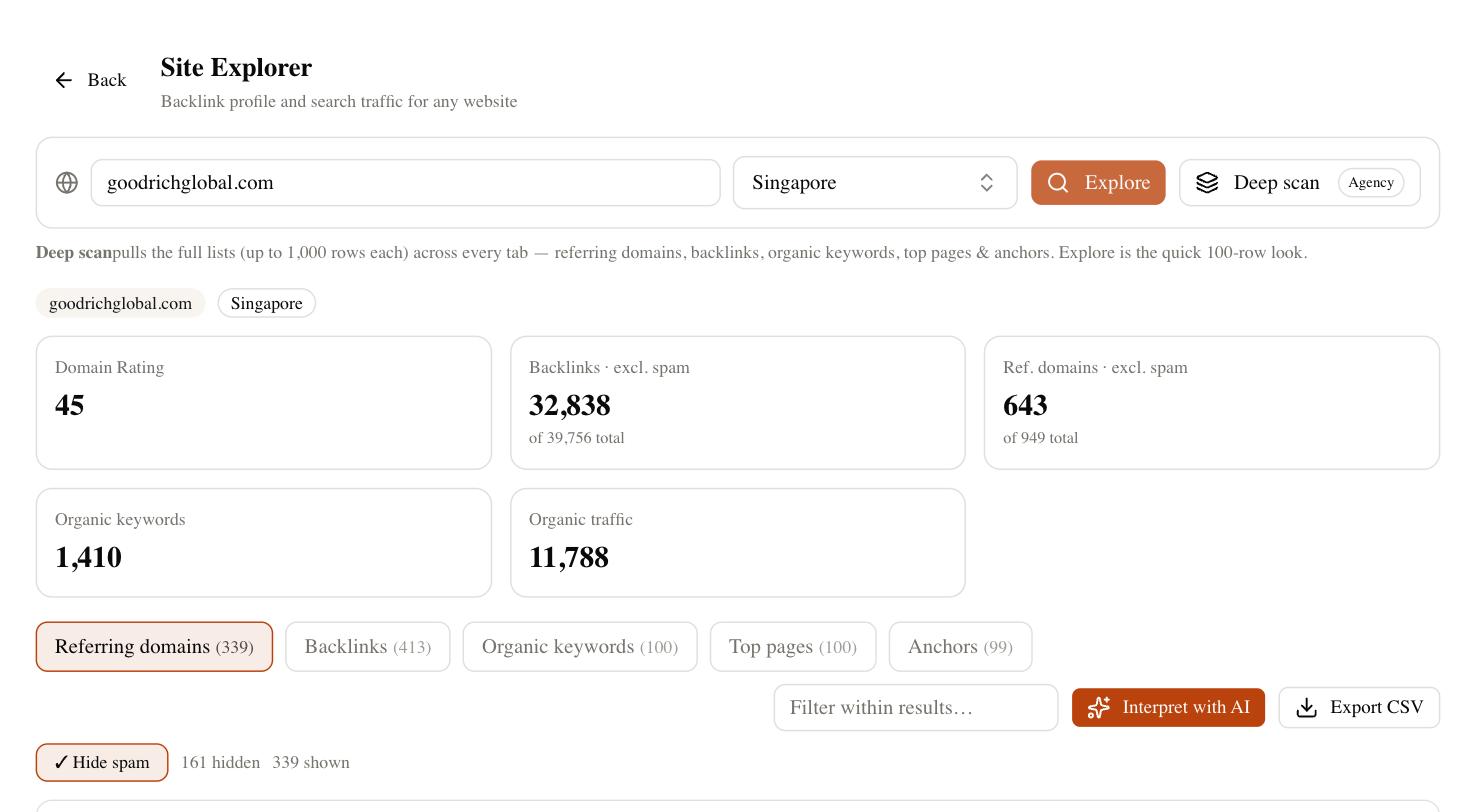
The consolidation is the real saving. A typical setup of Screaming Frog for the crawl, plus a separate AI writer, plus an AI-visibility tracker collapses into one subscription — and because the crawl runs on SEO Rocket’s servers, your laptop’s memory stops being the bottleneck. If you’re a consultant or an agency, the client-dashboard side means you can hand a read-only site-audit report straight to a client without exporting a single spreadsheet.
The AI-visibility piece deserves a moment, because no traditional crawler answers it. Search is splitting: some of your buyers now ask an AI assistant instead of typing into Google, and a technically perfect page can still be invisible in an AI answer. SEO Rocket tracks whether and where you’re being cited across those surfaces, so a fixed crawl error and a lost AI citation show up in the same place. For anyone whose bottleneck is doing more audit work with fewer tools — which is most people reading this — that combination is the strongest fit on the list.
Sitebulb, Ahrefs, Semrush and the cloud crawlers
The rest of the field covers almost every temperament and budget, and several are excellent at the one job they were built for.
- Sitebulb — the closest in spirit to Screaming Frog, but friendlier. It ships prioritized “hints” that explain why an issue matters, which shortens the gap between crawl and action. It runs on desktop or in the cloud, though it carries a real subscription cost.
- Ahrefs Site Audit — the natural pick if you already pay for Ahrefs. The cloud crawler is solid and sits next to the backlink and keyword data you’re logged in for anyway, so you’re not adding a tool, just using more of one.
- Semrush Site Audit — similar logic inside a broader marketing suite. If your team wants PPC, social, and content under one login, the audit module is capable, but you’ll pay suite prices for it.
- Lumar and JetOctopus — the enterprise end. Both crawl millions of URLs and handle log-file analysis at a scale desktop tools struggle with. They’re overkill and overpriced for a small site, and right at home on a large one.
Any of these will crawl a site competently. What none of them fold in yet is AI writing and AI-answer visibility inside the same workflow — you’ll still be running a second subscription for that side of the job.
When you should keep Screaming Frog
Honesty matters here. If your work lives on deep, hands-on technical audits — custom extraction with XPath, granular crawl configuration, spot-checking a staging site, or one-off forensic crawls where you want total control — Screaming Frog is hard to beat, and its annual license is cheap for what it does. There’s no per-crawl cloud metering and no site-size tier to trip over; the only real limit is your own hardware. Serious technical specialists and consultants who do bespoke crawls rarely regret keeping it in the toolkit. The right question isn’t “is there something newer,” it’s “does the alternative cover the crawls I actually run each week.” For a pure technical auditor, sometimes a lean desktop spider is still the correct answer.
How to choose your Screaming Frog alternative
Match the tool to your real constraint, not to a feature checklist. If your problem is tool-sprawl and desktop crawl limits, and you want AI writing plus AI-search tracking built in, SEO Rocket is the natural move. If you love the desktop-crawler feel but want guidance, Sitebulb is the softest landing. If you already pay for Ahrefs or Semrush, use the audit you’re funding. And if you crawl millions of URLs, the enterprise cloud crawlers earn their price.
A quick way to decide: write down the three crawls you actually ran last month. Most people’s list is some mix of “find broken links and redirect chains,” “check why pages aren’t indexing,” and “produce the fixes.” If that’s your month, you’re wrestling a desktop config for a job a cloud workflow does faster — and an AI-native tool will cover those three without touching your RAM. If instead your month was three custom-extraction forensic crawls, keep the specialist. The best alternative is the one that matches how you actually spend an audit day, not the one with the longest feature page.
Whatever you pick, run your own site and two competitors through it before you commit. Crawl a real project, fix a handful of issues, and see which tool gets you from “here’s the problem” to “here’s the fix” fastest — that’s the one that’s genuinely worth switching to.