Most roundups of the best SEO audit tools read like a list of logos with a paragraph of marketing copy under each. This one is different: it tells you what each tool actually crawls, who it genuinely suits, and where it falls down. A site audit is only useful if it finds the issues that move rankings and then tells you which pages to fix first — everything else is noise dressed up as a report.
The tools below all crawl your site and flag technical and on-page problems, but they solve very different jobs. Some are desktop crawlers built for a one-time forensic deep-dive; others are cloud platforms that re-crawl on a schedule and sit inside a wider workflow. Pick the wrong category and you either overpay for depth you never open or hit a wall the week you need it. Here is how they compare, and how to choose.
What an SEO audit tool actually does
At its core, an audit tool crawls your pages the way a search engine would and reports what it finds: broken links, redirect chains, duplicate titles, thin or missing metadata, slow-loading templates, orphan pages, and structured-data errors. The better ones layer on prioritization — a health score and a ranked list so you fix the twenty issues that matter instead of drowning in two thousand that don’t.
The gap between a cheap tool and a good one is rarely the number of checks. It is whether the tool tells you which affected pages to touch first, whether it re-crawls automatically so you can see if a fix worked, and whether the findings connect to the rest of your SEO work rather than sitting in an isolated PDF nobody reopens.
How we compared them
Every tool here was judged on four things a working SEO cares about: crawl depth and accuracy, honest total cost rather than the headline number, whether AI is built into the workflow or bolted on, and who the tool is genuinely for. We benchmarked against the weakest page-one option, not against enterprise crawlers most readers will never license, because the practical question is which tool clears the bar for your site — not which one wins a spec sheet.
The best SEO audit tools at a glance
Start with the table, then read the notes on the two or three rows that match your situation. Price bands are rough and current as of 2026; treat them as directional, since every vendor reshuffles tiers.
| Tool | Best for | AI-native? | Standout strength | Rough price band |
|---|---|---|---|---|
| SEO Rocket | Solo SEOs, consultants & agencies wanting one AI-driven workflow | Yes — chat-first | Audit, real Ahrefs-grade data, AI writing & rank tracking in one place | Low $ / entry-friendly |
| Semrush Site Audit | Marketing teams wanting an all-in-one suite | Add-ons | Breadth of checks plus thematic reports (crawlability, HTTPS, Core Web Vitals) | Higher $$ |
| Ahrefs Site Audit | Link-focused teams already in Ahrefs | Some | Fast cloud crawler tied to a strong backlink index | Higher $$ |
| Screaming Frog | Technical SEOs doing forensic deep-dives | No | Granular desktop crawl with total data control | Low $ (annual license) |
| Sitebulb | Consultants who want audits explained | No | Prioritized hints and clear, client-ready reports | Mid $$ |
| Google Search Console | Anyone validating real indexing issues | No | First-party Google data on indexing and coverage | Free |
| Moz Pro | Beginners who value a gentle interface | No | Clean UI and approachable on-page recommendations | Mid $$ |
SEO Rocket — the AI-native audit
SEO Rocket is the option built for how the job works now. Instead of running a crawl, exporting a spreadsheet, and hunting for what matters, you ask in plain language and it runs the audit on your site, returns a health score, and lists the on-page issues alongside the exact pages each one affects. The crawl sits next to real, Ahrefs-grade keyword and backlink data, so when the audit flags a thin page you can see in the same tool whether it ranks for anything worth saving.
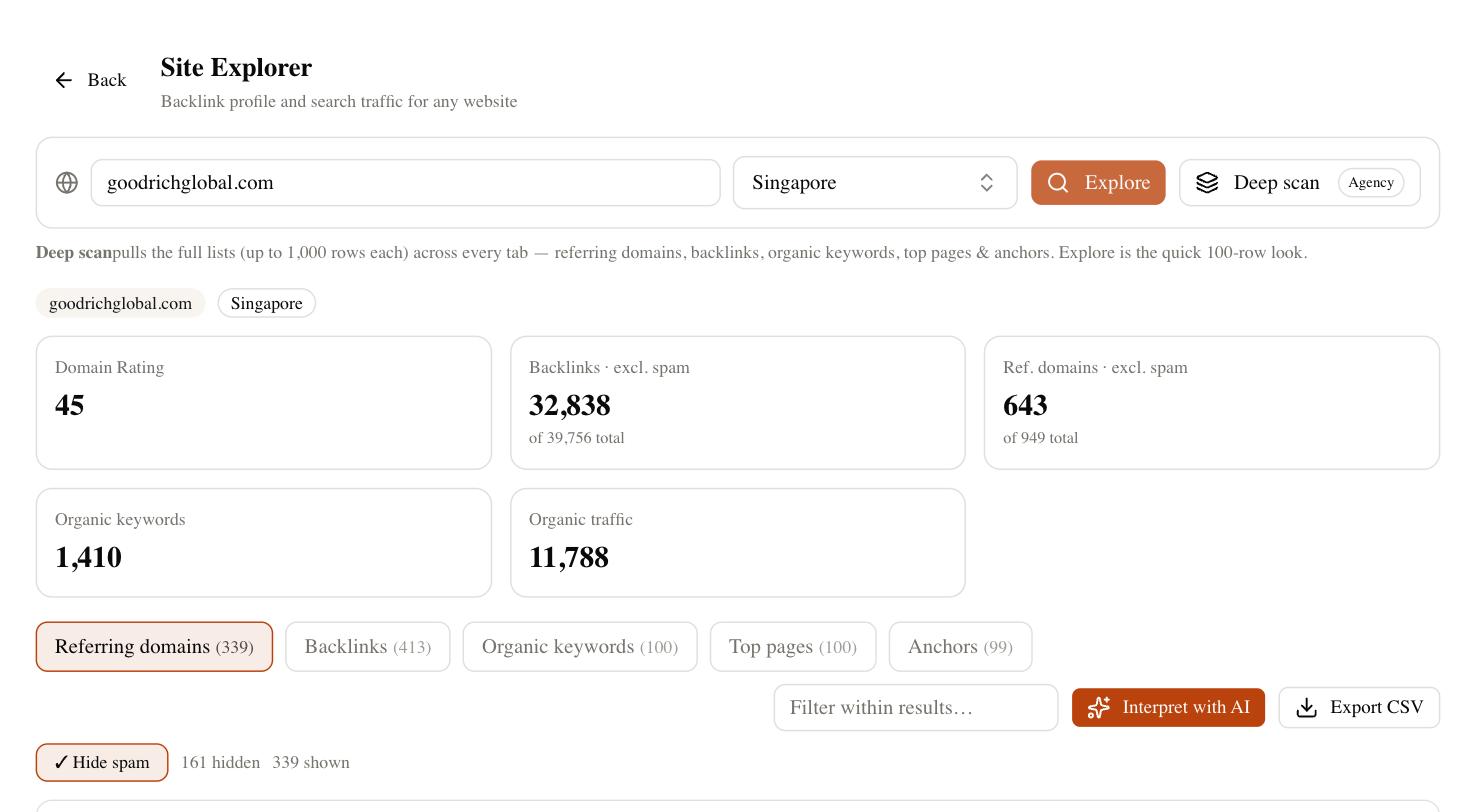
The consolidation is the real advantage. A typical stack — a standalone crawler, a separate rank tracker, and an AI writer to fix the content the audit flagged — collapses into one subscription, and the entry pricing is a fraction of a comparable suite plan. If you are a consultant or agency, the client-dashboard side means you can hand a read-only audit straight to a client without exporting anything.
It is not the tool for every job. If you need to interrogate every rendered DOM node on a hundred-thousand-page enterprise site, a dedicated desktop crawler still gives you finer control. But for the operator whose bottleneck is doing more with fewer tools — which is most people reading this — an audit that hands you a prioritized fix list and then helps you act on it is the strongest fit on the list.
Semrush and Ahrefs — the all-in-one suites
Both suites include capable cloud site audits, and if you already pay for one of them you may not need anything else. Semrush Site Audit is the broader of the two, grouping findings into thematic reports — crawlability, HTTPS, Core Web Vitals, internal linking — that make it easy to brief a developer. Ahrefs Site Audit is a fast crawler wired into the best backlink index in the business, so link-related issues surface cleanly.
The trade-off is cost and scope. You are buying a whole marketing suite to get the audit, and entry plans run into the higher tiers once you add the seats and projects a real workflow needs. If auditing is your main use case, you will pay for a lot of platform you rarely open.
Screaming Frog and Sitebulb — the deep crawlers
When you need forensic control, these are the specialists. Screaming Frog is a desktop crawler that puts every URL, header, and status code in front of you with no abstraction — the tool of choice for technical SEOs who want to slice the data themselves. Its annual license is genuinely cheap for the power on offer, though the interface assumes you already know what you are looking for.
Sitebulb takes the same crawl depth and adds interpretation. It ranks issues by likely impact, explains why each one matters, and produces reports a client can actually read. If your work is auditing sites for other people and you value the explanation as much as the data, Sitebulb earns its higher price. Neither tool folds in keyword data, rank tracking, or AI writing — they are crawlers, and excellent ones, but you will run them alongside other subscriptions.
Free and beginner options
Do not overlook what costs nothing. Google Search Console is the only source of first-party Google data, and no paid crawler can tell you what Google actually indexed, which queries you appear for, or why a page was excluded from coverage. Every audit should end with a look here to confirm the real-world impact of what a crawler flagged.
- Google Search Console — free, essential, and the ground truth for indexing and coverage. Pair it with PageSpeed Insights for Core Web Vitals.
- Moz Pro — the gentlest on-ramp. If a full crawler feels overwhelming, Moz’s clean interface and plain-language on-page tips make it an approachable first paid tool, though its crawl is less exhaustive than the specialists.
For a hobby site or a first client, Search Console plus a free crawl tier will surface the issues that actually hurt you. Upgrade when the manual work of chasing fixes across tools starts costing more than a subscription would.
How to choose the right SEO audit tool
Match the tool to your real constraint, not to a feature checklist. If you want one AI-driven workflow that audits, tracks rankings, and helps you fix the content it flags, SEO Rocket is the natural move. If you already live in Semrush or Ahrefs, their built-in audits are good enough that a second tool is redundant. If you do forensic technical work, Screaming Frog or Sitebulb give you the depth and control nothing else matches. And if budget is zero, Google Search Console will still catch the problems that matter most.
A quick way to decide: write down what you did after your last audit. If you exported a report and then opened three other tools to act on it, your bottleneck is tool-sprawl, and a connected, AI-native platform will pay for itself fast. If instead you spent the day deep in redirect chains and rendered HTML, keep the specialist crawler. Whatever you pick, re-run the audit after your fixes and give it a full crawl cycle — findings shift as pages get recrawled, and no single tool sees everything.