
Most people think SEO is either luck or dark magic. It’s neither. Learning how to do SEO is really about following a repeatable process: find what people search for, cover it better than the pages that currently rank, make sure Google can read it, earn a few good links, and measure what happens. Do that consistently and rankings compound.
This guide walks you through the exact sequence — the same one that took sites from zero to page one — in plain language. No jargon left unexplained, and a real tool you can use to do each step in minutes instead of hours.
Key takeaways
- SEO is a nine-step loop: assess → keywords → competitors → plan → create → fix technical → links → measure → adapt.
- Start with low-difficulty keywords you can realistically win, not the biggest ones.
- Content that genuinely answers the search wins — depth and relevance beat keyword stuffing.
- Links and authority matter, but earning a few relevant ones beats chasing hundreds.
- SEO takes weeks to months. Track it, stay consistent, and let results compound.
What SEO actually is (in one minute)
SEO — search engine optimization — is the practice of getting your pages to show up when people search on Google (and, increasingly, when they ask AI). You’re not gaming an algorithm. You’re proving to Google that your page is the most helpful, trustworthy answer for a given search. Everything below is just how you prove it.
There are three pillars: content (the right pages, well written), on-page and technical SEO (Google can crawl and understand them), and authority (other sites vouch for you with links). A good process touches all three.
Step 1: Understand where your site stands
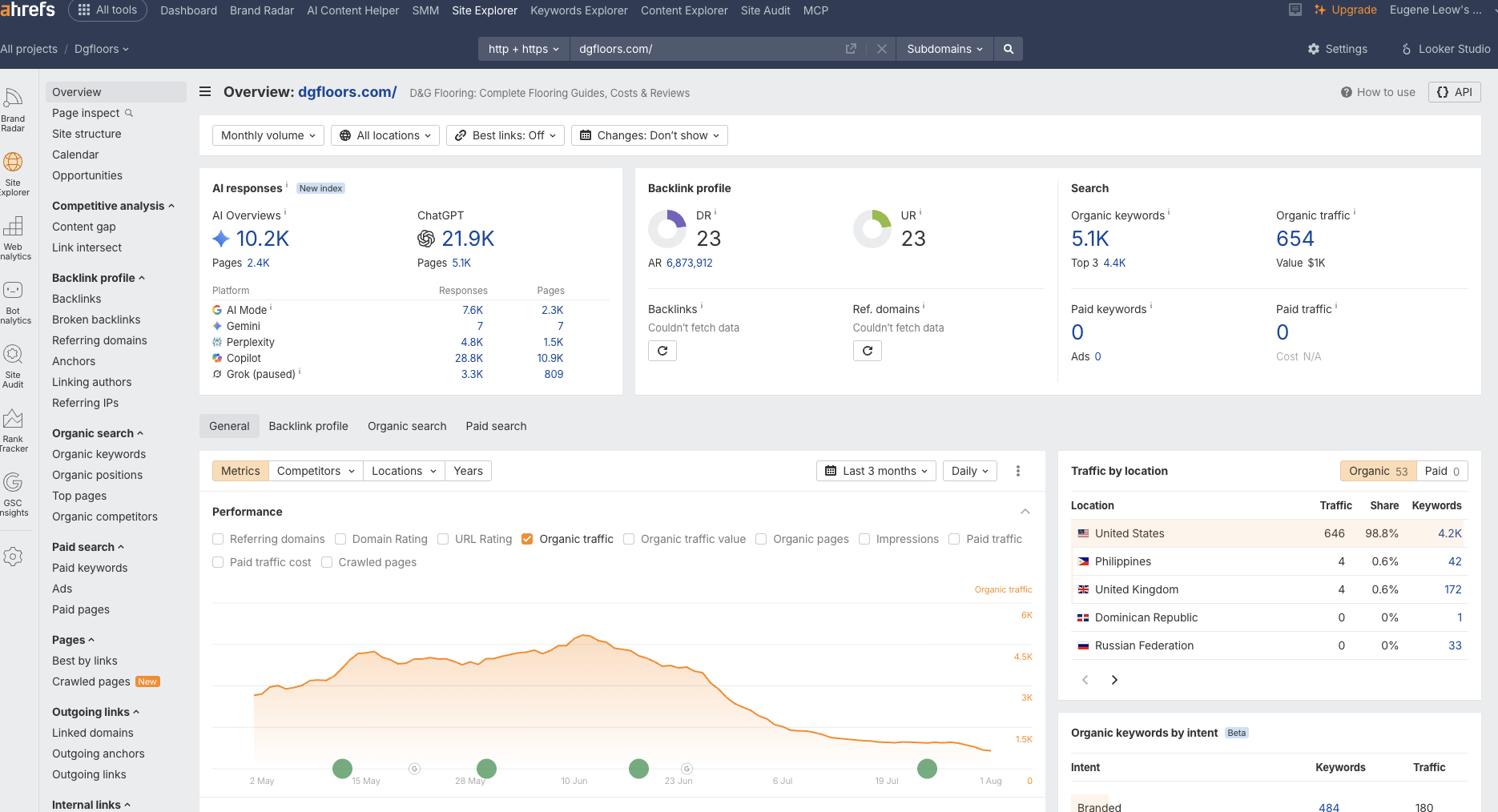
You can’t improve what you haven’t measured. Before touching anything, get a baseline: your site’s authority (Domain Rating), how much organic traffic it gets, and which keywords it already ranks for. This tells you whether you’re building from scratch or optimizing existing wins — completely different playbooks.
A brand-new site should focus on easy keywords and foundational content. An established site with existing rankings should first optimize the pages that already rank on page two, where small gains pay off fastest.
In SEO Rocket, just paste your domain and ask it to analyze your site — you get your DR, traffic, and ranking keywords in about a minute, with a plain-English read on what to do first.
Step 2: Find keywords worth targeting
Keywords are the searches you want to be found for. The beginner mistake is chasing huge terms like “shoes” or “SEO.” You’ll never rank, and you’ll burn months trying. Instead, look for the sweet spot: real search volume with low keyword difficulty (KD) — your realistic quick wins.
Two numbers guide you:
- Search volume — roughly how many people search the term each month.
- Keyword difficulty (KD) — an estimate (0–100) of how hard it is to reach page one.
Here’s a simple way to read KD as a beginner:
| KD range | What it means for a new site |
|---|---|
| 0–14 | Easy — genuine quick wins. Start here. |
| 15–30 | Doable with a solid, thorough page. |
| 31–50 | Medium — you’ll need some authority and links. |
| 51+ | Hard — usually not worth it until your site is established. |
Also weigh search intent — what the searcher actually wants. “Best running shoes” wants a comparison; “how to clean running shoes” wants a how-to; “buy running shoes” wants a shop. Match your page to the intent or you won’t rank no matter how good it is.
Pro tip: A cluster of ten low-competition keywords you can win beats one dream keyword you can’t. Momentum on the easy ones builds the authority you need for the hard ones later.
SEO Rocket’s Keywords Explorer surfaces low-KD, on-topic keywords for your niche and lets you save them straight to a content plan — ask it to “find easy keywords for my site.”
Step 3: Study the competition
For any keyword you’re targeting, look at who’s already ranking. How strong are they? What have they covered — and, crucially, what have they missed? Those gaps are your opening.
The highest-leverage move is a content gap analysis: find the keywords your competitors rank for that you don’t. It’s a ready-made to-do list of proven topics in your niche — no guessing required.
In SEO Rocket, Content Gap does exactly this: drop in a competitor or two and it returns the keywords they own that you don’t, ranked by opportunity.
Step 4: Plan your content around topics, not one-off posts
Google rewards sites that cover a subject thoroughly. The proven structure is the topic cluster (or “hub and spoke”):
- A pillar page covers a broad topic and targets the main head term.
- Several spoke pages cover specific subtopics and link back to the pillar.
For example, a pillar on “keyword research” with spokes on “search intent,” “long-tail keywords,” and “keyword difficulty” — all interlinked. That interlinking is what signals topical authority to Google.
Ask SEO Rocket to “build my content plan” and it clusters your saved keywords into pillars and spokes automatically, so you know exactly what to write and in what order.
Step 5: Create genuinely useful content (and get the on-page basics right)
This is where most of the winning happens. Write the most helpful page for the search — then handle the on-page elements that tell Google what it’s about:
- Title tag — under ~60 characters, with the keyword near the front. It’s your headline in search results.
- Meta description — 140–155 characters. It doesn’t rank you, but a good one earns more clicks.
- One H1, then descriptive H2/H3 subheadings that structure the page.
- The keyword used naturally in the title, intro, and a heading — never stuffed.
- Internal links to related pages, so authority flows and readers (and Google) can navigate.
- Depth — actually answer the question completely. Thin content doesn’t rank.
Pro tip: Write for a human first, then check the SEO boxes. A page that reads like a real expert helping a reader will always outperform a keyword-stuffed one.
SEO Rocket’s Content Generator drafts SEO-ready articles from your chosen keyword — title, meta, headings and structure baked in — so you can publish quality content without staring at a blank page. Edit to add your own voice and examples, and you’re done.
Step 6: Fix the technical basics
Technical SEO sounds scary but the fundamentals are simple: make sure Google can crawl and understand your site. Run an audit and work the list. The common issues:
- Broken links (404s) and redirect chains.
- Missing or duplicate title tags and meta descriptions.
- Missing or multiple H1s on a page.
- Thin pages, and pages accidentally set to “noindex.”
- Slow load times, especially on mobile.
You don’t need to be a developer. You need a list of what’s wrong and which pages are affected, then fix them one by one.
Ask SEO Rocket to run a site audit, or open your Dashboard → Site health, and you’ll see exactly which pages have which issues — no digging through code.
Step 7: Build authority with backlinks
Backlinks — links from other sites to yours — are still one of Google’s strongest trust signals. But quality and relevance beat volume every time. One link from a respected industry site is worth more than a hundred spammy ones (which can even hurt you).
The smartest place to start: the links your competitors already have that you don’t. They’re the most relevant, and the most likely to link to you too. Better still, you can look at the exact pages those links come from — a directory listing, a resource page, a roundup — and go earn the same one.
SEO Rocket’s Cost to Rank shows the sites linking to your competitors but not to you, and the AI can pull the exact source pages so you know precisely where to reach out or list your site.
Step 8: Track and measure (this is where patience pays off)
SEO takes weeks to months, so you have to track it — otherwise you’ll quit right before it works. Add the keywords you care about and watch their positions over time. A page climbing from #45 to #18 to #9 is working, even before it hits page one.
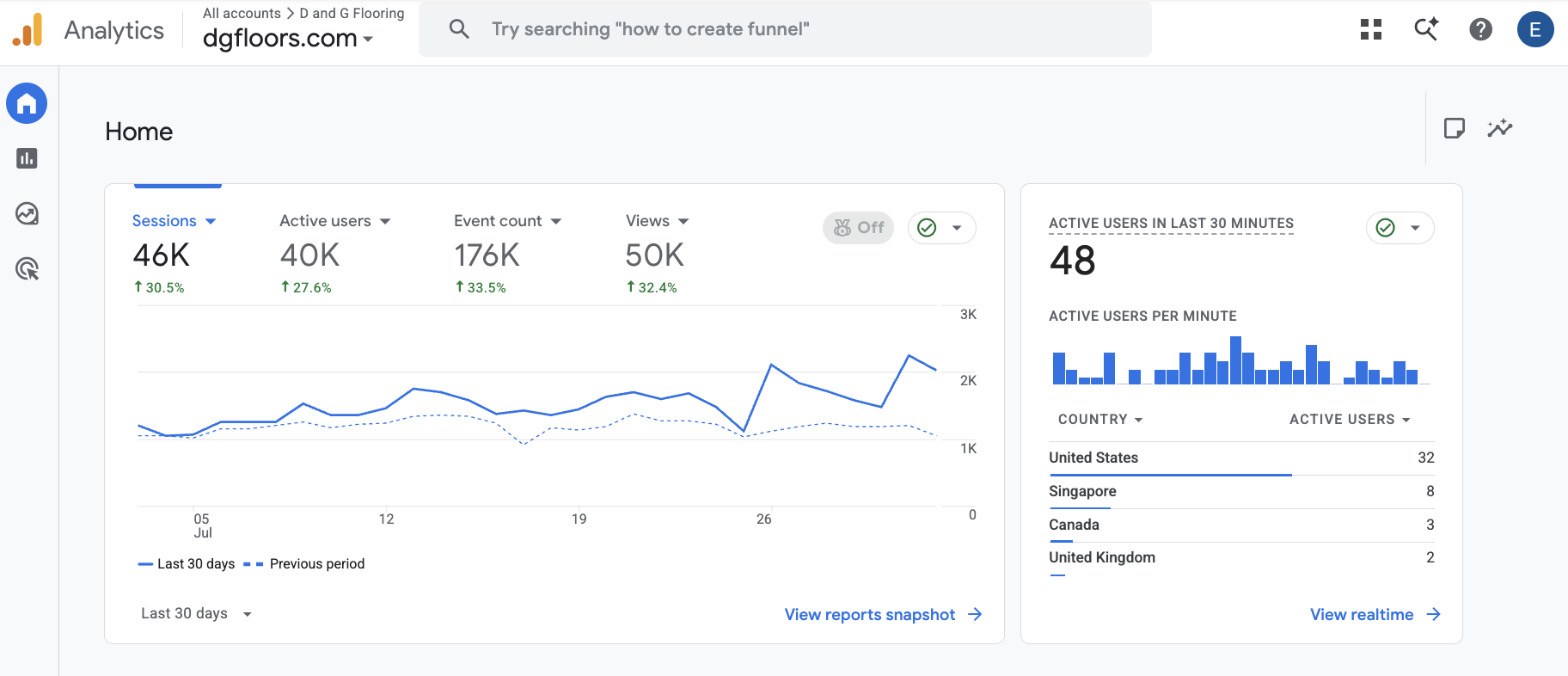
The most accurate source of truth is free: Google Search Console. It reports your real clicks, impressions, and average positions straight from Google — more accurate than any third-party estimate. Connect it early.
SEO Rocket’s Dashboard tracks the keywords you choose over time, and reads real positions from Search Console (and Analytics) once you connect Google — so your reporting is based on Google’s own data, not guesses.
Step 9: Show up in AI answers, too
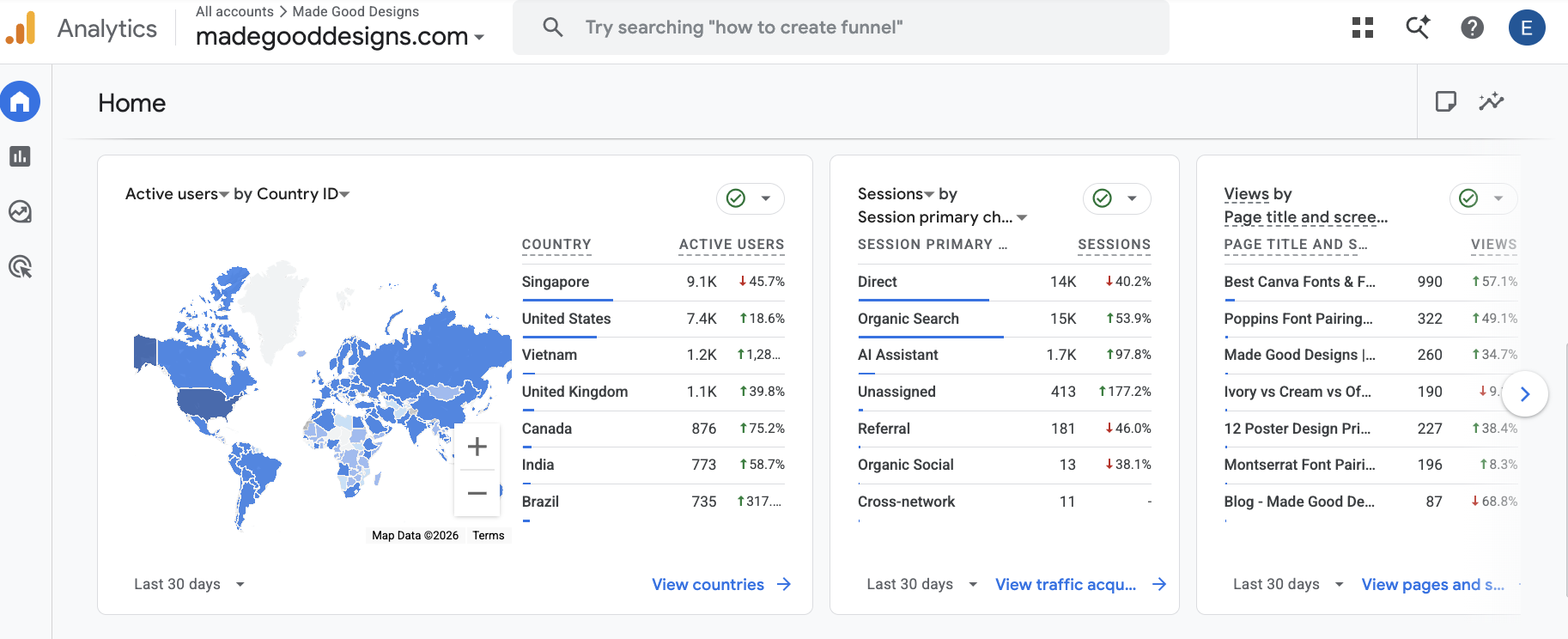
Search is changing. More people ask ChatGPT, Google’s AI Overviews, and Perplexity instead of scrolling results. Getting cited in those answers is the new frontier of visibility — and it’s won the same way: by publishing the clearest, most helpful content on the questions people ask in your space.
SEO Rocket’s AI Visibility shows whether and how your brand appears across AI platforms, plus the questions people are asking — so you know what to cover to start getting cited.
How long does SEO take?
Set expectations honestly. For a new site, meaningful results usually take three to six months, sometimes longer for competitive niches. Established sites can see movement in weeks. The pattern is almost always slow, then sudden: little visible progress, then keywords break through together as your authority and content depth cross a threshold. Consistency is the whole game.
Frequently asked questions
Can I do SEO myself?
Yes. The fundamentals in this guide are learnable, and modern tools handle the heavy lifting — keyword research, audits, even drafting content. The hardest part isn’t complexity; it’s consistency over months.
Do I need to pay for expensive SEO tools?
Not to start. Google Search Console and Analytics are free and give you real data. Beyond that, an all-in-one tool saves enormous time versus juggling five separate ones — but you can begin learning with the free basics.
What’s the difference between on-page and off-page SEO?
On-page SEO is everything you control on your own site — content, titles, headings, internal links, technical health. Off-page SEO is mostly about authority you earn elsewhere, primarily backlinks from other sites.
How many keywords should I target?
Start small and focused. Pick one topic cluster — a pillar plus a handful of spokes — win those, then expand. Spreading thin across dozens of unrelated keywords early on rarely works.
Is keyword difficulty the only thing that matters when choosing keywords?
No. Difficulty tells you how hard it is to rank; intent tells you whether ranking is even worth it. Balance low difficulty with genuine relevance to your business and what the searcher actually wants.
Putting it all together
Now you know how to do SEO end to end: assess where you stand, find winnable keywords, study competitors, plan around topics, create genuinely useful content, fix the technical basics, earn relevant links, and measure relentlessly. It’s a loop, not a checklist — each round compounds on the last.
It’s also a lot to run by hand. SEO Rocket does each of these steps for you from one chat — so you can spend your time on the work that moves the needle instead of stitching tools together. Analyze your site free and see where your opportunities are in about a minute.