
SEO for Magento is not the same job as SEO on WordPress or Shopify, and treating it like generic ecommerce advice with the platform name pasted in is how you end up with a technically broken store that still ranks poorly. Magento 2 (now Adobe Commerce) is powerful and endlessly configurable, which is exactly the problem: doing SEO for Magento well means knowing which of its dozens of default settings are quietly working against you, and which of its limitations you cannot fix from the admin panel at all.
This guide is specific to the platform. You’ll get the real setting paths, the traps that come switched on out of the box, and an honest read on where Magento simply makes SEO harder than lighter platforms do.
What makes Magento different for SEO
Two things define the platform. First, almost every SEO behavior is a toggle somewhere in Stores > Configuration, and several of the toggles that matter most ship set to the wrong value for search. Second, Magento is heavy — a full Luma-theme catalog page loads a large DOM and a lot of JavaScript, so page speed is a structural fight, not a plugin you install. On top of that, layered navigation, multiple store views, and product-in-multiple-categories URLs all generate duplicate and near-duplicate pages faster than any other mainstream cart. The upside is real control: when you know where the levers are, you can shape crawling, canonicals, and redirects precisely. The downside is that nothing is done for you.
Fix the URL and canonical defaults first
Start with the settings that ship wrong. Under Stores > Configuration > Catalog > Catalog > Search Engine Optimization, the two canonical toggles — “Use Canonical Link Meta Tag for Categories” and “…for Products” — both default to No. Leaving them off is the single most common technical mistake on Magento stores, because it lets sort parameters, filters, and category-path variants all get indexed as separate URLs. Turn both to Yes.
While you’re in there, look at “Use Categories Path for Product URLs.” When it’s set to Yes, the same product becomes reachable at a different URL under every category it belongs to. That multiplies your URL count and dilutes signals. Set it to No so each product has one clean path. Then, under Web > Search Engine Optimization, confirm “Use Web Server Rewrites” is Yes so index.php disappears from your URLs, and check that your product URL suffix (.html by default) is consistent everywhere.
Taming layered navigation and faceted URLs
Layered navigation is where Magento SEO goes to die. Every filter a shopper clicks — color, size, price, brand — appends a query parameter, and Magento will happily let Googlebot crawl thousands of these combinations. Canonical tags help, because a filtered page points back to the clean category, but canonicals are a suggestion, not a command, and crawl budget still gets burned exploring the maze.
Be honest about the limit here: Magento has no native, granular way to say “index color filters but block price and sort.” You manage it with a combination of the canonical setting above, robots meta rules, and disallow directives in robots.txt (edited under Content > Design > Configuration > Search Engine Robots) for parameter patterns you never want crawled. On larger catalogs, controlling faceted crawling properly usually means an SEO-focused extension or custom rules — the platform alone will not solve it.
Page speed is Magento’s hardest problem
You cannot out-optimize a slow Magento store with meta tags. The platform is server-heavy, so the wins come from infrastructure, not the admin. Run the site in production mode, put Varnish in front of the built-in full page cache, use OpenSearch or Elasticsearch for catalog search, and serve images and static assets through a CDN. Merge and minify JS and CSS in Advanced > Developer settings, but know that this only trims the edges.
The bigger lever is the front end itself. The default Luma theme carries a lot of weight, and stores serious about Core Web Vitals increasingly move to a lighter theme like Hyvä or a headless build to cut JavaScript and shrink the DOM. That is a genuine project, not a checkbox — which is the honest reality of speed work on this platform. If your Largest Contentful Paint is poor on mobile, no amount of on-page tuning will rescue those rankings until the template gets lighter.
Structured data, rendering, and hreflang gaps
Magento’s native structured data is thin. Luma outputs breadcrumbs and some product markup, but it rarely gives you complete, valid Product schema with price, availability, and reviews the way Google wants for rich results — expect to add an extension or edit templates to get it right. Rendering is friendlier: standard Luma pages are server-rendered HTML, so Google sees your content without executing much JavaScript. If you go headless with PWA Studio and Venia, though, you inherit all the crawl and server-side-rendering concerns of a React single-page app, so weigh that before committing.
Multi-language and multi-region stores hit another gap. Magento’s store-view system makes running several languages easy, but it does not output hreflang annotations natively. Without them, your language variants compete with each other. You’ll need a configuration extension or custom head code to emit correct hreflang tags across store views. Redirects, at least, are well handled: URL rewrites live under Marketing > SEO & Search > URL Rewrites, and “Create Permanent Redirect for URLs if URL Key Changed” issues clean 301s when you rename a product or category.
A Magento SEO checklist
Work through these platform-specific settings before you touch content. Each maps to a real admin path or infrastructure decision, not generic advice.
| Area | What to check | Correct state |
|---|---|---|
| Canonicals | Category & product canonical meta tags | Both set to Yes |
| Product URLs | “Use Categories Path for Product URLs” | No — one URL per product |
| Clean URLs | Web Server Rewrites (removes index.php) | Yes |
| Faceted crawl | Robots.txt disallow for sort/price params | Blocked or noindexed |
| Sitemap | XML sitemap generated on cron | Active & submitted |
| Speed | Production mode + Varnish + CDN | All enabled |
| Structured data | Valid Product schema | Added via theme/extension |
| Multi-store | hreflang across store views | Emitted correctly |
Where SEO Rocket fits
Once the technical foundation is right, the work shifts to what your Magento store should actually rank for — and that is where a data layer on top of the platform earns its keep. SEO Rocket runs on Ahrefs-grade data, so you can ask which category and product terms your competitors rank for that you don’t, then see the volume and difficulty before you commit a page to them. On a large catalog, that stops you from optimizing pages nobody searches for.
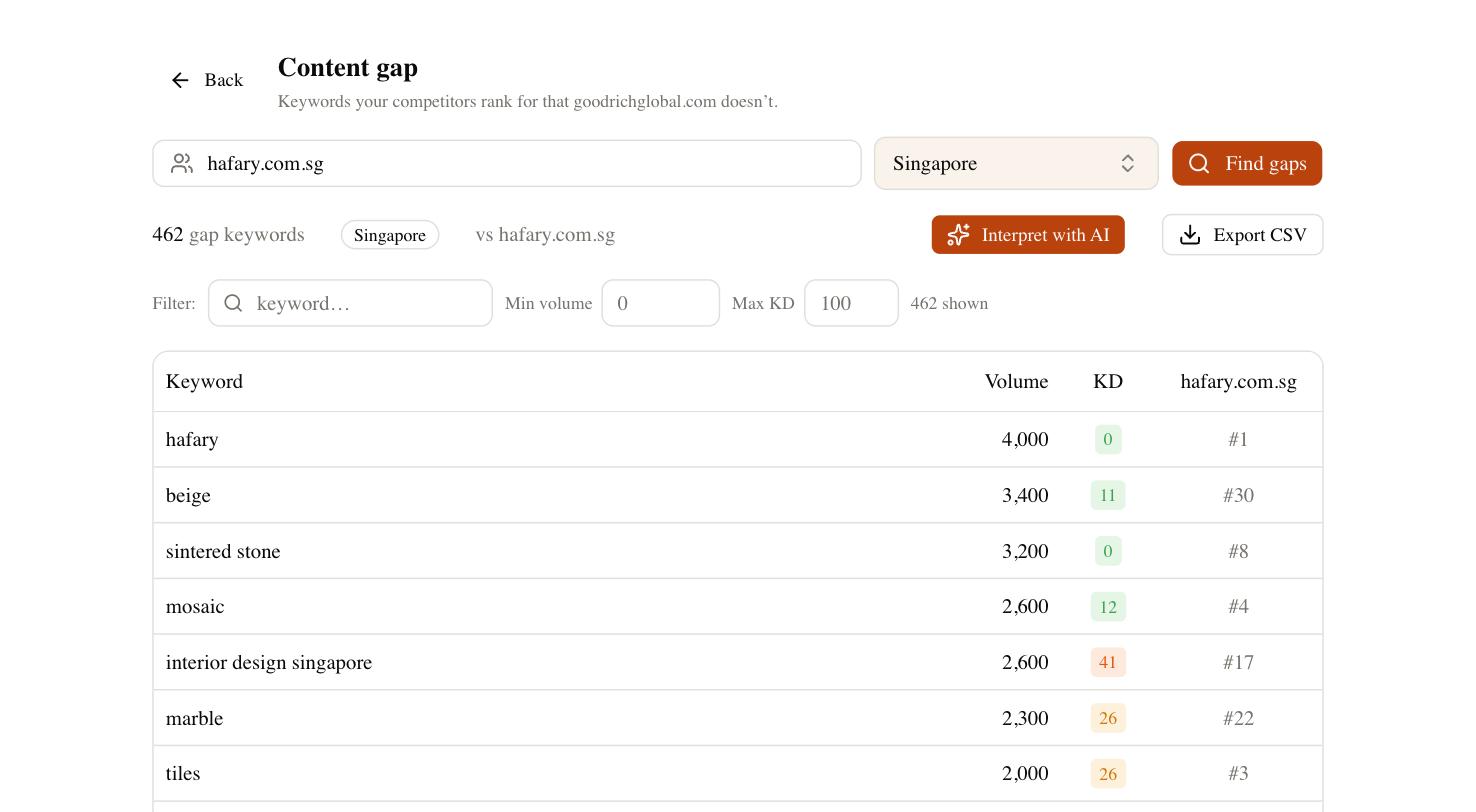
From there, the AI content writer drafts category descriptions and buying-guide pages against the keywords you picked, the site audit surfaces the crawl-bloat and duplicate-URL issues Magento is prone to, and rank tracking tells you whether the fixes moved anything. Brand Radar adds the newer question — whether AI search surfaces cite your store at all. Magento gives you the controls; SEO Rocket tells you where to point them and confirms the work paid off.