Short answer: no, not today. Does SEO Rocket have an API? is a question we get from agencies and developers who want to pull data programmatically or wire SEO Rocket into another system, and the honest answer is that there is currently no public API available. Rather than dance around that, this guide gives you the straight answer up front, explains what SEO Rocket does offer instead for moving data in and out of the product, and covers what to do if a public API is a genuine requirement for your workflow.
The Honest Answer
SEO Rocket does not currently offer a public API. If you were hoping to programmatically pull rankings, content, or audit data into your own dashboard, script, or internal tool, that’s not something the product supports today. We’d rather tell you that plainly now than have you build a connection and discover it doesn’t exist. There’s also no Zapier integration, no Slack app, and no Looker Studio connector — if you’ve seen tools claim SEO Rocket compatibility through any of those, that’s not something we currently provide or maintain.
Why This Is Worth Saying Plainly
A lot of software marketing pages either stay vague about API availability or bury a “coming soon” note that never actually resolves. That’s not a helpful answer if you’re trying to decide whether SEO Rocket fits your stack today. If an API is a hard requirement — say, you’re building automated reporting for dozens of clients and need raw data access, not a dashboard — it’s better to know that now than after you’ve built a workflow around it. This page exists specifically so that answer is easy to find.
What You Can Actually Do Today
While there’s no general-purpose API, SEO Rocket does support several concrete ways to move data and content in and out of the product, and for most use cases these cover the actual underlying need — reporting, publishing, and sharing results — without requiring custom API access.
| What you might be looking for an API for | What SEO Rocket offers instead |
|---|---|
| Pulling ranking and traffic data into your own system | Connect Google Search Console and Google Analytics directly to a project — the real data lives in SEO Rocket’s dashboard and reports, pulled straight from Google |
| Automatically publishing content to a CMS | Direct WordPress publishing, using a WordPress Application Password, sends AI-written, SEO-validated articles straight to your blog as a draft or live post |
| Building a client-facing reporting dashboard | The built-in shareable Client Dashboard gives clients a read-only, always-current view of SEO progress without any custom development |
| Getting raw keyword or content-gap data out for spreadsheet analysis | CSV export is available directly from Keywords Explorer and other tools |
| Connecting to Looker Studio or a BI tool | Not currently available — the closest equivalent today is the built-in Client Dashboard or a manual CSV export into your BI tool |
Google Connections: The Closest Thing to Automated Data Sync
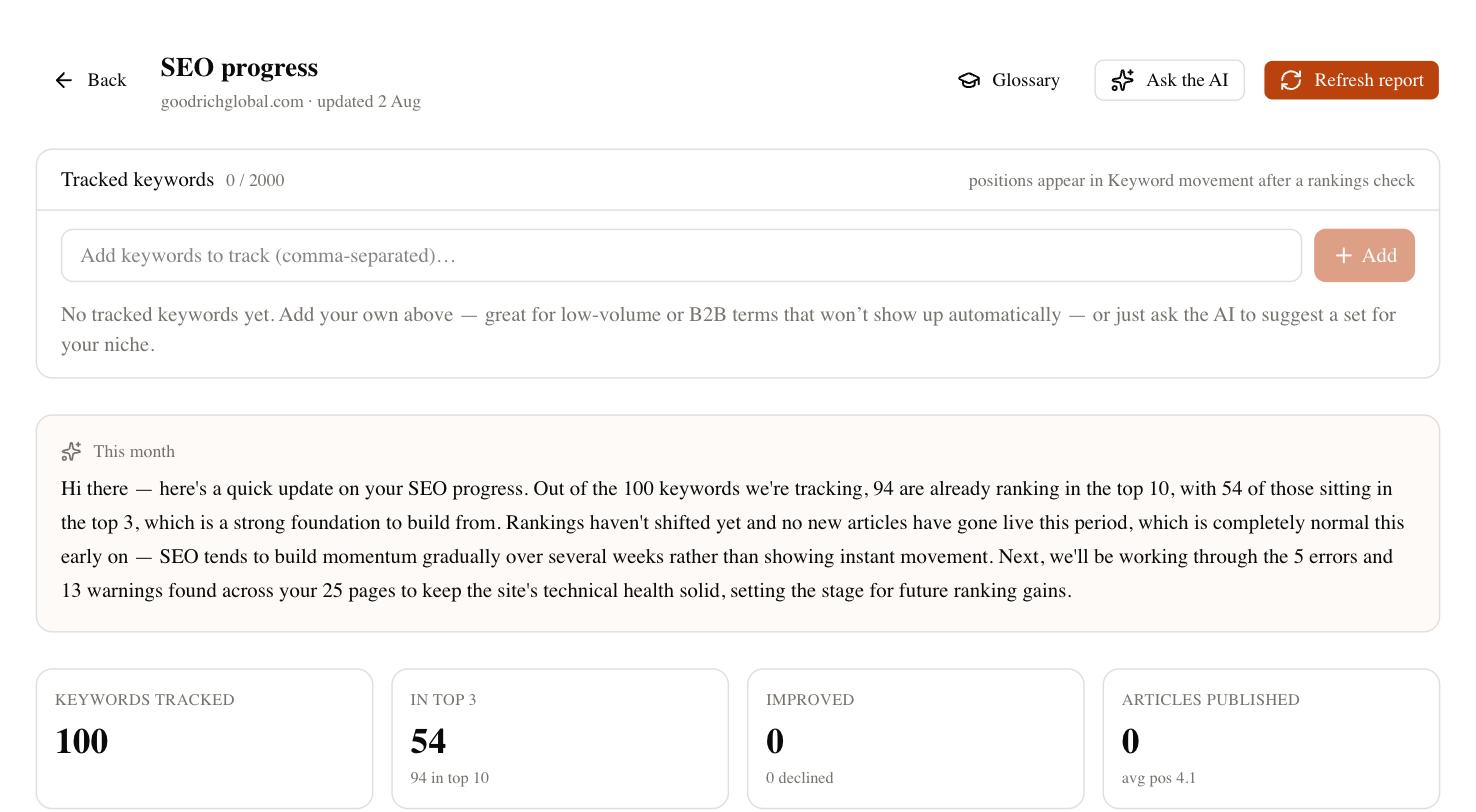
If what you actually want is your real search performance data flowing into a system automatically rather than being re-entered by hand, connecting Google Search Console and Google Analytics gets you most of the way there without needing an API at all. From a project’s Settings → Connections, connecting Google pulls in clicks, impressions, average position, top queries and pages, and GA4 traffic — automatically, on an ongoing basis, into your dashboard, reports, and the shareable client dashboard. It’s read-only and doesn’t cost credits. The connection is per-project, so agencies managing multiple clients set this up once per project rather than once globally.
WordPress Publishing: Automating the Content Side
On the content side, the WordPress integration is the closest thing SEO Rocket has to a “push” API today. Once you connect a site using its URL and a WordPress Application Password (generated from WP admin → Users → Profile → Application Passwords), SEO Rocket can publish AI-written, SEO-validated articles straight to that site — with title, meta description, focus keyword, and a featured image included — as a draft or a live post. For teams whose main interest in “an API” is really “I don’t want to copy-paste finished articles into WordPress by hand,” this already solves that specific problem without any custom integration work.
Exporting Data When You Need It Outside SEO Rocket
For cases where you genuinely need raw data outside the product — building a custom report, feeding a spreadsheet model, or archiving keyword research — CSV export is available in Keywords Explorer and other relevant tools. It’s a manual step rather than an automated feed, so it’s not a substitute for a real API if your use case needs live, programmatic access, but for one-off pulls and periodic reporting it covers a meaningful chunk of what people actually need an API for in the first place.
If You Genuinely Need API Access
If none of the above covers your use case — for example, you’re an enterprise team that needs to pipe SEO Rocket data into an internal warehouse on a schedule, or you’re building a product on top of it — the honest next step is to reach out directly and describe what you’re trying to build. We’re not going to promise a roadmap date here, because that wouldn’t be accurate; a public API isn’t available today, and this page isn’t the place to speculate about when or whether that changes. What we can say is that enterprise and custom needs are worth a direct conversation rather than assuming the product can’t fit — sometimes there’s a workable path even without a general API, depending on the specific data or workflow involved.
A Quick Checklist Before You Assume You Need an API
Before ruling SEO Rocket out over API access specifically, it’s worth checking whether one of the existing features actually solves the underlying problem:
- If the goal is “see real rankings and traffic automatically” — connect Google Search Console and Google Analytics; no API needed.
- If the goal is “publish content without manual copy-paste” — connect WordPress and publish directly from SEO Rocket.
- If the goal is “give a client a live report without building a dashboard” — use the shareable Client Dashboard.
- If the goal is “get data into a spreadsheet or another tool once in a while” — use CSV export from Keywords Explorer or the relevant tool.
- If none of these fit and you need ongoing programmatic access — reach out and describe the specific use case rather than assuming it’s a dead end.
The Bottom Line
There is no public SEO Rocket API today, and there’s no Zapier, Slack, or Looker Studio connector either. What does exist covers a surprising amount of what people reach for an API to solve in the first place: real Google data flowing in automatically through Search Console and Analytics connections, content flowing out automatically through WordPress publishing, client reporting handled through the shareable dashboard, and CSV export for anything that needs to land in a spreadsheet. If your specific need genuinely falls outside all of that, say so directly rather than assuming — it’s a better use of everyone’s time than building around a guess.
Explore what SEO Rocket can already automate for you — Google data, WordPress publishing, and client reporting — free at app.seorocket.ai.