Knowing how to write meta descriptions is one of the highest-leverage SEO skills you can pick up in an afternoon, because it changes the one thing you fully control on the results page: the pitch. A meta description is the short snippet Google shows under your title in search results, and while it isn’t a direct ranking factor, it does a job nothing else does — it convinces a human to choose your link over the nine others on the page.
The catch is that Google rewrites your description more often than most people realize, pulling a passage from your page when it thinks that fits the query better. So the goal isn’t a perfect sentence Google always shows; it’s a strong default that wins the click when it does appear. Below is a practical process you can apply to a single page today, plus the honest limits worth knowing before you spend an hour on it.
What a meta description actually does
Think of the search result as a tiny ad you didn’t pay for. The title is your headline; the description is the body copy that closes the sale. It doesn’t move your ranking up or down, but it influences click-through rate, and click-through rate is the difference between ranking third and getting traffic versus ranking third and getting ignored. A page can sit in a great position and still bleed clicks to a competitor with a sharper snippet.
That framing matters because it tells you what to optimize for. You’re not writing for a crawler or stuffing keywords for a score. You’re writing for a person scanning ten blue links in about two seconds, deciding which one answers the exact thing they typed. Everything below serves that reader.
One more reason to care: the description is also the text that often gets shared. When someone drops your link into a chat app, a Slack channel, or a social post, the platform frequently pulls your meta description into the preview card. A snippet written to win a search click tends to win those clicks too, so a little effort here pays off in places you never see in your analytics.
How long should a meta description be?
Google measures snippets in pixels, not characters, but the practical target most SEOs use is roughly 150 to 160 characters. Go much longer and the desktop result truncates with an ellipsis, cutting off your call to action mid-thought. Mobile shows even less, so the safest habit is to front-load the meaning: put the payoff and the primary keyword in the first 120 characters, and treat anything after that as a bonus that may not survive.
Do not pad to hit the maximum. A tight 140-character description that reads like a promise beats a bloated 160-character one that trails off into filler. Length is a ceiling to respect, not a quota to fill.
How to write meta descriptions, step by step
Here is the sequence that works whether you’re doing one page or a hundred. It’s the same loop every time, and after a dozen pages it becomes muscle memory you barely think about.
- Start from the search intent, not the page. Look at the query the page targets and ask what the searcher actually wants — a definition, a comparison, a fix, a purchase. Your description should answer that intent in the first few words.
- Lead with the benefit. Open with what the reader gets, not with your brand name or a throat-clearing phrase. “Cut your invoice tools from three to one” beats “On our website you will find…”
- Include the primary keyword naturally. When your description matches the query, Google often bolds those words, which draws the eye. Use the term once, where it fits — never twice, never forced.
- Add one concrete detail. A number, a timeframe, a specific feature, or a scope (“takes ten minutes,” “no credit card”) makes the snippet feel real and separates you from vague competitors.
- End with a light call to action. “See the full comparison,” “Get the checklist,” “Start free” — a small nudge that names the next step without shouting.
- Trim to fit and read it aloud. Cut to around 150 characters, then say it out loud. If it sounds like a human recommending the page to a friend, keep it. If it sounds like a robot, rewrite it.
- Make it unique to the page. Never reuse one description across multiple URLs. Duplicate descriptions confuse both users and Google, and they’re a common reason a page’s snippet gets auto-generated instead.
A quick example, rewritten
Say you have a guide about switching SEO tools. A weak description reads: “This article discusses SEO tools and how they compare. Read on to learn more about the options available for your business today.” It’s generic, keyword-thin, and closes with nothing.
A stronger version: “Paying for three tools to do one job? Compare the SEO platforms that combine keyword data, AI writing, and rank tracking — and see which one fits your budget.” It leads with a pain point, names the value, drops the keyword once, and gives a reason to click. Same page, very different pitch.
How SEO Rocket speeds this up
Writing one description by hand is quick. Writing good ones for every page of a growing site is where it turns into a chore, and that’s where a tool earns its keep. When you draft content in SEO Rocket’s chat, the Content Generator produces the article, the title, and the meta description together, so the snippet is written to match the page’s real intent instead of bolted on afterward as a copywriting afterthought.
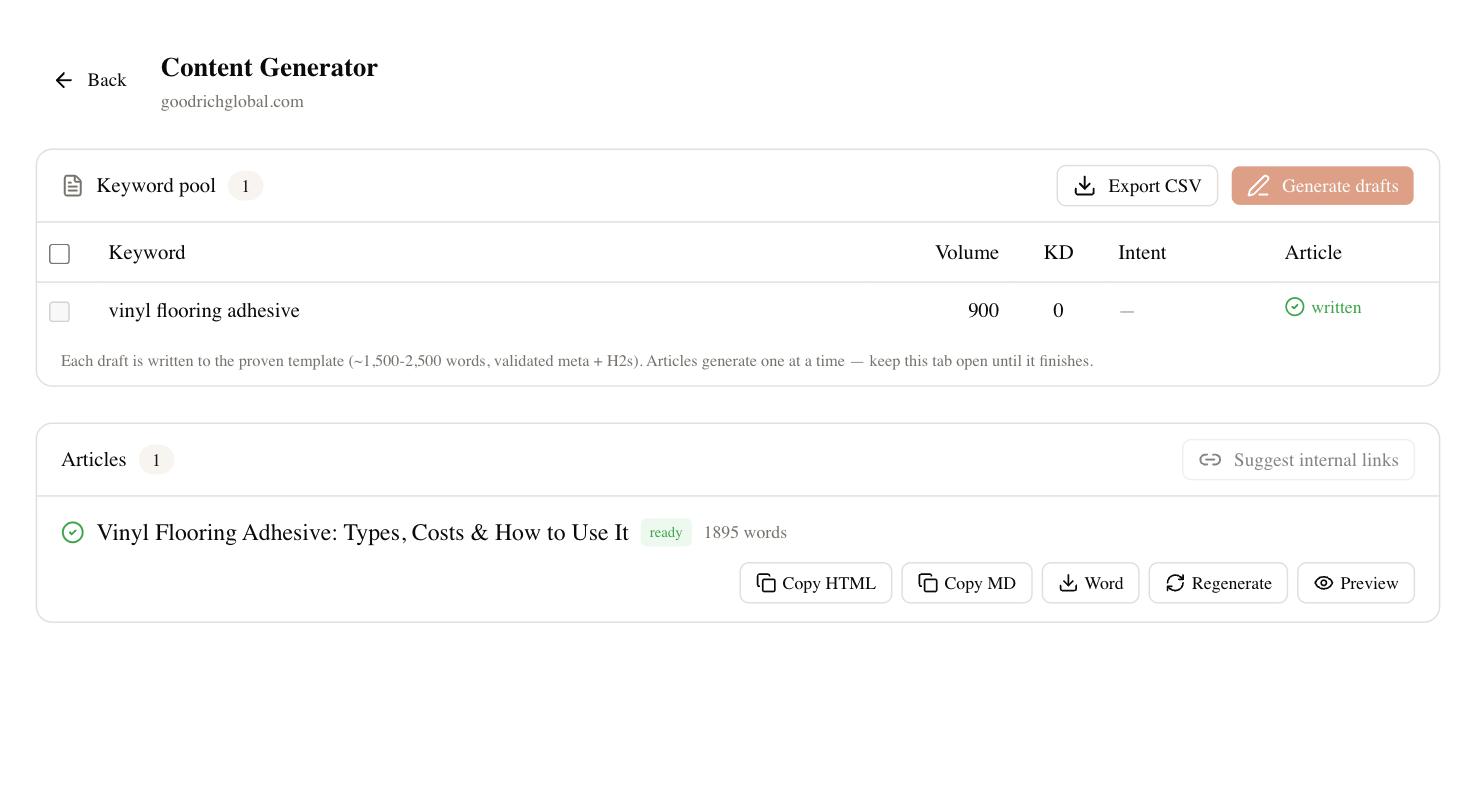
Because it works from real, Ahrefs-grade keyword data underneath, the suggested description tends to lead with the term people are actually searching, not a guess. You still review and tweak every one — you should, since you know your brand voice better than any model — but starting from a solid, intent-matched draft turns an hour of snippet writing into a few minutes of editing. For a consultant or agency handling many client pages, that gap is the whole point.
Common mistakes to avoid
A few errors show up on almost every site audit. Duplicate descriptions across pages top the list, followed by descriptions that are just the first sentence of the article copied in. Both waste the slot. Keyword stuffing is another — cramming the phrase in three times reads as spam and Google may replace it. And leaving descriptions blank entirely hands the decision to Google’s auto-generator, which usually grabs a serviceable but flat passage that undersells you.
The subtler mistake is writing for yourself instead of the searcher. Descriptions full of “we,” “our,” and company history feel important internally but answer nothing the reader asked. Flip every sentence to the reader’s benefit and most of these problems disappear.
How to tell if your meta descriptions are working
Be honest with yourself about the timeline. Rewriting a description won’t move anything overnight; Google has to recrawl the page, and the effect shows up as a slow drift in click-through rate over weeks, not a spike. Watch the query-level click-through rate in Search Console for the pages you changed, compare a few weeks before and after, and expect noise — CTR jitters with seasonality and competitor changes you don’t see.
Remember too that Google may keep ignoring your description in favor of its own snippet for certain queries, and there’s nothing wrong with that when its version answers the intent better. Master how to write meta descriptions as a craft, apply it to your highest-traffic pages first, and measure patiently. The pages where a sharper pitch matters most are the ones already ranking on page one — fix those, and the same traffic starts converting into more clicks without a single new backlink.