Doing SEO for BigCommerce is less about generic best practices and more about knowing which levers the platform hands you and which ones it quietly hides. SEO for BigCommerce rewards store owners who understand the Stencil theme engine, the built-in 301 redirect manager, and the handful of settings that ship in the wrong position by default. Get those right and BigCommerce is a solid SEO platform — server-rendered, fast on its Akamai and Fastly CDN, and clean under the hood.
Get them wrong and you’ll spend months fighting duplicate product URLs, a blog that was never built to rank, and faceted navigation that buries your good pages in crawl noise. This guide covers what is genuinely different about the platform, where it limits you honestly, and the moves that pay off fastest.
What makes SEO on BigCommerce different
Unlike a headless React storefront, BigCommerce’s Stencil themes render on the server with Handlebars. That is good news: Googlebot sees your product titles, descriptions, and internal links in the initial HTML, so you rarely hit the JavaScript rendering problems that plague single-page-app stores. The trade-off is that deep customization means editing Stencil templates directly, and most store owners never touch them — so whatever the theme ships with is what search engines get.
BigCommerce is also a hosted, closed platform. You cannot install a plugin to rewrite every URL or inject arbitrary tags the way you can on WordPress. You work within the settings BigCommerce exposes, plus the theme layer. That constraint is fine for the majority of stores, but it means the platform’s defaults matter more here than almost anywhere else. When something is set wrong out of the box, it stays wrong across your entire catalog until you find it — so the highest-leverage hour you can spend is auditing the defaults before you write a single new product description.
The URL structure trap
This is the single most common BigCommerce SEO mistake. By default, older stores generated product URLs that nested the category path, so the same product could live at several addresses depending on how a shopper navigated to it. BigCommerce now defaults new stores to flat product URLs, but you should confirm yours under Advanced Settings, then Store Settings, then the URL Structure tab. Set products to a flat path like /product-name/ and leave categories in their own clean hierarchy.
You can edit any product, category, or page URL from its SEO section — but every time you change a live URL, you must create a redirect. The good news is BigCommerce has a real 301 Redirect manager built in (under the store’s SEO settings), and it can auto-create a redirect when you edit a URL if you leave that option checked. Turn it on before you start renaming anything, or you will orphan pages that already earned links.
Meta tags, canonicals, and structured data
Every product, category, brand, and web page in BigCommerce has editable page title and meta description fields — use them, because the auto-generated title (product name plus store name) wastes the most valuable ranking real estate you own. The meta keywords field still exists in the admin; ignore it, since no search engine has used it in over a decade.
Canonical tags are handled automatically, which quietly saves you from most duplicate-content headaches when a product appears in several categories. Structured data is where the platform is only partial: Stencil themes ship some product schema, but coverage of price, availability, review, and breadcrumb markup varies by theme and is often incomplete. Test your key templates in Google’s Rich Results Test, and if the theme is thin, add JSON-LD through the theme’s footer script area or a dedicated schema app rather than assuming it is already there.
Rendering, speed, and crawl control
Because pages are server-rendered, crawlability is rarely the problem — but faceted navigation is. BigCommerce product filtering can spin up filtered URLs that add little unique value and dilute crawl budget on large catalogs. BigCommerce handles much of this with canonical and parameter conventions, but on a big store you should still check Google Search Console for filter URLs getting indexed and confirm the theme is not linking to every filter combination.
Speed is mostly handled for you by the CDN, yet Lighthouse scores still suffer from heavy themes, oversized hero images, and stacked third-party apps. Each app you install can add scripts to every page. Audit them: uninstall what you no longer use, compress images before upload, and lean toward a lighter theme if Core Web Vitals are red. The robots.txt file is editable on current plans through the storefront settings, and the XML sitemap generates automatically and is submitted at /sitemap.xml.
Where BigCommerce genuinely limits you
Two honest weaknesses. First, the built-in blog is basic — you get posts at /blog/post-name/, but no real categories, tags, or taxonomy control, and limited template flexibility. If content marketing is central to your strategy, many stores run the blog on a subdomain or a headless setup instead of fighting the native tool. Second, international SEO is awkward: proper hreflang for multiple languages usually means running multi-storefront or a third-party app, not a checkbox.
Neither is a dealbreaker, but pretending they are strengths costs you time. Know going in that BigCommerce is excellent at the product and category layer and merely adequate at the content and multi-region layer. Plan your content architecture around that reality: build your commercial pages inside BigCommerce where the platform is strong, and decide early whether the native blog is enough or whether your top-of-funnel articles belong somewhere with real taxonomy control.
A BigCommerce SEO checklist
Run through this before you chase anything more advanced. Most stores gain more from fixing these than from any link campaign.
| Setting | Where it lives | Do this |
|---|---|---|
| URL structure | Advanced Settings > Store Settings > URL Structure | Set flat product URLs; keep categories clean |
| Auto 301 redirects | SEO settings > 301 Redirects | Enable before renaming any URL |
| Page titles & descriptions | Each product/category SEO tab | Write unique ones; never keep defaults |
| Structured data | Theme / Rich Results Test | Verify product, review, breadcrumb schema |
| App and image bloat | Apps & theme assets | Remove unused apps; compress images |
| Sitemap & robots | /sitemap.xml, storefront settings | Submit to Search Console; check robots.txt |
Where SEO Rocket fits
The platform work gets your store technically clean; the ranking work is knowing which products and categories to target and what content wins them. That is where SEO Rocket earns its place alongside your BigCommerce admin. You ask, in plain language, what your competitors rank for that you don’t, and it runs the gap on Ahrefs-grade data, so you can point your category and blog content at demand you’re currently missing.
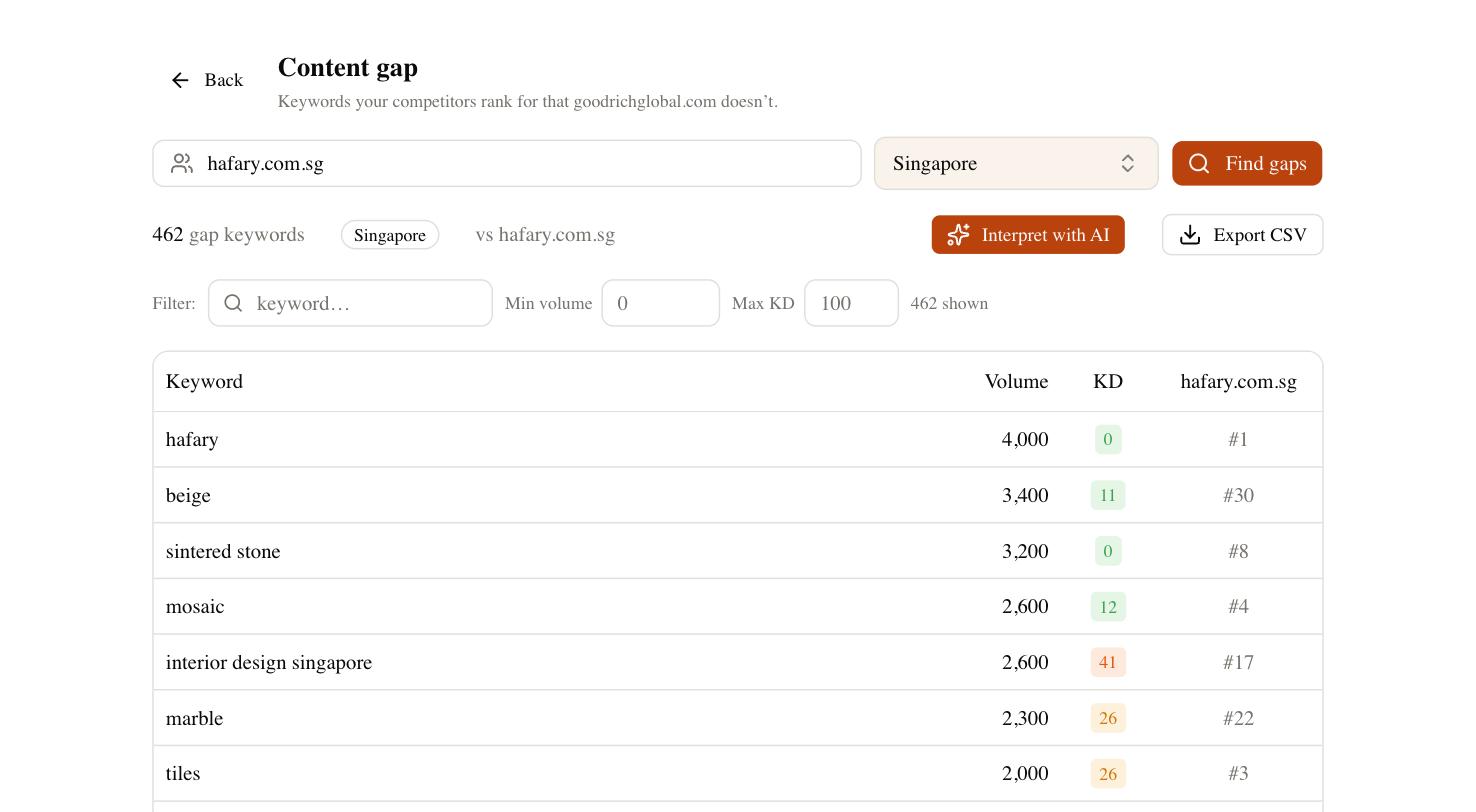
From there the same workflow drafts the content with Claude, tracks your positions as they settle, and — through Brand Radar — shows whether your store gets cited in AI search, where a growing share of product research now starts. BigCommerce gives you a fast, well-structured storefront; pairing it with data on what to write and clear tracking of what moves closes the loop. Fix the settings above first, then let the tooling tell you where the next win is.