
If you’re planning to switch from Surfer to SEO Rocket, you’re probably not unhappy with Surfer’s content editor — you’re unhappy with paying for a second tool, a third tool, and a fourth tool just to see your rankings, your backlinks, and your keyword research in one place. Surfer is a genuinely good SERP-based content editor. It is not a full SEO platform, and for a lot of teams that gap has become the actual cost center: one subscription for content scoring, another for rank tracking, another for backlink audits, and a spreadsheet trying to hold it all together.
This guide is written for people who already know what Surfer does well. It walks through where SEO Rocket matches or replaces that workflow, where it doesn’t, what the migration actually involves, and who should stay put. No exaggerated claims — just an honest side-by-side so you can decide with real information instead of a sales page.
What Surfer SEO does well
Surfer’s core strength is its Content Editor: it pulls the top-ranking pages for a target keyword, extracts the terms and structural patterns those pages share, and gives you a live word count and term-density score as you write. For teams that write a high volume of SEO content and want a fast, mechanical signal of “have I covered what Google is already rewarding,” Surfer’s scoring is fast, visual, and easy to hand to freelance writers with minimal training. Its Audit tool for scoring existing pages against competitors is also genuinely useful for on-page cleanup at scale, and the Google Docs and WordPress integrations mean writers rarely have to leave their normal tools.
None of that changes when you add SEO Rocket to your stack, and it doesn’t have to disappear the day you switch — some teams keep Surfer running in parallel for a transition period while they get comfortable with SEO Rocket’s AI Content Writer and brief workflow.
Why teams look to switch
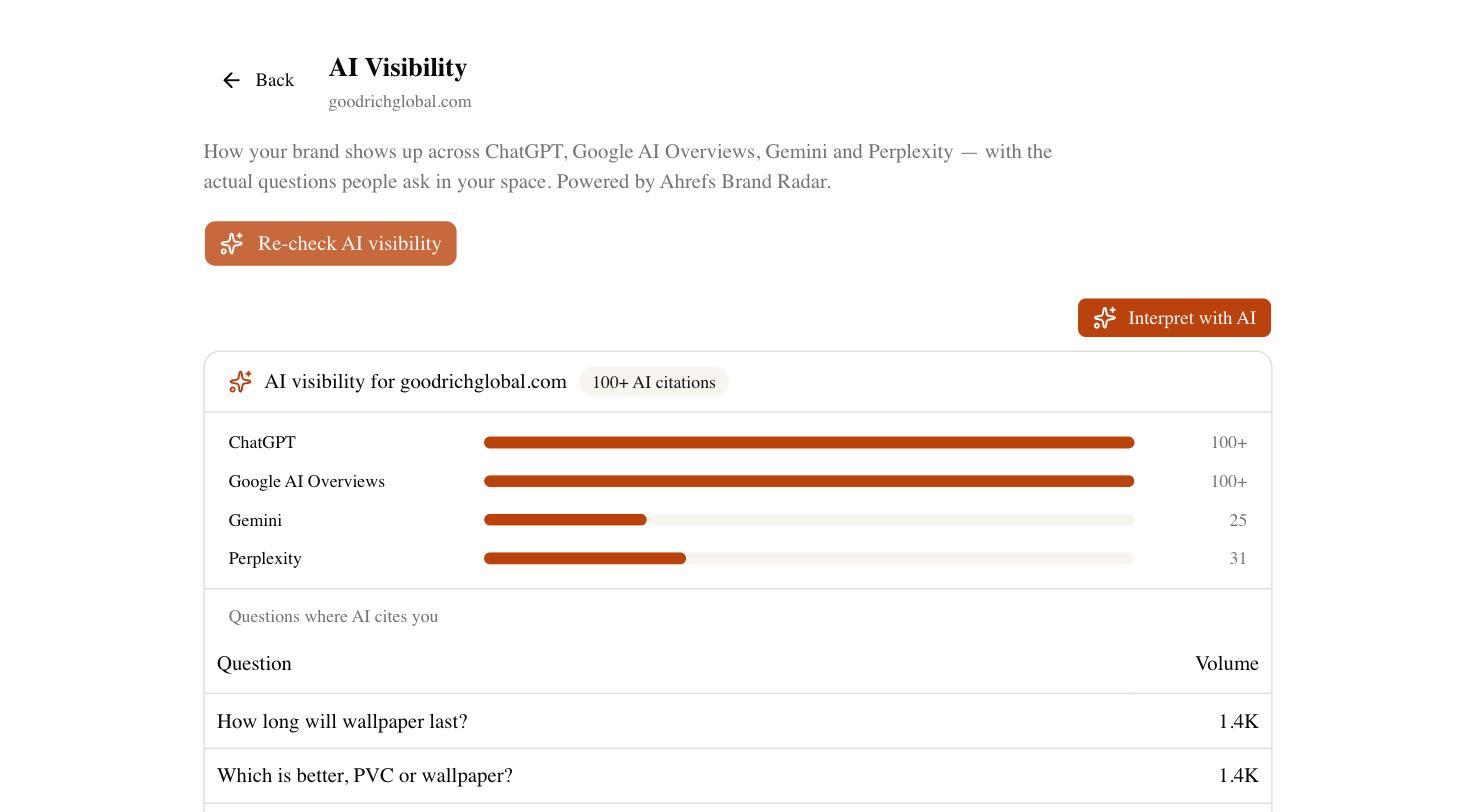
The reasons people search for how to switch from Surfer to SEO Rocket tend to cluster around three things. First, cost stacking: Surfer’s content plans don’t include backlink data, keyword research at Ahrefs-grade depth, or rank tracking, so teams end up paying for Surfer plus Ahrefs (or a similar tool) plus a rank tracker separately. Second, workflow fragmentation: content briefs live in Surfer, keyword research lives somewhere else, and nobody has a single view connecting a keyword to the content written for it to the ranking it eventually gets. Third, the AI-search gap — Surfer was built for the era of ten blue links, and it has no answer for whether your brand actually gets cited by ChatGPT, Google AI Overviews, or Perplexity, which is increasingly where buyers first encounter a brand before they ever click a traditional result.
SEO Rocket doesn’t solve all of this by being a better content editor than Surfer term-for-term. It solves it by being one login that covers content optimization, keyword research, backlink analysis, technical audits, rank tracking, and AI-search visibility, powered by Ahrefs Enterprise data, with an AI Content Writer built in and a chat interface that lets you just ask for what you need instead of hunting through five different dashboards.
Feature comparison
| Capability | Surfer SEO | SEO Rocket |
|---|---|---|
| SERP-based content scoring | Yes — core product, term-density and structure scoring | Yes, via AI Content Writer briefs built from real SERP and keyword data |
| AI content generation | Add-on, limited | Built in, Claude-powered, tied directly to keyword and SERP research |
| Keyword research | Basic keyword suggestions | Full Keywords Explorer — volume, KD, CPC, plus 2D/3D semantic Keyword Graph |
| Backlink / referring domain data | Not included | Full Site Explorer on Ahrefs Enterprise data |
| Rank tracking | Not included natively | Included |
| Technical / site audits | Limited (Audit tool is content-focused) | Full technical audit + free PageSpeed test |
| Content Gap analysis | Not included | Included |
| AI-search visibility (ChatGPT, AI Overviews, Gemini, Perplexity) | Not available | Included — AI Visibility / Brand Radar |
| Interface | Editor + dashboard | Chat-first, plus dedicated tool views |
| WordPress / Docs integration | Native plugin and Docs add-on | Export-based; no native WordPress plugin yet |
What you keep and what changes
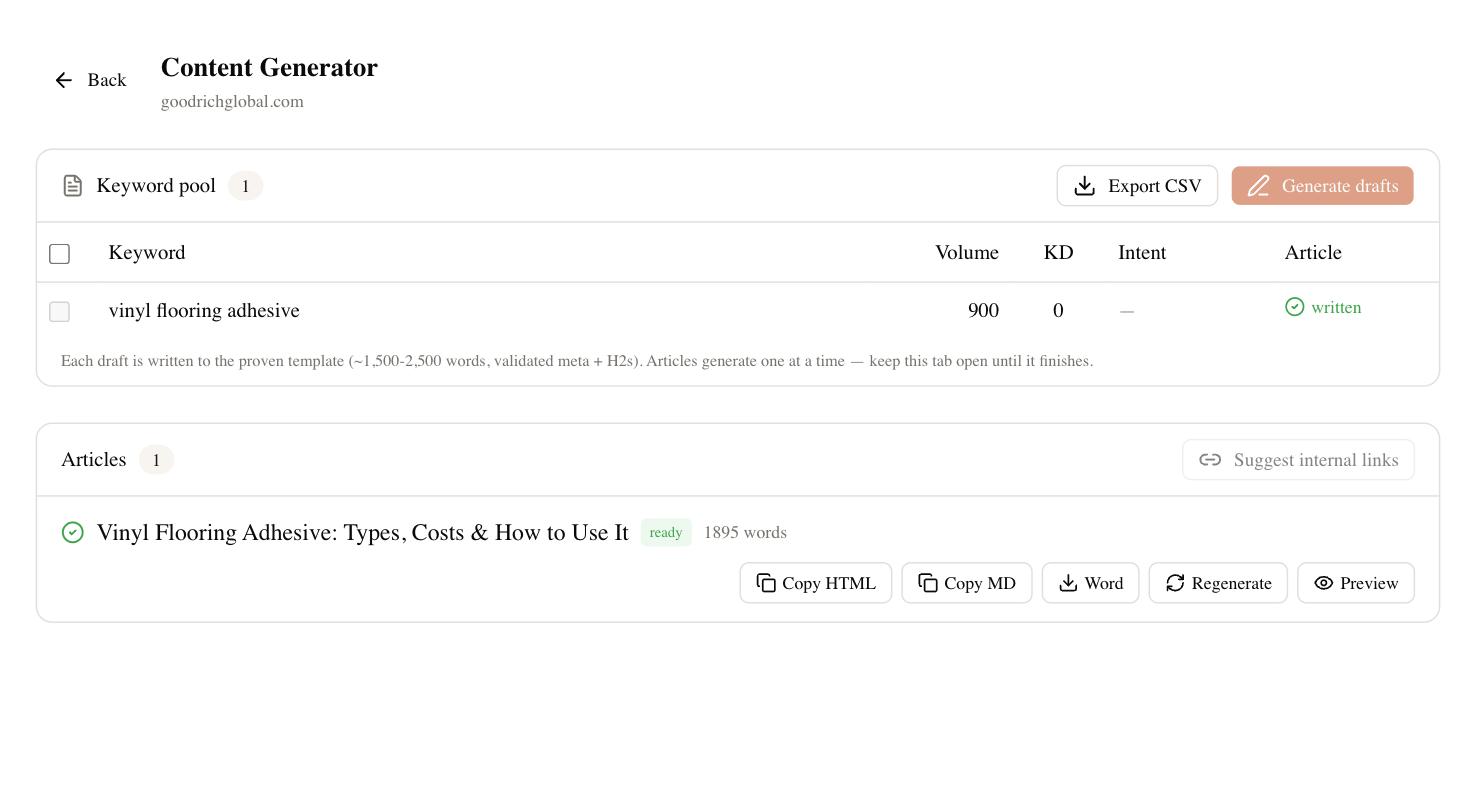
You keep the habit that made Surfer useful in the first place: writing to a data-backed brief rather than guessing. SEO Rocket’s briefs are generated from the same category of input — real SERP and keyword data via Ahrefs Enterprise — so the underlying discipline transfers directly.
What changes is the mechanics. Surfer’s live term-density meter, updating as you type inside its own editor, is a specific UX that SEO Rocket does not replicate exactly; SEO Rocket’s AI Content Writer generates a full draft from the brief and lets you refine it conversationally rather than chasing a numeric score in real time. If your writers are deeply attached to watching a score climb as they type, that’s a real workflow difference worth testing before you commit fully. What you gain in exchange is that the brief, the draft, the keyword data, the rank tracking, and the backlink picture all live in the same account instead of four.
Step-by-step migration plan
- Export what you need from Surfer. Download your existing content briefs and any Audit reports for pages you’re still actively optimizing. Surfer allows PDF/CSV export on most plans — grab your target keyword list and current term-score baselines before you cancel anything.
- Set up your SEO Rocket workspace. Create your project at app.seorocket.ai, add your site, and let the initial site audit run so you have a technical baseline from day one.
- Recreate your content workflow. Take your priority keyword list and run it through Keywords Explorer to confirm volume and difficulty haven’t shifted, then generate briefs and drafts with the AI Content Writer for your next batch of articles instead of starting a new Surfer Content Editor session.
- Turn on rank tracking for the keywords you were previously eyeballing through Surfer’s SERP checks, so you have a continuous record instead of a manual spot-check habit.
- Connect Google Search Console and GA4. This is the step people skip and regret — without it, you’re optimizing content without seeing which pages actually convert clicks into traffic and traffic into results.
- Run Content Gap analysis against two or three real competitors to find topics Surfer’s single-keyword workflow never surfaced.
- Keep Surfer active for one billing cycle if you have in-flight briefs, then cancel once your team is comfortable with the new workflow.
Pricing comparison
| Plan | Surfer SEO (approx. 2026) | SEO Rocket |
|---|---|---|
| Entry paid tier | Essential, ~$99/mo (content editor + limited AI credits) | Pro, $49/mo — 3 sites, 400 credits/mo |
| Mid tier | Scale, higher tier, more articles/mo, still content-only | Growth, $99/mo — 10 sites, 1,000 credits/mo |
| Agency tier | Scale AI / custom, content-focused add-ons | Agency, $199/mo — 25 sites, 2,500 credits/mo |
| Free tier | None — trial only | Free — 1 site, 50 credits |
| What’s included at entry price | Content editor, limited audits, no backlinks/rank tracking | Content, keywords, backlinks, technical audit, rank tracking, AI visibility |
Prices are approximate as of 2026 and change frequently on both sides — check current pricing pages before budgeting. Annual billing on SEO Rocket saves roughly 8% (about one month free), and all plans are metered by credits rather than hard per-article caps.
Who should NOT switch
If your entire operation is a high-volume content team churning out dozens of articles a week with writers who are trained specifically on Surfer’s live scoring interface, and you have no need for backlink data, rank tracking, or AI-search visibility because another tool already covers that, switching may cost you more in retraining than it saves in subscription fees. Surfer’s term-density scoring inside its own editor is also still a sharper, more granular signal for pure on-page term optimization than a generated brief — if that specific mechanic is core to your QA process, don’t drop it without testing SEO Rocket’s brief output side-by-side first on a handful of pages.
FAQ
Can I run Surfer and SEO Rocket at the same time during migration?
Yes, and it’s the safer approach. Keep Surfer active for any in-flight briefs while you set up SEO Rocket and test its content and keyword workflow on new articles.
Does SEO Rocket replace Surfer’s Content Editor exactly?
Not exactly — SEO Rocket generates full drafts from data-backed briefs rather than offering a live term-density meter inside a standalone editor. The underlying data discipline is comparable; the interface is different.
Will I lose backlink or rank data by switching?
No — Surfer doesn’t provide backlink or rank tracking data in the first place, so there’s nothing to migrate on that front. SEO Rocket adds it rather than replacing it.
Is SEO Rocket cheaper than Surfer?
At comparable entry tiers, yes, and SEO Rocket includes categories of data — backlinks, rank tracking, AI-search visibility — that Surfer doesn’t offer at any price. Confirm current pricing for your exact usage before deciding.
If content optimization is only one piece of what you need to manage, it’s worth seeing the rest in one place. Try SEO Rocket and run your next content brief alongside your existing Surfer workflow before you decide.