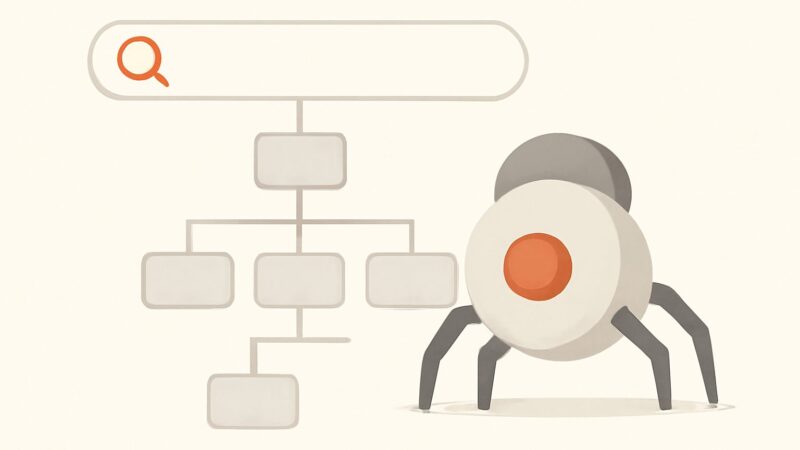
Most people treat crawlability vs indexability as two words for the same thing — “can Google see my page?” — and that shortcut is exactly why so many pages sit invisible for months. They are two separate gates a URL passes through, in order, and a page can clear the first and fail the second, or fail the first so completely that the second is never evaluated. Crawlability is about access: can Googlebot fetch the URL at all? Indexability is about eligibility: once fetched, is the page allowed and worthy to be stored in Google’s index? Confuse the two and you “fix” the wrong gate — adding a noindex to a page Google can’t crawl, or chasing a robots.txt block on a page that’s deliberately excluded.
Two Gates, Not One Spectrum
Picture a URL’s journey to search as a pipeline with distinct checkpoints. Google has to discover the URL (via a link, a sitemap, or a redirect), then crawl it — send Googlebot to request the page and get a usable response — then, for anything that depends on JavaScript, render it. Only after that does Google decide whether to index it. Crawlability governs the first half of that pipeline; indexability governs the tail. The core of crawlability vs indexability is that they are answered by different signals, live in different files, and fail for different reasons.
The practical consequence: a page that returns a clean 200 and is fully crawlable can still be absent from Google — because it carries a noindex, was folded into a canonical, or was judged too thin to keep. And a page with perfect content can be uncrawlable because one line in robots.txt blocks the path. Same symptom, opposite root cause.
What Crawlability Actually Requires
A URL is crawlable when Googlebot can discover it and successfully fetch its contents. That depends on a chain of conditions, any one of which can break access:
- Discovery — the URL is reachable through internal links, an XML sitemap, or an external link. A page with zero inbound internal links (an orphan page) may never be found.
- robots.txt permission — the path isn’t blocked by a
Disallowrule for the relevant user-agent. - A resolvable, responsive server — DNS resolves, the server answers, and it returns a healthy status code (a 200, or a redirect that ultimately lands on one). Repeated 5xx errors or timeouts throttle crawling fast.
- Reasonable crawl efficiency — the site isn’t wasting Googlebot’s budget on infinite spaces (spider traps), redirect chains, or near-identical faceted URLs that crowd out the pages that matter.
None of these touch content quality. Crawlability is plumbing: access, status codes, and link paths. If Googlebot can’t get a clean fetch, everything downstream is moot.
What Indexability Actually Requires
A page is indexable when — having been crawled and rendered — Google is both permitted and inclined to store it in the index and serve it. The blockers here are a completely different set of signals:
- No
noindexdirective — neither a<meta name="robots" content="noindex">tag nor anX-Robots-Tag: noindexHTTP header. - Self-referencing (or absent) canonical — the page isn’t pointing its
rel="canonical"at a different URL, which asks Google to index that other version instead. - Genuine, non-duplicate value — Google’s systems don’t judge it as thin, boilerplate, or a duplicate of an existing indexed page (in which case it may be crawled but dropped as “Crawled – currently not indexed”).
- A 200 status and real content — not a soft 404, an empty template, or a page that renders blank because its content never loaded.
This is the half of crawlability vs indexability where quality enters the equation. A page can be flawlessly crawlable and still fail to be indexable — either because you told Google not to index it, or because Google decided it wasn’t worth the shelf space.
Crawling, Rendering, and Indexing Are Three Steps
Half the confusion in this topic comes from collapsing three separate operations into one word — and modern JavaScript sites make keeping them apart matter more than ever.
Crawling is Googlebot fetching the raw HTTP response — the HTML your server sends. Rendering is Google running that page in a headless Chromium instance to execute JavaScript and build the final DOM, which can happen seconds or (on large sites) far later, when the render queue gets to it. Indexing is the decision to store the rendered result. A single-page app can be perfectly crawlable — the server returns 200 — yet have no indexable content in the initial HTML, because the words only appear after JavaScript runs. If rendering is delayed or fails, the page is crawlable but functionally not indexable. Keep the three verbs separate and most “why isn’t my JS page ranking” mysteries dissolve.
The Trap: Disallow Is Not noindex
This is the single most expensive misunderstanding in the whole crawlability vs indexability question. Disallow in robots.txt and noindex in a meta tag or header do different jobs, and using one when you mean the other backfires.
Disallow controls crawling: it tells Googlebot “don’t fetch this path.” noindex controls indexing: it tells Google “you may fetch this, but don’t keep it.” The trap is that noindex is a signal inside the page — Google can only obey it if it’s allowed to crawl and read the page. So if you both Disallow a URL and put a noindex on it, Googlebot never crawls it, never sees the noindex, and the directive is ignored. Worse: a disallowed URL with links pointing at it can still get indexed — as a bare URL with no snippet, showing “No information is available for this page.” You blocked the crawl, so Google couldn’t read the very tag that would have removed it.
The rule that resolves it: to keep a page out of the index, let Google crawl it and serve a noindex. Reserve Disallow for saving crawl budget on paths you never want fetched (infinite filter combinations, internal search results, admin endpoints) — not as an indexing control. If a URL is already indexed and you want it gone, do not disallow it; keep it crawlable with a noindex until Google recrawls and drops it, then block it.
A Correct robots.txt vs a noindex, Side by Side
Blocking a crawl path (a crawlability control) looks like this:
User-agent: *
Disallow: /search
Disallow: /cart
Disallow: /*?sort=
Preventing indexing on a page you still let Google fetch (an indexability control) goes in the HTML head:
<meta name="robots" content="noindex, follow">…or, for non-HTML files like PDFs, as a response header:
X-Robots-Tag: noindexThe robots.txt block saves crawl budget on low-value URLs; the noindex keeps pages out of results while still letting link equity flow through them (follow).
The Four Quadrants of Crawl and Index
Because crawl and index are independent gates, every URL falls into one of four states. Naming the quadrant a page is in tells you exactly what to fix:
- Crawlable + indexable — the goal state for money pages: fetched cleanly, allowed and chosen for the index.
- Crawlable + not indexable — intentional for staging, thank-you pages, and filtered variants (
noindex); a problem when it’s an important page Google judged thin or duplicate. - Not crawlable + would-be indexable — a valuable page trapped behind a
Disallow, a broken link path, or a server error. The content is fine; Google can’t reach it. - Not crawlable + not indexable — usually harmless dead space, unless it’s a URL you disallowed hoping to deindex it (the trap above), which may linger as a URL-only result.
Technical SEO is largely the work of moving pages into the top-left quadrant and keeping the rest out of the way. When you can label a page’s quadrant, the fix stops being guesswork.
How to Diagnose Which Gate a Page Is Stuck At
Google Search Console‘s Page Indexing report is the ground truth, and its status labels map cleanly onto the two gates. “Blocked by robots.txt,” “Not found (404),” and “Server error (5xx)” are crawlability failures. “Excluded by ‘noindex’ tag,” “Alternate page with proper canonical tag,” “Duplicate without user-selected canonical,” and “Crawled – currently not indexed” are indexability outcomes — so the label tells you which half of the pipeline to work on. The URL Inspection tool goes further, showing the last crawl, whether crawling and indexing were each allowed, and the Google-selected canonical.
The catch is scale. GSC reports on pages Google already knows about; it won’t hand you a tidy list of the orphan pages it never discovered, the redirect chains bleeding crawl budget, or the faceted URLs diluting the crawl. This is where a real-crawler audit earns its place: SEO Rocket’s site audit crawls your site the way a bot does and flags crawlability and indexability issues together — broken links and status-code problems, redirect chains, orphan pages, thin and duplicate content, missing canonicals, and stray noindex tags — with the fix explained. Instead of reconciling a desktop crawl against GSC every quarter, you get both gates monitored continuously.
Fixing Crawlability Problems
When a page is stuck at the crawl gate, work the access chain in order. Confirm the URL isn’t blocked in robots.txt, and that the server returns a 200 — not a 404, a 5xx, or a redirect chain that eventually errors out. HTTP status codes are the heartbeat of crawlability. Give discovered-but-uncrawled pages a path in: add internal links from relevant hubs so orphan pages get reached, and list canonical URLs in an XML sitemap. On large sites, Disallow genuinely infinite spaces (session-ID URLs, endless filter permutations) so Googlebot spends its visits on pages that can rank.
Fixing Indexability Problems
When a page is crawlable but absent from the index, the fix depends on why. If GSC says “Excluded by noindex” on a page you want indexed, remove the tag — a common accident after a staging site goes live with its blanket noindex intact. If it’s “Alternate page with proper canonical,” confirm the canonical points where you intend. If it’s “Duplicate without user-selected canonical,” Google found near-identical pages and picked one — consolidate or differentiate. And if it’s “Crawled – currently not indexed,” Google reached the page and chose not to keep it, almost always a quality or duplication signal: the page needs to be more useful, complete, or distinct than what’s already indexed. That’s a content problem in a technical costume — and it’s where SEO Rocket’s competitor gap analysis and validation-gated AI writer help you ship pages substantial enough to clear the index’s quality bar, rather than thin pages that get crawled and quietly dropped.
Frequently Asked Questions
Can a page be crawlable but not indexable?
Yes, and it’s common. A page can return a clean 200 and be fully fetchable while still being kept out of the index — because it carries a noindex, canonicalizes to another URL, or was judged thin or duplicate (“Crawled – currently not indexed”). Crawlability is about access; indexability is about permission and quality. Clearing the first gate doesn’t guarantee the second.
Does robots.txt stop a page from being indexed?
No — and relying on it for that backfires. Robots.txt Disallow stops crawling, not indexing. A disallowed URL with inbound links can still appear in results as a bare URL with no description, because Google indexed the link without reading the page. To actually keep a page out of the index, let Google crawl it and serve a noindex tag instead.
How do I tell whether crawlability or indexability is my problem?
Check the Page Indexing report in Google Search Console and read the status label. “Blocked by robots.txt,” “Not found (404),” and “Server error (5xx)” are crawlability issues. “Excluded by noindex,” “Alternate page with proper canonical,” and “Crawled – currently not indexed” are indexability issues. The URL Inspection tool confirms per URL whether crawling and indexing were each allowed.
The One-Sentence Rule Worth Remembering
If you take one thing from the whole crawlability vs indexability distinction, make it this: crawlability decides whether Google can reach your page, indexability decides whether Google will keep it — and because a page must be crawled before any indexing directive can be read, you can never use a crawl block to solve an index problem. Diagnose which gate a page is stuck at before you touch anything. A continuous audit that watches both gates at once — the kind built into SEO Rocket, on a playbook proven across 1,000,000+ ranking pages — turns that from a quarterly scramble into a background process.