
SEO for landing pages is a genuinely different job than SEO for a blog post or a service page, and treating it the same is why so many landing pages never see a click from Google. A landing page is built to convert one specific visitor — usually someone arriving from a paid ad or an email — so it’s tuned for a single action, not for the broad, intent-covering depth organic search rewards. That tension is real, and pretending it away helps nobody.
This guide is about the practical reality: what landing page builders let you control, where they quietly fight you, the handful of moves that move rankings, and the mistakes that are almost universal. Some of it is honest bad news — a lot of landing pages simply shouldn’t be in the index at all.
Why landing pages are different
Regular pages are written for the search. Landing pages are written for the campaign. That single difference cascades into everything. A conversion landing page tends to be short, heavy on a hero and a form, light on the supporting text and internal links that help a page rank. It’s often one of several near-identical variants built for different ad groups. And it frequently lives inside a page builder — Unbounce, Instapage, Leadpages, HubSpot, Webflow — rather than in your main CMS, which changes what you can edit.
None of that is wrong for a paid campaign. It becomes a problem the moment you expect the same page to earn organic traffic too. Google reads a thin, form-first page as exactly that, and thin pages don’t rank against competitors who wrote 1,500 words on the same intent.
What builders let you control — and where they don’t
Before you optimize anything, find out what your builder actually exposes. The gap between builders is wide, and some of the most important SEO levers are the ones a given tool hides. Here’s the honest state of play on the controls that matter most.
| Control | Typical reality on landing page builders |
|---|---|
| URL structure | Editable slug, but many builders default to a subdomain (lp.yoursite.com) instead of a subfolder — worse for SEO |
| Title & meta description | Usually editable; some plans bury it or ship a generic default you must remember to change |
| Robots / noindex | Often on by default, or defaulted to noindex — check, because accidents go both ways |
| Page speed | The weak spot: builder scripts, A/B-test snippets, and heavy hero images bloat load time |
| JavaScript rendering | Many builders render content client-side; test that Google actually sees your copy |
| Structured data | Rarely built in — you usually inject FAQ or Product schema by hand, if the builder allows custom code |
| Redirects | Limited; retiring a campaign URL cleanly often needs a 301 set at the host or DNS level |
The two that catch people most are hosting and speed. Serving landing pages on a subdomain splits authority from your main domain; a subfolder (yoursite.com/offer/) keeps it consolidated, and most builders support that through a reverse proxy or a custom-domain setting — it’s just not the default. Speed is the other one. A/B-testing scripts cause layout shift and flicker, and a stack of tracking pixels can push a page well past the point where Core Web Vitals stay green.
The moves that actually work
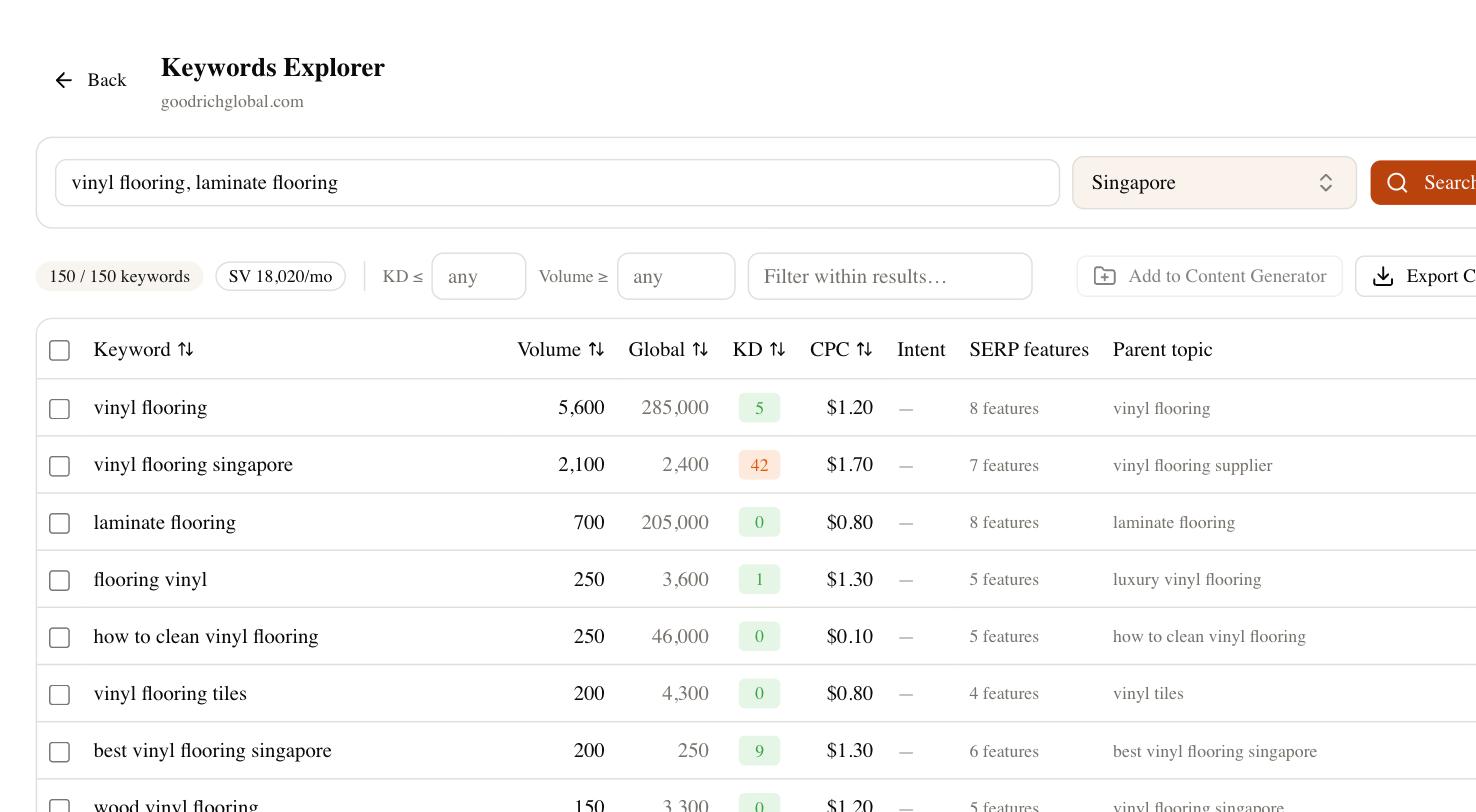
Good SEO for landing pages comes down to a short list, not a long one. Start with intent. A landing page can only rank if it targets one clear query with real search demand, so match it to a keyword the way you’d match a service page — one primary intent, supported by the natural variations of it, and nothing scattered.
Then give the page enough to rank. That doesn’t mean bolting a blog onto a conversion page; it means adding the genuinely useful sections a buyer at that stage wants — a short “how it works,” an FAQ, a comparison, proof. Add FAQ structured data if the builder lets you inject code. Compress the hero image and strip any script the page doesn’t need. Put the page on a subfolder. And link to it — from your nav, your footer, or a relevant blog post — because an orphaned landing page with no internal links is nearly invisible to crawlers. Those moves, in that order, cover most of the gap between a landing page that ranks and one that doesn’t.
The mistakes almost everyone makes
The most common failure is indexing every campaign variant. If you built five near-identical pages for five ad groups and left them all indexable, you’ve created duplicate content that competes with itself and dilutes any signal. Pick one canonical version for organic, or noindex the variants. The mirror image is just as common: a builder ships pages noindexed by default, someone forgets to flip it, and a page that was supposed to rank never had a chance.
After that it’s the predictable set — generic default title tags nobody edited, pages stranded on a subdomain, content rendered in JavaScript that Google never sees, and orphan pages with zero internal links. Each one is quiet. None throws an error. You only notice when the page has been live for months with no impressions, and by then you’ve lost the runway.
Should the page even be indexed?
Here’s the honest part. A lot of landing pages should not be in Google’s index at all, and forcing SEO onto them is wasted effort. A dedicated PPC landing page — built for one ad, stripped for conversion, duplicated per campaign — is usually better off noindexed. Its job is to convert paid clicks, and letting a thin version into the organic index can drag on your site’s overall quality signals rather than help.
The pages worth optimizing are the ones designed to earn organic traffic in the first place: a solution page, an offer page, a location page — something with a real query behind it and room for real content. Decide which bucket a page is in before you spend an hour on its meta tags. That decision is most of the strategy.
Where SEO Rocket fits
The workflow SEO Rocket is built for maps onto exactly these steps. Start in Keywords Explorer to confirm a landing page has genuine demand and a difficulty you can realistically win — volume and KD side by side, so you’re not optimizing a page for a phrase nobody searches. The site audit then catches the landing-page-specific failures automatically: accidental noindex, thin content, missing titles, slow pages, and orphans with no internal links pointing in.
From there, rank tracking tells you whether the indexed pages are actually climbing, and Brand Radar shows whether your offer gets cited in AI answers — increasingly where high-intent buyers look first. Because it’s chat-first, you can ask it to audit a single landing page or a whole campaign folder and get the concrete fixes back, rather than clicking through a dozen reports to assemble the same list yourself.
A landing page SEO checklist
Run any page you want to rank through this before you call it done. If a line fails, you’ve found your next fix.
- One clear target query with real, verified search volume
- Hosted on a subfolder, not a subdomain
- Unique, editable title tag and meta description — not the builder default
- Indexable on purpose (and thin PPC variants deliberately noindexed)
- Enough real content to answer the query — not just a hero and a form
- Content visible in rendered HTML, not locked behind JavaScript
- FAQ or relevant structured data injected where the builder allows it
- Fast: compressed images, no unused scripts, Core Web Vitals green
- At least one internal link pointing to the page
- Clean 301 redirect planned for when the campaign retires
Get those ten right and a landing page can pull real organic traffic on top of its paid job. Skip them and you’ve built a page that converts ads beautifully and ranks for nothing — which, for plenty of landing pages, is a perfectly fine outcome as long as you chose it on purpose.