The best free AI writing tools have quietly become good enough to do real work. A free Claude or ChatGPT tab will draft an email, sketch an outline, or produce a usable first pass at an article in under a minute, and for a lot of everyday writing that is genuinely all you need. The catch is that “free” always has an edge somewhere, and knowing where each tool stops matters more than knowing where it starts.
This is a plain comparison of the best free AI writing tools in 2026 — what each one is actually good at, where the free tier runs out, and who should pay for something more. No affiliate padding, no invented scores. Just the honest best-for on each so you can pick one and start writing today.
What “free” actually buys you
Almost every tool here has a free plan, but they mean different things by it. The big chatbots — ChatGPT, Claude, Gemini — give you real access to capable models with usage caps and slower or older models once you hit them. The marketing tools like Copy.ai and Rytr cap you on word count or generations per month. Editing tools like Grammarly and QuillBot gate their strongest rewrite and tone features behind the upgrade.
So the honest question isn’t “which is free,” it’s “which free tier covers the writing I actually do.” A student paraphrasing sources wants something different from a founder shipping landing-page copy or a consultant who needs an article to rank on Google. Match the tool to the job, not to the length of its feature page.
Best free AI writing tools at a glance
Start with the table, then read the notes on the two or three that fit how you write.
| Tool | Best for | Standout | Rough price band |
|---|---|---|---|
| SEO Rocket | SEO content that has to rank and get cited | Real ranking data + AI writing + AI-search visibility in one chat | Paid, entry-friendly (trial available) |
| ChatGPT | General-purpose drafting and brainstorming | Versatile all-rounder with a huge ecosystem | Free tier; low–mid $ upgrade |
| Claude | Long-form and nuanced, natural prose | Reads least like a robot; strong long documents | Free tier; low–mid $ upgrade |
| Google Gemini | Research-led drafts inside Google’s tools | Ties into Search, Docs and Gmail | Free tier; low–mid $ upgrade |
| Copy.ai | Short marketing copy — ads, emails, product text | Template library for repeatable formats | Free plan; mid $ paid |
| Rytr | Quick short-form on a tight budget | Simple, cheap, fast | Free tier; low $ paid |
| QuillBot | Paraphrasing, summarizing and cleanup | Best-in-class rewriter and grammar checks | Free tier; low $ paid |
| Grammarly | Editing and tone on top of your own writing | Catches what a draft tool leaves behind | Free tier; mid $ paid |
SEO Rocket — for writing that has to rank
SEO Rocket earns the top spot for one specific job the free chatbots can’t do well: producing content that actually ranks and gets cited. A free ChatGPT draft is a fine starting point, but it doesn’t know what your target keyword’s search volume is, which competitors already own page one, or what those pages cover that yours doesn’t. SEO Rocket does, because it sits on real, Ahrefs-grade data and works that context into the draft before you write a word.
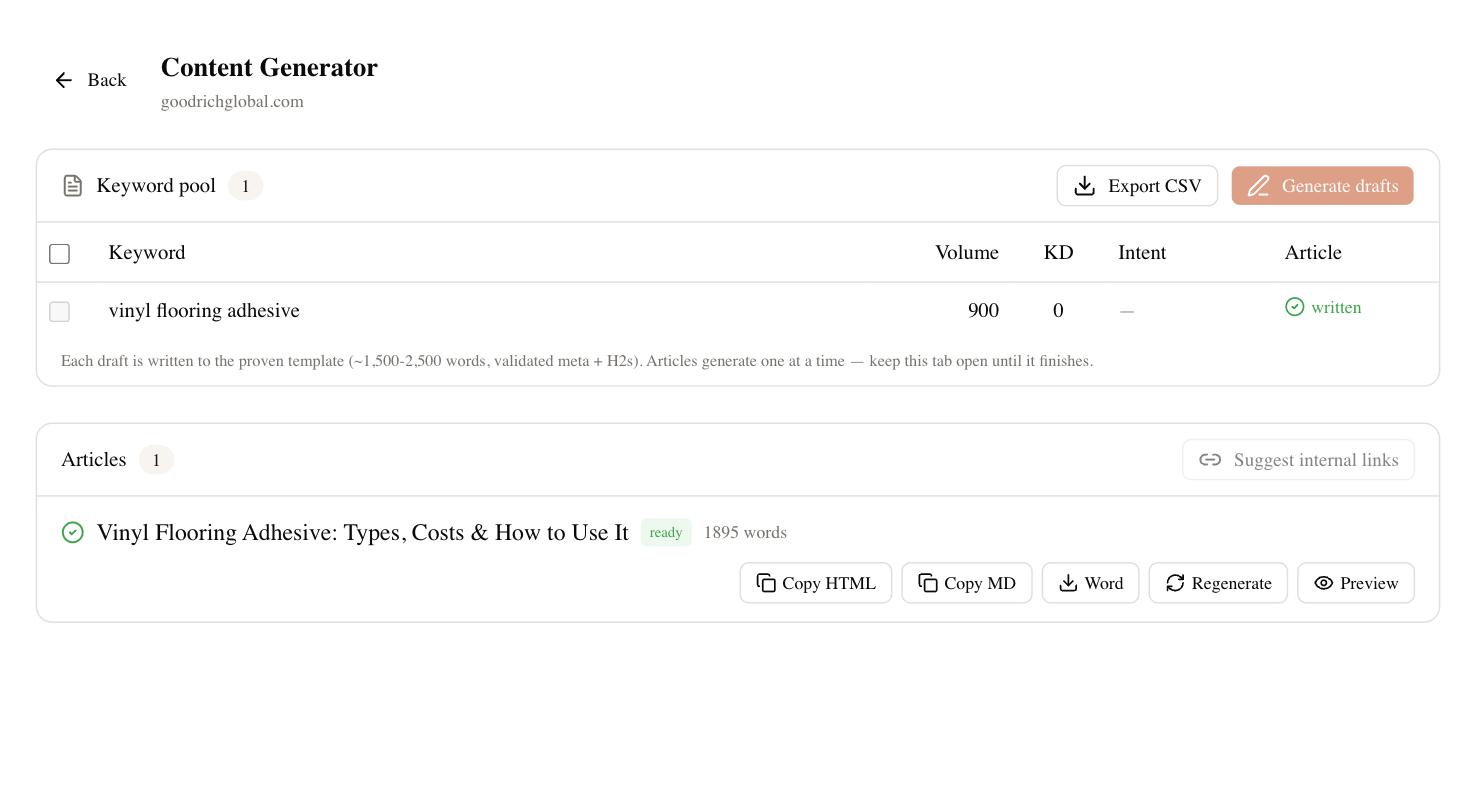
You ask for what you need in plain language — keyword research, a competitor gap check, a full article outline — and it runs the lookup, then drafts with Claude on top of that data. The same tool tracks your rankings and, through its Brand Radar feature, shows whether ChatGPT, Perplexity, and Google’s AI Overviews are citing you. That last part matters more every quarter, because a page that ranks first on Google can still be invisible when a buyer asks an AI assistant instead.
To be straight with you: SEO Rocket is not a free tool the way a chatbot tab is. It’s a paid product with a trial, and if you only write the occasional email you don’t need it. But if your writing has a commercial job — traffic, leads, clients — it replaces a stack of a data tool plus a separate AI writer plus an AI-visibility tracker, and the entry pricing is a fraction of buying those pieces apart. For SEO work specifically, that consolidation is the reason it leads the list.
ChatGPT, Claude and Gemini — the free workhorses
For most people, one of the three big assistants is the real answer to “which free AI writer should I use,” and they’re close enough that your habits decide it. ChatGPT is the versatile default: it does a bit of everything, has the deepest ecosystem of plugins and integrations, and rarely leaves you stuck. It’s the safe first pick if you’re not sure what you need.
Claude is the one to reach for when the writing itself matters. It handles long documents without losing the thread and produces prose that reads the least like a machine wrote it, which is why it’s a favorite for articles, scripts, and anything a human will read closely. Gemini’s advantage is Google — if you live in Docs, Gmail, and Search, having the model right there, pulling in current information, saves real friction. All three cap the free tier and route you to older or slower models once you hit the limit; heavy users upgrade for the newest model and higher limits, which lands in the low-to-mid monthly range.
Copy.ai and Rytr — free marketing copy
When the job is short, repeatable marketing text rather than long-form thinking, purpose-built tools beat a blank chat box. Copy.ai is built around templates — ad variations, product descriptions, cold emails, social posts — so you fill a form instead of engineering a prompt, and its free plan covers a light workload before the monthly cap. It’s the faster path when you need ten versions of the same thing.
Rytr is the budget option in the same lane. It won’t match the big models on depth or nuance, but for quick short-form copy it’s simple, fast, and cheap, with a free tier and a paid plan that stays in the low single digits per month. If you’re a solo operator watching every dollar and mostly writing captions, bios, and blurbs, it does the job without ceremony.
QuillBot and Grammarly — free editing and cleanup
Not every writing tool drafts from scratch, and two of the most useful start from words you already have. QuillBot is the best free paraphraser going: paste a paragraph and it rewrites, shortens, or summarizes it, with solid grammar checks alongside. Students and non-native writers lean on it hard, and the free tier is genuinely usable before the length caps kick in.
Grammarly works the other direction — it sits on top of your own writing and catches the grammar, clarity, and tone issues a draft tool leaves behind. Its free plan handles core corrections well; the paid tier adds rewriting, tone adjustment, and its generative features. Neither replaces a real drafting tool, but pairing one with a chatbot covers both halves of the job for nothing.
How to choose the right one
Pick by the writing you actually do, not the longest feature list. If you mostly draft general text and want one dependable free assistant, start with ChatGPT, and switch to Claude when the prose has to be good or Gemini when you live inside Google. If you crank out short marketing copy, Copy.ai or Rytr will be faster than a chat box. If you edit more than you draft, add Grammarly or QuillBot to whatever you write in.
The one honest exception is SEO. If your content has to rank on Google and show up in AI answers, the free tools hit a ceiling fast — they can write, but they can’t tell you what to write about or whether it’s working. That’s the point where a paid, data-backed tool like SEO Rocket pays for itself. Try two free options for a week on real work, keep the one that fits your Tuesday, and only upgrade when the free tier is genuinely what’s holding you back.