Learning how to fix on page SEO is mostly a matter of working through a short list of concrete changes in the right order, not chasing some secret ranking trick. If you have a page that should rank and doesn’t, the problem is almost always something plain: a title that buries the keyword, headings that don’t tell Google what the page is about, thin content, or a page nobody links to internally.
This guide walks you through the fixes in the sequence a working SEO would actually do them, from the highest-leverage change to the ones that matter only after the basics are right. None of it requires code you can’t copy-paste, and most of it you can do on a single page in an afternoon.
What on-page SEO actually covers
On-page SEO is everything you control on the page itself: the title tag, meta description, headings, body content, images, internal links, URL, and the page’s technical health like load speed and mobile layout. It is separate from off-page work like backlinks, and separate from broad technical SEO like site architecture — though the lines blur, and a slow, bloated page is both an on-page and a technical problem.
The reason on-page work pays off first is that you own all of it. You can’t force another site to link to you this week, but you can rewrite a title, tighten a thin section, and add three internal links today. When a page is stuck, fixing the on-page basics is the cheapest experiment you can run.
It also compounds. A page with a clear title, strong headings, and genuine depth earns more clicks, holds readers longer, and becomes a more natural target for both internal and external links. Get the on-page foundation right and every other SEO investment you make afterward works harder. Skip it, and you’re pouring backlinks into a page that can’t convert the visibility it gets.
The step-by-step fix
Work down this list in order. Each step assumes the one before it is done, because there’s no point perfecting your image alt text on a page whose title doesn’t even mention the topic.
- Put the target keyword in the title tag, near the front. The title tag is the single strongest on-page signal you control. Keep it under about 60 characters so it doesn’t truncate, lead with the phrase people actually search, and make it read like something a human would click — not a keyword pile-up.
- Write one clear H1 that matches search intent. Every page needs exactly one H1, and it should tell both the reader and the crawler what the page delivers. If someone searching your keyword wants a how-to and your H1 promises a product page, no amount of tweaking below this fixes the mismatch.
- Structure the body with descriptive H2s and H3s. Break the content into logical sections with headings that use natural variations of your topic. This helps readers scan, helps Google understand the page’s structure, and gives you a shot at featured snippets and the “people also ask” boxes.
- Fix thin or off-topic content. Compare your page against the weakest result currently on page one, not the strongest. If those pages answer five sub-questions and yours answers two, add the missing three. Depth beats word count — cut filler, but genuinely cover the topic.
- Write a meta description that earns the click. It’s not a direct ranking factor, but a compelling 140–155 character summary raises click-through, and click-through matters. Include the keyword naturally and describe the payoff.
- Add internal links to and from the page. Link to the page from three or four relevant existing pages using descriptive anchor text, and link out from it to related content. Orphaned pages — ones nothing links to — struggle no matter how good they are.
- Clean up images and page speed. Compress oversized images, add descriptive alt text, and make sure the page loads fast on mobile. Core Web Vitals won’t rocket you to number one, but a page that takes six seconds to load bleeds rankings and conversions alike.
Do these seven things and you’ve handled the on-page factors that account for most stuck pages. The order matters more than people think: a perfect meta description on a page with the wrong H1 is polishing the wrong problem. Start at the top, and don’t move down until the step above genuinely passes.
One caution worth repeating: match your fixes to the intent behind the search, not to a checklist for its own sake. If the query wants a comparison table and you’ve written a wall of text, the cleanest title in the world won’t save it. Before you edit anything, open the pages already ranking and ask what format Google is rewarding — then give searchers that, only better.
A quick on-page checklist
Use this as a pass/fail sweep before you publish or after you edit. If any row is a “no,” that’s your next fix.
| Element | What good looks like |
|---|---|
| Title tag | Under 60 chars, keyword near the front, reads naturally |
| H1 | Exactly one, matches what searchers want |
| Headings | Descriptive H2s/H3s that map the content |
| Content depth | Covers the topic as fully as page-one rivals |
| Meta description | 140–155 chars, keyword included, click-worthy |
| Internal links | 3+ links in, relevant links out, descriptive anchors |
| Images & speed | Compressed, alt text set, fast on mobile |
Where a site audit saves you hours
Doing this by hand on one page is easy. Doing it across a hundred pages, and finding which pages have the problems in the first place, is where you need a tool. SEO Rocket’s Site Audit crawls your site, scores its overall health, and lists on-page issues by type — missing titles, duplicate meta descriptions, broken H1 structure, thin pages, slow-loading URLs — with the exact pages each one affects.
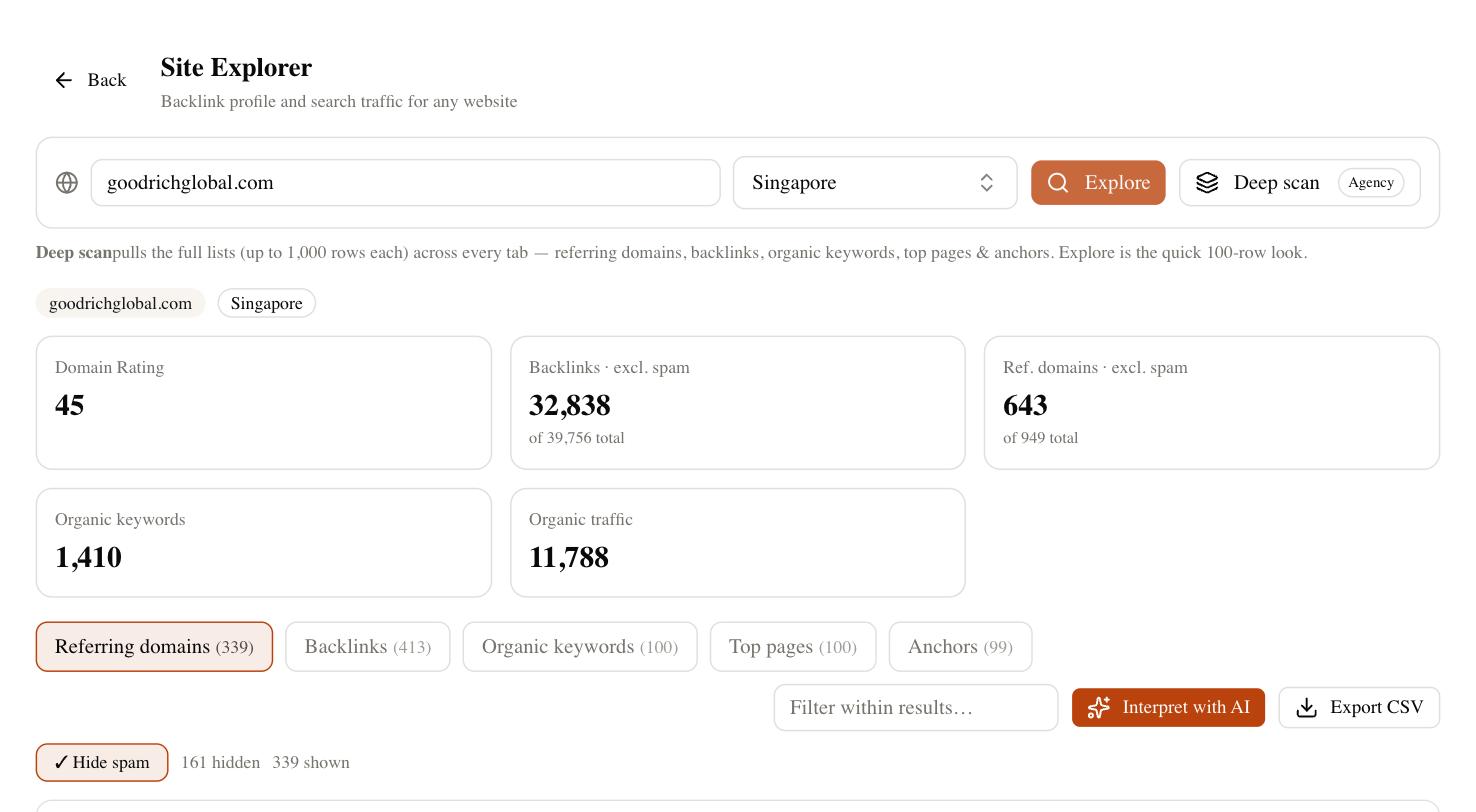
The practical value isn’t the score; it’s the prioritized list. Instead of guessing which pages to fix, you get “these 14 pages are missing a proper title” or “these 6 have no internal links pointing to them,” so you spend your afternoon fixing rather than hunting. Because it’s chat-first, you can ask it plainly — “which pages have thin content?” — and get the affected URLs back without clicking through menus. It won’t rewrite the page for you unless you ask, but it tells you exactly what to change and where.
How long before you see results
Here’s the honest part most guides skip. On-page fixes are among the fastest-moving levers in SEO, but “fast” still means weeks, not hours. After you edit a page, Google has to recrawl and reprocess it, which can take a few days to a couple of weeks depending on how often it visits your site. Then rankings need time to settle.
Expect to see movement on well-established pages within two to four weeks, and don’t panic when positions jitter a few spots up and down day to day — that’s normal ranking noise, not a signal that your fix failed. For a brand-new page, or a page in a competitive niche, on-page work alone may not be enough; you’ll eventually need links and authority too. On-page is necessary, but it isn’t always sufficient.
Resist the urge to keep tweaking while you wait. If you rewrite the title on Monday, add content on Wednesday, and restructure the headings on Friday, you’ll never know which change moved the needle. Make your fixes in one focused pass, note the date, and then leave the page alone for a few weeks so you can read the result cleanly. SEO rewards patience far more than it rewards fiddling, and the operators who win are the ones who resist the temptation to check rankings every morning.
Common on-page mistakes to avoid
A few errors show up again and again, and each one quietly undoes good work elsewhere on the page.
- Keyword stuffing. Repeating your phrase twenty times reads badly and does nothing. Use it naturally a handful of times and move on.
- Multiple or missing H1s. Some themes wrap the logo in an H1, leaving your headline as an H2. Check the actual rendered markup, not just the visual.
- Ignoring search intent. The best-optimized page in the world loses if it answers the wrong question. Look at what already ranks and match the format.
- Orphaned pages. Publishing content with no internal links pointing to it is the most common reason good pages never rank.
None of these are hard to fix once you know to look. The trouble is they’re invisible until something surfaces them — which is exactly why an audit pass beats eyeballing pages one at a time. You can stare at a page for ten minutes and never notice that your theme wrapped the logo in an H1, or that the URL you thought pointed here actually 404s. A crawler catches both in seconds, and that’s the whole argument for running one before you trust your own read of a page.
What to do this week
Pick your most important page that’s underperforming and run it through the seven steps above, top to bottom. That single pass will catch most of what’s holding it back, and you’ll learn the workflow well enough to repeat it fast on the next page. Then run a full-site audit to find the pattern problems — the duplicate titles and orphaned pages hiding across dozens of URLs at once.
Knowing how to fix on page SEO is really just knowing this checklist and running it consistently. The sites that win aren’t the ones with a clever trick; they’re the ones that do the boring, high-leverage basics on every page and give the changes a few weeks to take hold. Start with one page today, and let the results tell you where to go next.