
If you’re weighing Surfer SEO vs Clearscope, you’ve already narrowed the field to two of the most respected content-optimization tools around — and you’ve probably noticed they attack the same problem from opposite ends. Both look at what’s already ranking for your keyword, extract the terms and structure those pages share, and grade your draft against that pattern. Where they split is philosophy: one wants to be a full on-page workbench, the other wants to be a clean editorial grader that stays out of your way.
This comparison skips the feature-sheet theater. Below you’ll find how the two tools differ on data quality, day-to-day workflow, AI writing, and honest cost, a segment-by-segment verdict on who each one actually fits, and where a newer AI-native option earns a place on your shortlist.
What Surfer SEO and Clearscope actually do
Surfer SEO is the broader toolkit. Its Content Editor scores your draft in real time against a target keyword, but the platform also bundles a SERP analyzer, a keyword-research module, an audit tool for existing URLs, and content-planning clusters. You get a lot of dials — word count targets, exact term frequencies, heading counts, image counts — and the interface shows nearly all of them at once.
Clearscope is deliberately narrower. It concentrates almost entirely on content grading and readability, presenting a letter-grade scale and a tidy list of relevant terms with suggested usage. There’s keyword discovery and reporting attached, but the product’s identity is the editor: paste a draft, watch the grade, and hand a clean brief to a writer who has never touched an SEO tool. That focus is the whole point, and it’s why editorial teams tend to love it.
Surfer SEO vs Clearscope at a glance
Here’s the shortest honest summary before the details. Read the row that matches your situation, then jump to the segment verdicts below.
| Dimension | Surfer SEO | Clearscope |
|---|---|---|
| Data quality | Broad SERP-derived signals, many metrics | Fewer, well-curated terms; strong relevance |
| Ease of use | Powerful but busy; a learning curve | Clean, minimal, near-zero onboarding |
| AI features | Built-in AI writing and outlines | Lighter AI assist; grading-first |
| Best for | SEOs who want on-page control in one tool | Editorial teams who value clarity |
| Rough price band | Entry plans roughly $80–100/mo | Entry noticeably higher, ~$150–200/mo |
Data quality and scoring
Both tools derive their guidance from the same raw source: the pages currently ranking for your keyword. Neither invents a target from nothing, so treat every score as a reflection of the current SERP, not an absolute law. That matters, because a page can hit a perfect score and still lose to a weaker-scoring competitor with better links or intent match.
Surfer gives you more surface area. It surfaces term frequencies, related questions, competitor structure, and a numerical Content Score you can chase point by point. The risk is over-optimization — writers who treat the term list as a checklist can produce stiff, keyword-stuffed prose. Clearscope offers fewer terms but curates them harder, and its grade rewards natural coverage over raw frequency. In practice Clearscope’s recommendations feel cleaner, while Surfer’s feel more complete. Neither is objectively more accurate; they’re tuned for different tolerances.
Ease of use and workflow
This is where the two diverge most, and where most buying decisions are actually made. Clearscope’s editor is famously calm: a document, a grade, a term list, and little else. You can hand it to a freelance writer with a one-line explanation and trust the output. Onboarding takes minutes, not an afternoon.
Surfer packs far more into the screen, and that power comes with density. The Content Editor alone exposes word-count ranges, term targets with usage counters, structural suggestions, and NLP toggles. Experienced SEOs love the control; new writers can find it noisy and occasionally chase the score at the expense of readability. If your team is technical and wants everything in one window, Surfer wins the workflow. If your priority is getting non-SEO writers to produce optimized drafts without training, Clearscope’s restraint is the feature.
AI features and content generation
The AI gap has narrowed, but it hasn’t closed. Surfer has leaned into generation — outlines, AI drafting, and one-click content assists sit inside the same editor as the grading, so you can go from keyword to rough draft without leaving the tab. It’s convenient, though the raw output still needs a human editor to sound like anyone.
Clearscope has historically stayed grading-first, adding AI assistance more cautiously and keeping the human writer at the center. That’s a reasonable stance for editorial teams who don’t want a machine setting the tone, but it does mean you’ll often pair Clearscope with a separate writing tool. Neither product yet treats AI-search visibility — whether ChatGPT, Perplexity, or Google’s AI Overviews cite your page — as a first-class concern, which is increasingly where content strategy is heading.
Price and who each one really suits
Cost is the cleanest dividing line. Surfer’s entry plans run roughly $80–100 a month and include the wider toolkit, which makes it the stronger value for a solo SEO or small agency that wants research, auditing, and optimization together. Clearscope starts noticeably higher — commonly in the $150–200 range — and you’re paying for polish and simplicity rather than breadth.
So the verdict is genuinely split. Choose Surfer if you’re an SEO or content marketer who wants control, more metrics, and built-in AI drafting at a friendlier price, and you don’t mind a busier interface. Choose Clearscope if you run an editorial operation, work with writers who aren’t SEO specialists, and will happily pay a premium for a clean grade that never gets in the way. Neither is a mistake; they’re built for different rooms.
Where SEO Rocket fits in
There’s a third question worth asking: do you want a content grader at all, or do you want the whole workflow? SEO Rocket is the AI-native option built around that second answer. Instead of a scoring panel, you ask in plain language — “draft an article for this keyword,” “show me the gaps against these three competitors” — and it runs the research on real, Ahrefs-grade data, then writes the draft with the on-page structure already handled.
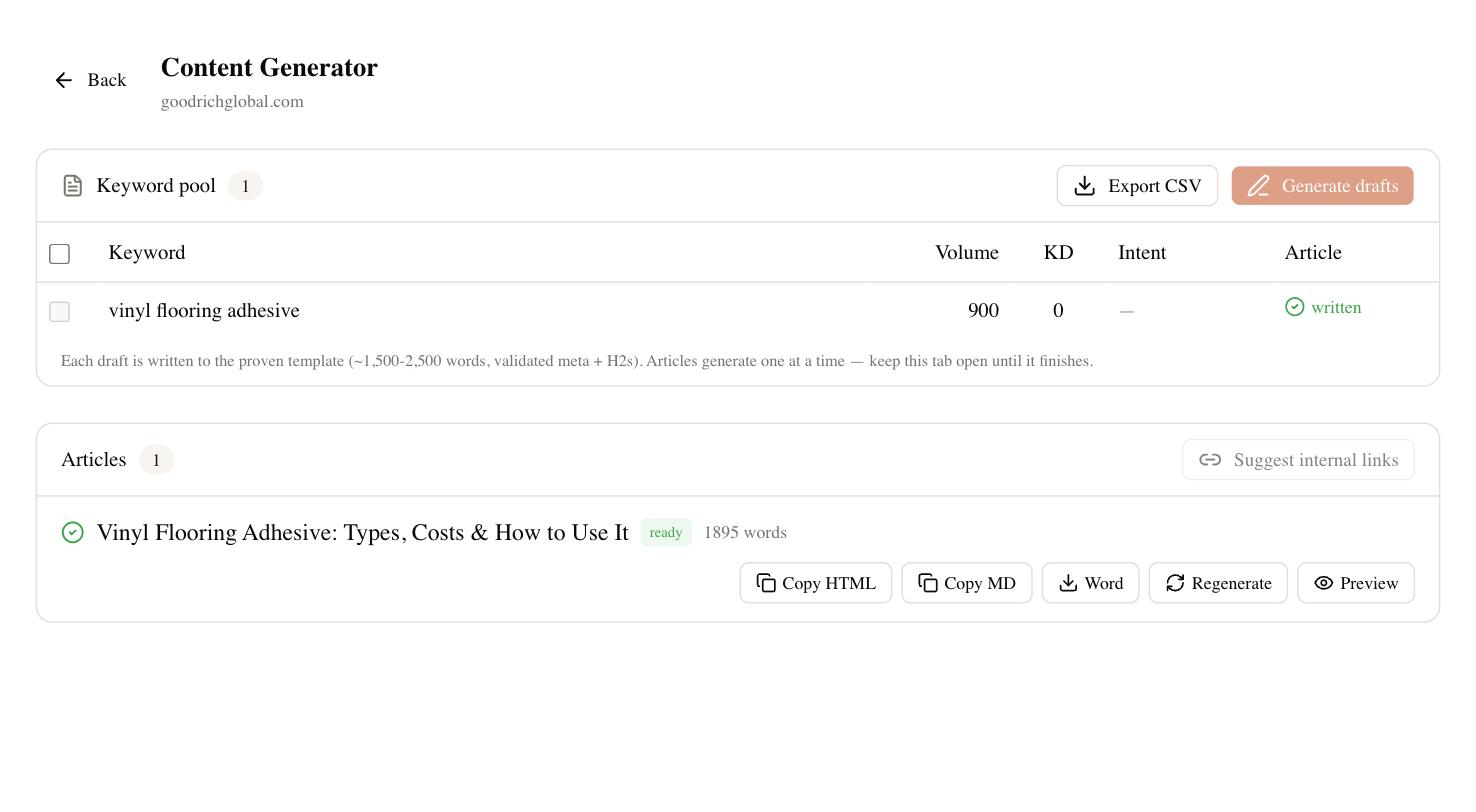
The practical difference is consolidation. Surfer and Clearscope grade content you still have to write and pair with separate research and rank-tracking tools; SEO Rocket folds keyword research, competitor gap analysis, rank tracking, and drafting into one chat-first workflow — and it tracks Brand Radar, whether AI search engines actually cite you. For a solo consultant or an agency juggling client dashboards, replacing three subscriptions with one is the point. It won’t out-polish Clearscope’s editor for a dedicated editorial desk, and that’s fine — it’s aimed at people who’d rather ship than tune a score.
How to choose between them
Match the tool to the bottleneck, not the feature list. If your problem is that writers produce content that doesn’t rank and you want a clean grade to hand them, Clearscope earns its premium. If you want on-page control plus research and light AI drafting in one affordable tool, Surfer is the pragmatic pick. And if the real problem is tool sprawl — too many tabs, too many invoices, too little time — an AI-native workflow like SEO Rocket covers the same optimization job and the surrounding research in one place.
Whichever way you lean, test with your own work before you commit. Take one real article you need to publish this month, run it through the free trial of each, and notice which one gets you to a shippable draft fastest without fighting the interface. Scores jitter, SERPs shift week to week, and no grader guarantees a ranking — so the honest tiebreaker isn’t the highest number on a dashboard, it’s the tool your team will actually open on a busy Tuesday.